Which Android Phones Can Still Be Rooted in 2026
Samsung One UI 8 killed bootloader unlocking. Xiaomi made it a lottery. But Unisoc phones are now unlockable by exploit. The verified 2026 list.
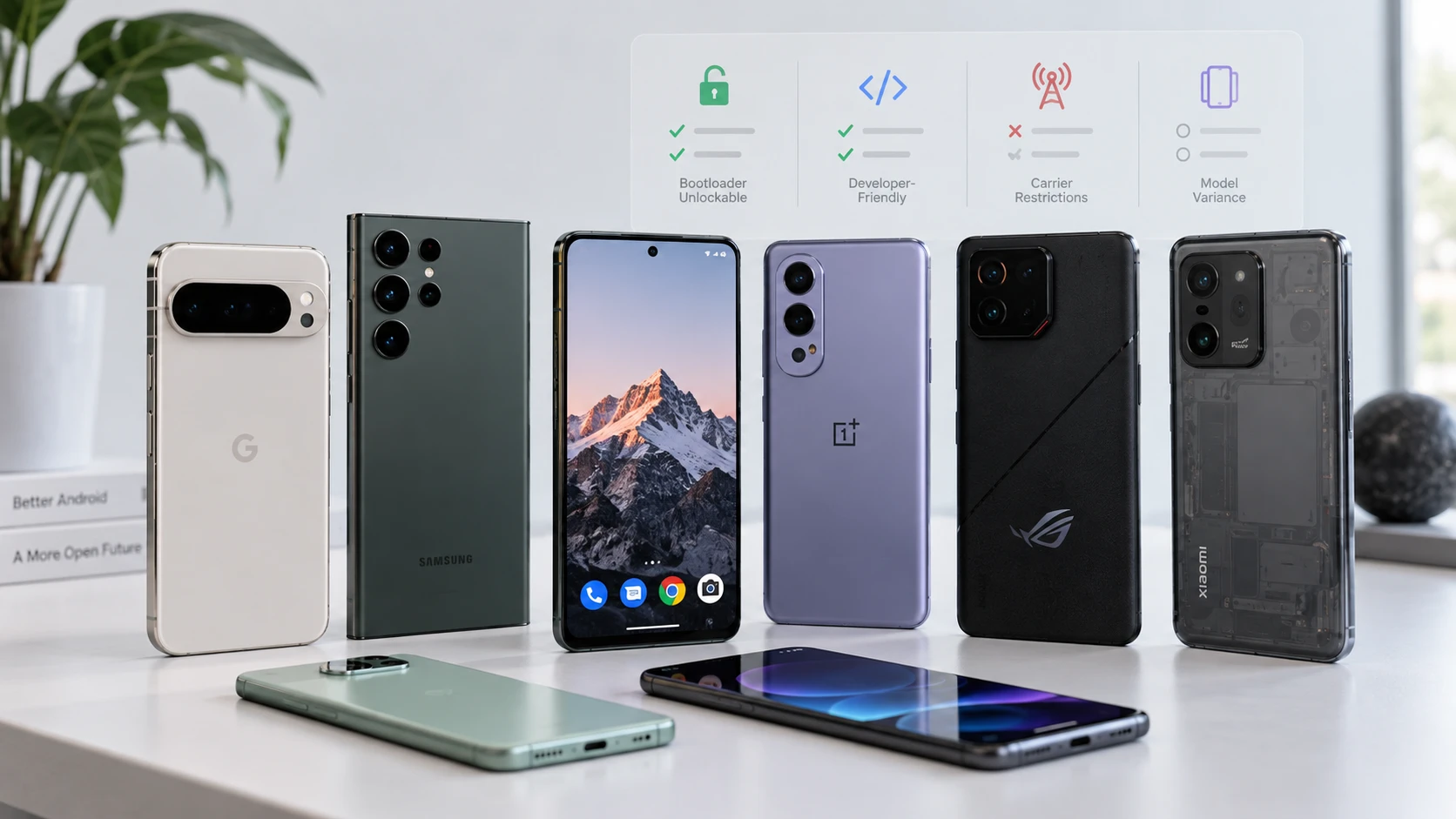
Table of Contents
- The short answer
- Quick picks: what to buy in 2026
- Check your own phone first
- The model catalogue
- Google Pixel
- Nothing and CMF by Nothing
- OnePlus
- Motorola
- Sony Xperia
- Fairphone
- Samsung Galaxy
- Xiaomi, Redmi and POCO
- OPPO and Realme
- Tecno, Infinix and itel
- Lenovo phones and tablets
- ZTE, nubia and RedMagic
- Nokia and HMD
- Open hardware brands
- Closed brands
- Samsung: One UI 8 ended it
- Where your Samsung stands
- Two warnings worth reading twice
- If your Samsung is still on One UI 7
- Xiaomi, Redmi and POCO: the queue
- Quick unlock for old MediaTek phones
- Unisoc: the correction
- MediaTek: the other exploit route
- The brand list
- Tier 1: Standard fastboot, no account, no wait
- Tier 2: Account, wait or approval required
- Tier 3: Restricted, conditional or a lottery
- Tier 4: Effectively closed
- Asus: what actually happened
- Nokia and HMD: per model, not per brand
- Two things that cut across every brand
- What to buy if rooting is the point
- Before you buy anything for rooting
- Frequently asked questions
If you are buying a phone mainly to root it, the brand matters less than the exact model, where it was sold and which software it ships with. This page is built as a catalogue: find your brand, find the model, read one line, decide. Every verdict is about the official unlock route the manufacturer offers, because that is the one you can rely on after you hand over your money.
The short answer
| Your phone | Can it be unlocked? |
|---|---|
| Pixel bought unlocked from Google | Yes. Easiest there is |
| Nothing Phone and CMF Phone | Yes. Standard fastboot |
| OnePlus, global model on OxygenOS | Yes, with two caveats below |
| Fairphone | Yes. No unlock code needed since the 2026 updates |
| Motorola (most Lenovo-built models) | Yes, with a free unlock code |
| Sony Xperia, international model | Yes, with a free unlock code |
| Samsung Galaxy S21 series, Z Fold3, Z Flip3 (non-US) | Yes. Their last update was One UI 7 |
| Samsung on One UI 8 or newer | No. Any region, any model |
| Xiaomi / Redmi / POCO, global ROM | Queue. Daily quota, one device a year. Older MIUI models only wait seven days |
| Old MediaTek phones such as the Redmi Note 8 Pro, Redmi 9 and Realme 6 | Sometimes in minutes through a chip-level route. See the quick-unlock section |
| Xiaomi / Redmi / POCO, China ROM | No since HyperOS 2 |
| OPPO / Realme outside China | No official route |
| Tecno / Infinix with a MediaTek chip | Yes, after a two-week account wait |
| Vivo, iQOO, Huawei, Honor, TCL, Asus | No |
| Nokia / HMD | Per model. Mostly no on recent models |
| Verizon anything | No |
Quick picks: what to buy in 2026
If you only want the answer, start here. These are the phones where the unlock is official, documented and unlikely to disappear after an update.
Best overall
Google Pixel 9 or Pixel 10, bought from Google
Standard fastboot, factory images for every build, and the platform every root tool supports first. A used Pixel 8 or 9 is the value pick.
Best for custom ROMs
Pixel 8 or 9 series
Eight or more ROMs each, from LineageOS and crDroid to Evolution X, Infinity X, GrapheneOS and CalyxOS. The Pixel 10 has fewer and no LineageOS yet, and the Pixel 11 has no GrapheneOS at all.
Best mid-range
Nothing Phone (3a) or Phone (2)
No account, no code, no wait. The Phone (1) and Phone (2) each have five or more ROMs, and the (3a) and (3a) Pro have six.
Best budget
Motorola Moto G84, G34 or Moto G 5G 2024
Official unlock code. The G84 and G34 each have five or more ROMs, including LineageOS, AxionOS and Matrixx. Check the exact model first: ODM-built Motos are excluded.
Best performance per dollar
OnePlus 12, 12R or 13R, global
Easy unlock and five to eight ROMs each. Read the OnePlus notes on anti-rollback and ColorOS 17 before you buy.
Best long-term phone
Fairphone 5 or Fairphone (Gen. 6)
Unlock without a code since mid-2026, LineageOS and /e/OS on every model, and years of updates.
Best cheap ROM playground
POCO F3 or Redmi Note 10 Pro, used
Older MIUI phones still on the seven-day unlock wait, with six to eight ROMs each, some on Android 17. The POCO F1 is the oldest phone here and still has more than ten.
Best old Samsung
Galaxy S20 FE, Note 10 or S10
They never got One UI 8, so the toggle stays, and each has more than ten ROMs including One UI ports. Non-US units only.
Avoid if rooting is the point: any new Samsung, any current Asus, Vivo, Honor or Huawei, carrier-sold phones, and China-ROM Xiaomi or OPPO imports.
Check your own phone first
This settles it faster than any list.
Step 1. Open Settings → About phone. On Samsung, go into Software information first.
Step 2. Tap Build number seven times.
Step 3. Back out to Settings → System → Developer options. On Samsung it sits at the bottom of the main Settings list.
Step 4. Look for OEM unlocking.
What you find means:
| What you see | What it means |
|---|---|
| Present and switchable | Good sign. Your bootloader can probably be unlocked |
| Present but greyed out | Carrier lock, or the phone needs to be online and signed in, or it is too soon after setup |
| Missing entirely | Blocked in firmware. On Samsung One UI 8 this is permanent |
From a computer you can confirm with:
fastboot flashing get_unlock_abilityA result of 1 means unlocking is permitted. 0 means it is blocked. On a Pixel with a greyed-out toggle, connect to the internet first: Google says the phone has to check in once before the toggle works.
The model catalogue
Every model below has one of four verdicts for unlocking, and a note on custom ROMs. Use the filters to show only the phones you can actually work with, or search for a model name or codename.
| Verdict | What it means |
|---|---|
| Easy | Official unlock with a toggle and a fastboot command. No account, no code, no wait |
| Moderate | Official, but you need a code, an account or a waiting period. Also used for older MediaTek phones with a well-documented quick community route |
| Hard | Official only under strict conditions (quotas, a narrow software window, one device a year), or a community exploit with real risk and no official route |
| Not possible | No official route for this model |
Custom ROMs column. We counted every ROM that exists for the phone, official or unofficial: a custom ROM is a custom ROM. Many means five or more with a build in the last year, Several means two to four, Few means one, and None found means we searched the ROM projects' own build lists, the XDA forum, the /e/OS forum and GitHub and found nothing. Checked 5 October 2026. Telegram-only builds can be missing, and a ROM listed as "unverified" has a device tree or a forum thread but we could not confirm a working build.
Google Pixel
Unlocked Pixels bought from Google or a retailer unlock with the standard toggle and fastboot flashing unlock. Verizon Pixels never unlock. Other carrier units usually do once they are SIM-unlocked and have been online. One 2026 change worth knowing: Google no longer publishes full Pixel device sources, so new Pixels get custom ROMs later than they used to.
Guides: Pixel root guide GrapheneOS install guide
| Model | Verdict | What to know | Custom ROMs |
|---|---|---|---|
| Pixel 11 series | Easy | Unlocks normally. Tooling is still settling on this generation | None found. GrapheneOS says it will not support Pixel 11 (Tensor G6 lacks MTE). No device trees yet |
| Pixel 10a (stallion) | Easy | Standard unlock | Several: crDroid 13 (Android 17 beta, Oct 2026), GrapheneOS, CalyxOS soon. No LineageOS |
| Pixel 10 Pro Fold (rango) | Easy | Since the May 2026 update you cannot boot older Android 16 builds, so plan your firmware before downgrading | Several: crDroid 12, Evolution X 11.9, GrapheneOS |
| Pixel 10, 10 Pro, 10 Pro XL (frankel, blazer, mustang) | Easy | Same firmware warning as the Fold | Many: crDroid 12, Evolution X 11.9, RisingOS 9, AxionOS 2.6, GrapheneOS. No LineageOS |
| Pixel 9a (tegu) | Easy | Standard unlock | Many: crDroid 13 (Android 17 beta), Evolution X 11.7, Infinity X 3.12, LineageOS 23.2, GrapheneOS, CalyxOS, iodéOS |
| Pixel 9 Pro Fold (comet) | Easy | Standard unlock | Several: crDroid 13, Evolution X, LineageOS 23.2, GrapheneOS, CalyxOS, /e/OS |
| Pixel 9, 9 Pro, 9 Pro XL (tokay, caiman, komodo) | Easy | The sweet spot in 2026. Some Pixel AI features stop working on an unlocked bootloader | Many: crDroid 13 (Android 17 beta), Evolution X 11.7, Infinity X 3.12, AxionOS 2.7, RisingOS, LineageOS 23.2, GrapheneOS, CalyxOS, iodéOS |
| Pixel 8, 8 Pro, 8a (shiba, husky, akita) | Easy | Best value used buy for rooting | Many: crDroid 12, Evolution X 11.11, Infinity X 3.12, AxionOS 2.7, RisingOS 9, LineageOS 23.2, GrapheneOS, CalyxOS, iodéOS |
| Pixel Fold (felix) | Easy | Standard unlock | Many: Evolution X 11.10, RisingOS, LineageOS 23.2, GrapheneOS, CalyxOS, /e/OS |
| Pixel Tablet (tangorpro) | Easy | Standard unlock | Many: Evolution X 11.10, RisingOS 9, AxionOS, LineageOS 23.2, GrapheneOS, CalyxOS, /e/OS |
| Pixel 7, 7 Pro, 7a (panther, cheetah, lynx) | Easy | Cheap and well supported | Many: crDroid 12, Evolution X 11.10, Infinity X 3.12, AxionOS 2.7, RisingOS, LineageOS 23.2, GrapheneOS, CalyxOS, iodéOS, /e/OS |
| Pixel 6, 6 Pro (oriole, raven) | Easy | The 6 series had its own anti-rollback update in May 2025 | Many: crDroid 12, Evolution X 11.11, Infinity X 3.12, AxionOS 2.5, RisingOS, LineageOS 23.2, GrapheneOS, CalyxOS, iodéOS |
| Pixel 6a (bluejay) | Easy | Standard unlock | Many: Evolution X 11.11, AxionOS, RisingOS, LineageOS 23.2, GrapheneOS, CalyxOS, iodéOS. No crDroid |
| Pixel 5a (barbet) | Easy | Out of official updates. Fine as a tinkering phone | Many: crDroid 12, Infinity X 3.10, LineageOS 23.2, /e/OS, iodéOS, CalyxOS (extended) |
| Pixel 5 (redfin) | Easy | Out of official updates | Many: crDroid 12, Evolution X 11.5, Infinity X 3.10, Elixir 5.7, LineageOS 23.2, iodéOS, /e/OS, CalyxOS (extended) |
| Pixel 4a 5G (bramble) | Easy | Out of official updates | Many: crDroid 12, Evolution X 11.5, Infinity X 3.10, LineageOS 23.2, /e/OS, CalyxOS (extended) |
| Pixel 4a (sunfish) | Easy | Out of official updates | Several: LineageOS 23.2, Evolution X 11.5, Elixir 5.7, /e/OS, iodéOS, CalyxOS (extended) |
| Pixel 4, 4 XL (flame, coral) | Easy | Old, but LineageOS 23.2 is current | Several: LineageOS 23.2, /e/OS, iodéOS; crDroid on the 4 XL is stale |
| Pixel 3a, 3a XL (sargo, bonito) | Easy | Old but still maintained | Many: LineageOS 22.2, crDroid 11, Evolution X 10.9, /e/OS, Ubuntu Touch, iodéOS |
| Pixel 3, 3 XL (blueline, crosshatch) | Easy | Old but still maintained | Many: LineageOS 22.2, crDroid 11, Evolution X 10.9, /e/OS, iodéOS |
| Any Verizon Pixel | Not possible | Verizon blocks the toggle on every model | None |
Nothing and CMF by Nothing
Plain fastboot after turning on OEM unlocking. No account and no code. Nothing devices also support custom AVB keys, so you can run a custom OS and lock the bootloader again. Unlocking drops Qualcomm models from Widevine L1 to L3 until you re-lock.
| Model | Verdict | What to know | Custom ROMs |
|---|---|---|---|
| Phone (4b) (SuperContra) | Easy | Launched July 2026 | None found. Seen only in the Telegram channel |
| Phone (4a) Pro (FroggerPro) | Easy | Newest model. Root guides exist, community still small | Few: Evolution X (unofficial, Android 16 and 17), seen in Telegram and snippets, unverified at source |
| Phone (4a) (Frogger) | Easy | Newest model | None found. Recoveries only (TWRP, OrangeFox) |
| Phone (3) (Metroid) | Easy | Magisk via init_boot is documented | Few: unofficial LineageOS 23 alpha and 24.0 from one developer. Neoteric-OS tree, no build |
| Phone (3a) Lite | Easy | Standard unlock | Few (unverified): Lunaris and Axion ports described as buggy in an XDA thread |
| Phone (3a), (3a) Pro (asteroids) | Easy | Good mid-range pick for rooting. One build covers both | Many: Infinity X 3.10, LineageOS 23.2, crDroid 12.3, PixelOS 16.2, /e/OS 3.6, iodéOS 7 (mostly unofficial) |
| Phone (2a) Plus (PacmanPro) | Easy | Standard unlock | Several: unofficial LineageOS 23.2, YAAP, AxionOS 2.7 |
| Phone (2a) (Pacman) | Easy | Standard unlock | Several: unofficial LineageOS 24.0 (Android 17, Sept 2026), YAAP, AxionOS 2.7; releases are monthly |
| Phone (2) (Pong) | Easy | The Nothing phone with the deepest official ROM support | Many: LineageOS 23.2, crDroid 12, Evolution X 11.11, AxionOS 2.7, Infinity X 3.5, /e/OS |
| Phone (1) (Spacewar) | Easy | Old but cheap, and the best-supported Nothing | Many: LineageOS 23.2, crDroid 12, PixelOS (Android 17), RisingOS 9, Evolution X 11.10, /e/OS, Ubuntu Touch, VoltageOS and iodéOS (older) |
| CMF Phone 1 (Tetris) | Easy | MediaTek. Budget option with a real unlock | Many: Voltage 6.1 (Android 17), Evolution X 11.10, Infinity X 3.12, AxionOS 2.4, /e/OS |
| CMF Phone 2 Pro (Galaga) | Easy | MediaTek | Few: /e/OS unofficial builds. Device trees exist, no other build confirmed |
OnePlus
Global units on OxygenOS unlock with standard fastboot. Two things changed: OnePlus stopped launching new phones in the US, Canada and Europe in 2026, and it is moving phones from OxygenOS to ColorOS 17. Chinese units on ColorOS 16 or newer need a Deep Testing approval with quotas and identity checks. Whether global phones on ColorOS 17 will need the same is not confirmed yet, so if you plan to unlock, unlock before you take that update.
Guides: OnePlus root guide OnePlus 12 and 13 OnePlus Nord
| Model | Verdict | What to know | Custom ROMs |
|---|---|---|---|
| OnePlus 15R (macan), global | Easy | Standard fastboot | None found. Developer trees only |
| OnePlus 15 (infiniti), global | Easy | Anti-rollback on recent builds. A Chinese unit converted to OxygenOS cannot unlock | None found. LineageOS 24.0 tree in development, no release |
| OnePlus 15 or 13T, China | Hard | Deep Testing approval, quotas, real-name checks | None found. Only developer trees (13T) |
| OnePlus 13 (dodge), global | Easy | Watch the anti-rollback fuse | Many: LineageOS 23.2, crDroid 12, Evolution X, Lunaris, Matrixx, DerpFest 16, RisingOS 16, /e/OS |
| OnePlus 13R (giulia), global | Easy | No anti-rollback warning | Many: LineageOS 23.2, crDroid 12, Lunaris, Infinity X 4.0 (Android 17), DerpFest, AxionOS, Matrixx, /e/OS |
| OnePlus 12 (waffle) | Easy | Arguably the best OnePlus to root in 2026 | Many: LineageOS 23.2, crDroid 12, YAAP 17, PixelOS 16, RisingOS, /e/OS |
| OnePlus 12R (aston) | Easy | Same strengths as the 12, cheaper | Several: LineageOS 23.2, crDroid 12, PixelOS 17, /e/OS; older Evolution X and DerpFest |
| OnePlus 11 (salami) | Easy | Good used value | Many: LineageOS 23.2, crDroid 12, Lunaris 16.2, Matrixx, /e/OS; older Evolution X |
| OnePlus 11R (udon) | Easy | Standard fastboot | Few (unverified): RisingOS Android 16 local manifests and tree, no ROM release found |
| OnePlus 10 Pro (negroni) | Easy | T-Mobile 10 Pro needs an unlock token | None found. 2023 tree only |
| OnePlus 10T (ovaltine) | Easy | Standard fastboot | Few (unverified): unofficial LineageOS tree, no build confirmed |
| OnePlus 10R | Easy | Standard fastboot | None found |
| OnePlus 9 (lemonade), 9 Pro (lemonadep) | Easy | Old but very well supported | Many: LineageOS 23.2, crDroid (Android 17 beta), Evolution X 16, Matrixx, /e/OS; older AOSPA and Nameless |
| OnePlus 9R (lemonades) | Easy | Old but very well supported | Many: LineageOS 23.2, Evolution X 16, Matrixx, AxionOS 2.6, /e/OS; older crDroid, YAAP, Elixir |
| OnePlus 9RT (martini) | Easy | Old but very well supported | Several: LineageOS 23.2, PixelOS 16, /e/OS |
| Nord 5 (lexus) | Easy | Mid-range with strong ROM support | Several: LineageOS 23.2, crDroid 12 (unofficial), DerpFest 16.2, /e/OS |
| Nord 4 (avalon) | Easy | Mid-range with strong ROM support | Several: LineageOS 23.2, crDroid 12, /e/OS |
| Nord CE5 | Easy | Newest CE | None found. No codename or tree located |
| Nord CE4 (benz) | Easy | Cheap OnePlus with official ROMs | Many: LineageOS 23.2, crDroid 12, Evolution X, Lunaris, PixelOS 16, /e/OS |
| Nord CE3 Lite (larry) | Easy | Cheap OnePlus with official ROMs | Several: LineageOS 23.2, crDroid 12, Lunaris, /e/OS |
| Nord CE3 (ziti) | Easy | Standard fastboot | Several: Lunaris 16.2, VoltageOS 6.1, unofficial LineageOS 23.2 tree |
| Nord CE2 Lite 5G (oscaro) | Easy | Cheap OnePlus with the widest ROM list | Many: LineageOS 23.2, PixelOS 17, AxionOS 2.8, Lunaris, Matrixx, /e/OS |
| Nord CE2 5G | Easy | MediaTek | None found. Recovery trees only |
| Nord 3 (vitamin) | Easy | MediaTek, which makes recovering from a bad flash harder | None found. Developer trees only |
| Nord 2T (karen) | Easy | MediaTek | None found. 2023 tree only |
| Nord 2 (denniz) | Easy | MediaTek. Shares its ROMs with the Realme X7 Max | Several: Evolution X 16, Lunaris 16.2 |
| Nord N20 (gunnar), N200 (dre) | Moderate | Carrier units need an unlock token. Retail units are easy | Several each: LineageOS 23.2, /e/OS |
| Nord N10 (billie) | Moderate | Carrier units need an unlock token | Several (stale): LineageOS 21, /e/OS (Android 14) |
| Nord N100 (billie2) | Moderate | Carrier units need an unlock token | Few (unverified): LineageOS 22.2 tree, no build |
| OnePlus Pad 3 (erhai) | Easy | Standard fastboot on tablets too | Several: LineageOS 23.2, crDroid 12, /e/OS |
| OnePlus Pad 2 and Pad Pro (caihong) | Easy | Standard fastboot on tablets too | Several: LineageOS 23.2, crDroid 12, PixelOS 16, /e/OS |
| OnePlus Pad (first generation) | Easy | Standard fastboot on tablets too | None found |
| Any Verizon OnePlus | Not possible | No OEM unlock option | None |
Motorola
You request a free unlock code from Motorola's developer portal using fastboot oem get_unlock_data. Requesting it voids the warranty, and some phones make you wait up to a week before the toggle works. The rule of thumb that matters most: models Lenovo builds itself are usually eligible; cheap models made by outside manufacturers (most E-series and lower G-series) are not. Carrier units from Verizon, AT&T and Tracfone, and Amazon-branded units, are excluded.
Guides: Motorola root guide
| Model | Verdict | What to know | Custom ROMs |
|---|---|---|---|
| Edge 30 (dubai) | Moderate | Retail units unlock through Motorola's portal | Many: LineageOS 23.2, PixelOS 17, Infinity X 17, /e/OS, LMODroid, plus older crDroid, Evolution X and RisingOS builds |
| Edge 30 Neo (miami) | Moderate | Retail units unlock through Motorola's portal | Several: LineageOS 23.2, /e/OS, LMODroid, RisingOS Revived (Android 15) |
| Edge 30 Ultra (eqs) | Moderate | Retail units unlock through Motorola's portal | Several: LineageOS 23.2, /e/OS, LMODroid |
| Edge 30 Fusion (tundra) | Moderate | Retail units unlock through Motorola's portal | Several: LineageOS 23.2, /e/OS, LMODroid, Evolution X (Android 15) |
| Edge 30 Pro / Edge+ 2022 / X30 (hiphi) | Moderate | Retail units unlock through Motorola's portal | Several: unofficial LineageOS 23 (XDA), /e/OS |
| Edge 2022 (tesla, Dimensity 1050) | Moderate | Retail units unlock through Motorola's portal | None found. Only a LineageOS bring-up tree |
| Edge 40 (lyriq) | Moderate | Retail units unlock through Motorola's portal | None found. Developer trees only |
| Edge 40 Neo (manaus) | Moderate | Retail units unlock through Motorola's portal | Several: LineageOS 23.2, /e/OS |
| Edge 40 Pro / Edge+ 2023 (rtwo) | Moderate | Flagship with the deepest ROM support of the Edge line | Several: LineageOS 23.2, crDroid 12 (Android 16), LMODroid, /e/OS, DerpFest and Evolution X (Android 15) |
| Edge 2024 (avatrn) | Moderate | Some T-Mobile units show "not eligible" | Several: LineageOS 23.2, /e/OS |
| Edge 50 Pro (eqe) | Moderate | Retail units unlock through Motorola's portal | Several: Evolution X (Android 16, unofficial), /e/OS |
| Edge 50 Ultra (ctwo) | Moderate | Retail units unlock through Motorola's portal | None found. LineageOS bring-up tree only |
| Edge 50 Fusion (cusco) | Moderate | Retail units unlock | None found. Developer trees only |
| Edge 50 Neo / ThinkPhone 25 (vienna) | Moderate | Some owners report "does not qualify", so check before buying | None found. LineageOS 23.2 tree exists, no build yet |
| Edge 60 Pro (cybert) | Moderate | Owner reports suggest retail units unlock. Treat as likely, not confirmed | None found. Early LineageOS tree |
| Edge 60 Fusion (scout) | Moderate | Owner reports suggest retail units unlock. Treat as likely, not confirmed | None found. Bring-up tree only |
| Razr 2022 (oneli) | Moderate | Retail units only | None found |
| Razr 40 (lynkco) | Moderate | Retail units only. AT&T and Tracfone Razrs are not eligible | None found. Only a 2023 tree |
| Razr 40 Ultra (zeekr) | Moderate | Retail units only. A wait of several days is common | Several: unofficial LineageOS 22.2, /e/OS, LineageOS 23.2 tree in progress |
| Razr 50 / Razr 60 (aito) | Moderate | Retail units only | None found |
| Razr 50 Ultra (arcfox) | Moderate | Retail units only | None found. LineageOS 23.2 tree, no build |
| Razr 60 Ultra (leap) | Moderate | Retail units only | None found. Recovery tree only |
| ThinkPhone (bronco) | Moderate | Business phone with good support | Several: LineageOS 23.2, LMODroid, /e/OS |
| Moto G82 5G (rhodep) | Moderate | One of the safer budget Motos | Several: LineageOS 23.2, Evolution X (Android 15), /e/OS, LMODroid |
| Moto G84 5G (bangkk) | Moderate | The best-supported budget Moto | Many: LineageOS 23.2, AxionOS, Matrixx (Android 16), LMODroid, /e/OS, Evolution X (Android 15) |
| Moto G85 5G (malmo) | Moderate | Retail units unlock through Motorola's portal | None found. A user on the /e/OS forum confirmed no ROM in August 2026 |
| Moto G86 / G86 Power 5G (nice) | Moderate | Retail units unlock through Motorola's portal | None found. Kernel and tree repos only |
| Moto G52 (rhode) | Moderate | Old but well loved | Several: LineageOS 23.2, Evolution X (Android 15), /e/OS, LMODroid, plus crDroid and several others on Android 13 and 14 |
| Moto G42 (hawao) | Moderate | Old but well loved | Several: LineageOS 23.2, Evolution X (Android 15), crDroid (Android 15), /e/OS, LMODroid |
| Moto G32 (devon) | Moderate | Old but well loved | Several: LineageOS 23.2, Evolution X (Android 15), crDroid (Android 15), /e/OS, LMODroid |
| Moto G34 5G and G45 5G (fogos) | Moderate | Cheap, and a shared tree means shared ROMs | Many: LineageOS 23.2, AxionOS, Lunaris, MistOS, LMODroid, /e/OS |
| Moto G 5G 2024 (fogo) | Moderate | Cheap with a good ROM list | Many: LineageOS 23.2, crDroid 12, LMODroid, /e/OS, BlissOS |
| Moto G Stylus 5G 2022 (milanf) | Moderate | Retail units | Several: LineageOS 23.2, LMODroid, /e/OS |
| Moto G Stylus 5G 2023 (genevn) | Moderate | Retail units | Several: LineageOS 23.2, BlissOS |
| Moto G Stylus 2025 (mona) | Moderate | Retail units usually qualify. Prepaid and carrier units usually do not | None found. Android 17 developer tree only |
| Moto G Power 5G 2024 (cancunn) and 2025 (vegas) | Moderate | Retail units usually qualify. Prepaid and carrier units usually do not | None found. Recovery and stale trees only |
| Moto G15 and G05 (lamu) | Moderate | Entry-level models that are eligible | Few: LineageOS 23.2. PixelOS, Axion and Lunaris patches exist, no build confirmed |
| Moto G13 and G23 (penangf) | Hard | Excluded from the unlock programme. Helio G85 phones like these have a published exploit route instead (see the MediaTek section) | Several: unofficial LineageOS 21 (GitHub release), /e/OS (Android 14) |
| Moto G24 and G24 Power (fogorow) | Hard | Excluded from the unlock programme. Same Helio G85 exploit route applies | None found. LineageOS and crDroid trees exist, no build confirmed |
| Moto G22 and E-series | Not possible | Built by outside manufacturers and excluded from the programme | None found |
| Verizon, AT&T, Tracfone or Amazon Motorola | Not possible | Carrier and Amazon units are excluded | None |
Motorola also announced a GrapheneOS partnership in March 2026 for a future phone. No model or date yet.
Sony Xperia
Sony gives you a free unlock code from its developer site, based on IMEI 1. You can check a phone before buying it: dial *#*#7378423#*#*, open Service info → Configuration and look for "Bootloader unlock allowed: Yes". Unlocking removes DRM keys, and on phones made before 2019 it also wipes camera processing data for good. Models from 2020 onward support custom AVB keys. Japanese carrier models and the US variants of several recent models cannot be unlocked.
| Model | Verdict | What to know | Custom ROMs |
|---|---|---|---|
| Xperia 1 VIII (international) | Moderate | Unlock code, then Magisk on init_boot is documented | None found. Pro-I and 1 VIII have no codename in the trees I could find |
| Xperia 1 VII (international) | Moderate | US and Japanese variants cannot be unlocked | None found. Only Sony's own AOSP config (pdx256) |
| Xperia 1 VI (pdx245) | Moderate | Good flagship choice | Few: LineageOS 23.2 |
| Xperia 1 V (pdx234) | Moderate | Good flagship choice | Several: LineageOS 23.2, LMODroid, /e/OS |
| Xperia 1 IV (pdx223) | Moderate | The US 1 IV (XQ-CT62) is not unlockable | Several: LineageOS 23.2, PixelOS 17, /e/OS |
| Xperia 1 III (pdx215) | Moderate | Mature ROM support | Several: LineageOS 23.2, LMODroid, /e/OS |
| Xperia 1 II (pdx203) | Moderate | Mature ROM support | Several: LineageOS 23.2, LMODroid, /e/OS, postmarketOS (testing) |
| Xperia 5 V (pdx237) | Moderate | The best-supported recent Xperia | Several: LineageOS 23.2, crDroid 12 (Android 17 build Oct 2026), LMODroid, /e/OS |
| Xperia 5 IV (pdx224) | Moderate | The US 5 IV (XQ-CQ62) is not unlockable | Several: LineageOS 23.2, PixelOS 17, /e/OS |
| Xperia 5 III (pdx214) | Moderate | Mature ROM support | Several: LineageOS 23.2, LMODroid, /e/OS |
| Xperia 5 II (pdx206) | Moderate | Mature ROM support | Several: LineageOS 23.2, LMODroid, /e/OS, older PixelOS and Elixir builds |
| Xperia 10 VII (pdx257) | Moderate | Mid-range, on Sony's unlock list | Few: LineageOS 23.2 |
| Xperia 10 VI (pdx246) | Moderate | On Sony's unlock list | None found. Community LineageOS trees only |
| Xperia 10 V (pdx235) | Moderate | Mid-range | Several: LineageOS 23.2, LMODroid, /e/OS |
| Xperia 10 IV (pdx225) | Moderate | Mid-range | Several: LineageOS 23.2, LMODroid, /e/OS |
| Xperia 10 III (pdx213) | Moderate | Mid-range | None found. Developer trees only |
| Japanese carrier Xperia (Docomo, au, SoftBank) | Not possible | Carrier models are locked. Japanese SIM-free units can be unlocked | None |
Fairphone
Fairphone dropped its unlock code in 2026. After the latest updates you turn on the toggle in Developer options and wait for an online check. Older firmware still asks for the code, so update first. The Fairphone 4 and 5 also need a separate unlock for critical partitions.
| Model | Verdict | What to know | Custom ROMs |
|---|---|---|---|
| Fairphone (Gen. 6) (FP6) | Easy | Code-free since its May 2026 update | Several: LineageOS 23.2, /e/OS |
| Fairphone 5 (FP5) | Easy | Needs the separate critical-partitions unlock | Several: LineageOS 23.2, /e/OS, LMODroid, Ubuntu Touch |
| Fairphone 4 (FP4) | Easy | Needs the separate critical-partitions unlock | Several: LineageOS 23.2, /e/OS, LMODroid, Ubuntu Touch, plus postmarketOS and CalyxOS (older, unverified now) |
| Fairphone 3 and 3+ (FP3) | Easy | Older firmware still asks for the unlock code | Several: LineageOS 22.2, /e/OS, LMODroid, Ubuntu Touch |
Samsung Galaxy
The short version: only non-North-American phones still on One UI 7 or older can be unlocked, and every One UI 8 update removes the option for good. The useful exception for buyers is the Galaxy S21 series and the Z Fold3 and Z Flip3: their last major update was One UI 7, so international units keep the toggle. US (U, U1) and Canadian (W) models were never unlockable. Unlocking always trips Knox permanently. The full explanation is in the Samsung section below.
Guides: Galaxy root guide Galaxy A-series Knox and warranty
| Model | Verdict | What to know | Custom ROMs |
|---|---|---|---|
| Galaxy S26 series | Not possible | Ships with One UI 8.5 | None |
| Galaxy Z Fold7, Z Flip7 (q7q, b7q) | Not possible | Ships with One UI 8; the OEM Unlock toggle is missing | None found. No device trees either |
| Galaxy S25 Ultra (pa3q, S938B) | Hard | Only units never updated past One UI 7. Already-unlocked phones can stay unlocked on special Odin firmware | Several: Dr.Ketan ROM (One UI 8.5, B model only, updated Jul to Aug 2026), GSIs (LineageOS 22, VoltageOS, crDroid, RisingOS), Beyond ROM (Telegram only) |
| Galaxy S25, S25+ (pa1q, pa2q) | Hard | Only units never updated past One UI 7 | Few: LineageOS GSI guide only (call audio, Bluetooth and VoLTE broken). TWRP and device trees; Dr.Ketan declined these variants |
| Galaxy S25 Edge (psq) | Hard | Only units never updated past One UI 7 | None found. TWRP and a device tree only |
| Galaxy S25 FE (r13s) | Hard | Shipped with One UI 8, so likely locked | None found. No TWRP either |
| Galaxy S24 Ultra (e3q, Snapdragon) | Hard | Only units never updated past One UI 7. Most stock has already updated | Many: unofficial LineageOS 23.2 (Exynoobs, builds to Sept 2026) and 22.2, Dr.Ketan One UI 8.5, BeyondROM, /e/OS, Evolution X (Android 15) |
| Galaxy S24, S24+ (e1s, e2s, Exynos) | Hard | Only units never updated past One UI 7 | Few: BeyondROM. LineageOS device trees in progress |
| Galaxy S24 FE (r12s) | Hard | The last unlockable firmware is S921B...BYH1 to BYH3; the unlock is lost after One UI 8 | None found. XDA says no developer; trees are work in progress |
| Galaxy S23, S23+, S23 Ultra (dm1q, dm2q, dm3q) | Hard | Only units never updated past One UI 7 | Many: LineageOS 23.2 (S23), crDroid 12.12 (official), Evolution X 11 (official), VoltageOS, iodéOS 7.5, /e/OS, UN1CA 2.5.6 (S23 Ultra, older) |
| Galaxy S23 FE (r11s) | Hard | Only units never updated past One UI 7 | Few: LineageOS 23.2 (unofficial, close to official: its device support merged into LineageOS trees on 7 Sept 2026; builds seem to come via the Exynos 2200 Telegram group, unconfirmed) |
| Galaxy S22, S22+, S22 Ultra (r0s, g0s, b0s) | Hard | Only units never updated past One UI 7 | Several: LineageOS 23.2 (official, Exynos), UN1CA 3.1.0 (One UI 8 port), ExtremeROM Nexus (One UI 7) |
| Galaxy S21 Ultra (p3s, Exynos) | Moderate | Last update was One UI 7, so the toggle stays. US units never unlock | Several: UN1CA 3.2.0 (One UI 8 port), Matrixx and Infinity X (Android 15, older), GSIs |
| Galaxy S21, S21+ (o1s, t2s, Exynos) | Moderate | Last update was One UI 7, so the toggle stays. US units never unlock | Many (S21): UN1CA 3.2.0, Evolution X 11, LineageOS 21, /e/OS, ExtremeROM Nexus. Several (S21+): UN1CA, ExtremeROM Nexus |
| Galaxy S21 FE (r9s, r9q) | Moderate | Last update was One UI 7, so the toggle stays | Several: UN1CA 3.2.0 (Exynos), LineageOS 23.2 (unofficial), crDroid 12 (unofficial) |
| Galaxy Note 20 Ultra (c2s, c2q) | Moderate | Never got One UI 8, so international units keep the toggle. Seven-day wait after setup. Knox trips | Several: LineageOS 23.2 (official, Exynos), unofficial LineageOS 23.2, BenlyROM (One UI 8 port), Dr.Ketan ROM |
| Galaxy Note 20 (c1s, c1q) | Moderate | Never got One UI 8, so international units keep the toggle. Seven-day wait after setup. Knox trips | Several: LineageOS 23.2 (official, Exynos), Evolution X 11.6.3 (unofficial) |
| Galaxy S20 FE (r8s, r8q) | Moderate | Never got One UI 8, so international units keep the toggle. Seven-day wait after setup. Knox trips | Many: LineageOS 23.2, crDroid 12.1 (Exynos), Evolution X, UN1CA 3.2.1 (Snapdragon), VoltageOS, Lunaris, AviumUI |
| Galaxy S20 Ultra (z3s) | Moderate | Never got One UI 8, so international units keep the toggle. Seven-day wait after setup. Knox trips | Many: LineageOS 23.2 (official), Evolution X, ArtisanROM, crDroid; Snapdragon z3q unverified |
| Galaxy S20, S20+ (x1s, y2s) | Moderate | Never got One UI 8, so international units keep the toggle. Seven-day wait after setup. Knox trips | Many: LineageOS 23.2 (official), crDroid 12.11, Evolution X, ArtisanROM Quant (One UI 8 port), /e/OS; Snapdragon models: AstroRom, LineageOS 21 |
| Galaxy Note 10, Note 10+ (d1, d2s) | Moderate | Never got One UI 8, so international units keep the toggle. Seven-day wait after setup. Knox trips | Many: LineageOS 23.2, crDroid 12.9, Evolution X 11, Infinity X 3.12, EternityROM (One UI 7 port), Dr.Ketan ROM |
| Galaxy S10, S10+, S10e, S10 5G | Moderate | Never got One UI 8, so international units keep the toggle. Seven-day wait after setup. Knox trips | Many: LineageOS 23.2, crDroid 12.9, Evolution X 11, Infinity X 3.12, DerpFest 16, ExtremeROM Nexus (One UI 7 port) |
| Galaxy Z Fold6 (q6q) | Hard | Only units never updated past One UI 7. EU units have the toggle; US and China units are locked | Few: one debloated stock-based ROM on XDA (B model only). TWRP trees only otherwise |
| Galaxy Z Flip6 (b6q) | Hard | Only units never updated past One UI 7 | None found. Stock-tweak tool and TWRP trees only |
| Galaxy Z Fold5 (q5q) | Hard | Only units never updated past One UI 7. The camera goes black after unlocking | Several: Exynoobs LineageOS 23.2 (monthly builds to July 2026), luka177 LineageOS (Android 15), /e/OS (Android 14, dormant) |
| Galaxy Z Flip5 (b5q) | Hard | Only units never updated past One UI 7 | Few: Exynoobs LineageOS 23.2 (one build, April 2026; VoLTE and layout issues) |
| Galaxy Z Fold4 (q4q) | Hard | Only units never updated past One UI 7 | None found. LineageOS 23.2 tree in progress; generic GSIs boot but the outer screen touch is often broken |
| Galaxy Z Flip4 (b4q) | Hard | Only units never updated past One UI 7 | None found. LineageOS 23.2 tree and a One UI 8 port branch, both in progress |
| Galaxy Z Fold3 (q2q) | Moderate | Last update was One UI 7, so the toggle stays. Korean units lose the camera after unlocking | Few: one developer's GSI-based LineageOS 23.2 (builds Sept 2026), daily-driven by its author. Emergency calls untested |
| Galaxy Z Flip3 (b2q) | Moderate | Last update was One UI 7, so the toggle stays | Few: LineageOS 22.0 experimental (mirrored display, rear touch and camera broken), iodéOS 6.1 (one build, 2025), a One UI 8 port |
| Galaxy A56 5G (a56x) | Hard | Only units never updated past One UI 7 | None found. TWRP trees only |
| Galaxy A55 5G (a55x) | Hard | Only units never updated past One UI 7. Some MediaTek A-series lose 5G or crash after unlocking (Exynos here) | Few: unofficial LineageOS 23.2 listed June 2026, but the download link returned 404. DuctUI One UI ports (closed) |
| Galaxy A54 5G (a54x) | Hard | Only units never updated past One UI 7 | Few: UN1CA 3.0.7 (One UI 8 port, April 2026). Only tested on the A5460 variant |
| Galaxy A53 5G (a53x) | Hard | Only units never updated past One UI 7 | Several: UN1CA 3.1.0 (One UI 8), Infinity X (official), unofficial LineageOS 23.2 |
| Galaxy A36 5G (a36xq) | Hard | Only units never updated past One UI 7 | None found. TWRP trees only |
| Galaxy A35 5G (a35x) | Hard | Only units never updated past One UI 7 | None found. Stub device trees only |
| Galaxy A26 5G (a26x) | Hard | Only units never updated past One UI 7 | None found. Experimental LineageOS 23.2 and AxionOS trees; you have to build them yourself |
| Galaxy A25 5G (a25x) | Hard | Only units never updated past One UI 7 | None found. LineageOS trees for several branches; the maintainer org is marked end of life |
| Galaxy A16 4G (a16) | Hard | Only units never updated past One UI 7. Helio G99: mobile data can drop after unlocking, per owner reports | Few: LemonUI 2.5.2 (One UI 8.5 port), Waru's A16 (Android 15, closed), GSI guides |
| Galaxy A16 5G (a16x) | Hard | Only units never updated past One UI 7 | None found. Kernel trees only |
| Galaxy A15 5G (a15x) | Hard | Only units never updated past One UI 7 | None found. Work-in-progress tree and GSIs that bootloop |
| Galaxy A15 4G (a15) | Hard | Only units never updated past One UI 7 | Few: One UI 7 port, LemonUI Legacy (One UI 6.1.1 port), GSIs |
| Galaxy A07 (a07) | Hard | One UI 8 (October 2025) hides OEM unlock, and an XDA user reports it blocks flashing | None found. Recovery and kernel only |
| Galaxy A06 (a06) | Hard | Unlockable on One UI 6 and 7; blocked after One UI 8 (not confirmed for A06) | Several (mostly stale): LineageOS 22.1 (Jan 2025, VoLTE broken), Evolution X, crDroid, Matrixx, Infinity X, PixelOS (Android 14 and 15), GSI-based builds to Dec 2025 |
| Galaxy A73 5G (a73xq) | Moderate | Never got One UI 8. International units keep the toggle | Several: LineageOS 23.2, crDroid 12.12, UN1CA 3.0.6, RisingOS 6.2.1 (older) |
| Galaxy A72 (a72q) | Moderate | Never got One UI 8 | Several: LineageOS 23.2, crDroid 12.12, UN1CA 3.2.0 |
| Galaxy A52s 5G (a52sxq) | Moderate | Never got One UI 8 | Many: LineageOS 23.2, crDroid 12.11, Evolution X 11, Infinity X 3.12, AxionOS 2.7, Lunaris 3.9, UN1CA 3.2.1 |
| Galaxy A52 4G (a52q) | Moderate | Never got One UI 8 | Many: LineageOS 23.2, crDroid 12.12, Infinity X 3.3, UN1CA |
| Galaxy M52 5G (m52xq) | Moderate | Never got One UI 8 | Several: LineageOS 23.2, crDroid 12.7, Infinity X 3.5, UN1CA |
| Galaxy M55 (m55xq) | Hard | Got One UI 8 around October 2025, so updated units are likely locked | Few: unofficial LineageOS 23.2 tree (no public build), UN1CA 3.2.0 port (Sept 2026, untested). Some reports of hard bricks after flashing LineageOS |
| Galaxy M54 5G (m54x) | Hard | Check the firmware version | None found. One work-in-progress tree |
| Galaxy M53 5G (m53x) | Hard | Check the firmware version | None found. Recovery trees and kernel only |
| Galaxy F62 (f62) | Moderate | Never got One UI 8 | Many: LineageOS 23.2, crDroid 12.9, Evolution X 11, Infinity X 3.12 |
| Galaxy Tab S10+, S10 Ultra | Not possible | One UI 8 killed unlocking on these tablets | None found. TWRP tree and a root-only guide; one site lists many ROM names with no links, which we ignored |
| Galaxy Tab S10 FE | Not possible | Cannot be unlocked on One UI 8 | None found. Kernel sources and a stale tree only |
| Galaxy Tab S10 Lite (SM-X400) | Hard | Check the firmware version | None found. A work-in-progress LineageOS tree |
| Galaxy Tab S9 FE, S9 FE+ | Not possible | Cannot be unlocked on One UI 8 | None found. GSIs boot with SMS and call issues; recovery trees only |
| Galaxy Tab S9 (gts9wifi) | Hard | Check the firmware version | Several: unofficial LineageOS 23.2 and 22.1, Ubuntu Touch port |
| Galaxy Tab S8 (gts8wifi) | Hard | One UI 8 appears to lock it. Install One UI 7 first, per its XDA thread | Several: unofficial LineageOS 23.2 (alpha, builds to July 2026), /e/OS (Android 15), a GSI for the S8+ |
| Galaxy Tab S7 (gts7l, gts7lwifi) | Moderate | Official LineageOS builds confirm it still unlocks | Several: LineageOS 23.2 (official), Evolution X 11.10 (unofficial), crDroid and iodéOS builds |
| Galaxy Tab A9+ (SM-X210, SM-X216B) | Hard | Unlockable via download mode. Do not flash the latest firmware: the Odin ROMs expect binary 9 | Many (GSI-based, flashed through Odin): LineageOS 23 and A16 QPR0, Infinity X (Android 16, with OTA), DerpFest 15, EvoX 11.10, Lunaris 3.12, /e/OS microG GSI (builds Sept 2026), VoltageOS and RisingOS GSIs |
| Galaxy Tab A9 (SM-X110, SM-X115) | Hard | Unlockable via download mode. Newest firmware status unverified | None found. One GSI and root guide, plus work-in-progress trees |
| Any US or Canadian Galaxy | Not possible | Never officially unlockable | None |
Older Samsungs with official LineageOS builds, if you want a project phone: Galaxy S10, Note10, Note20, S20 series, S20 FE, A52, A52s, A72, A73, A71 and A21s.
Xiaomi, Redmi and POCO
Every model below assumes a global ROM unit. On a China ROM the answer is no. On global units the official route works but is slow: one device per account per year, a daily quota and a short quiz. Details are in the Xiaomi section below. Unisoc-based budget Redmis cannot be unlocked officially at all, so check the chip before you buy.
Guides: Xiaomi and Redmi root guide POCO X6 Pro Global vs China ROM
| Model | Verdict | What to know | Custom ROMs |
|---|---|---|---|
| Xiaomi 15 (dada), 15 Ultra (xuanyuan) | Hard | Global unit: HyperOS queue (daily quota, one device per account per year) | None found. LineageOS 23.2 and other trees exist, no build yet |
| Xiaomi 15T | Hard | Global unit: HyperOS queue (daily quota, one device per account per year) | None found |
| Xiaomi 14 (houji), 14T (degas), 14T Pro (rothko), 14 Ultra (aurora) | Hard | Global unit: HyperOS queue (daily quota, one device per account per year). 14T and 14T Pro are MediaTek, patched against the old exploit | None found. Developer trees only (AOSPA, LineageOS 23, Neoteric) |
| Xiaomi 13 Pro (nuwa) | Hard | Global unit: HyperOS queue (daily quota, one device per account per year) | Several (2 active): LineageOS 23.2, crDroid 16 |
| Xiaomi 13 (fuxi) | Hard | Global unit: HyperOS queue (daily quota, one device per account per year) | Few (1 active): LineageOS 23.2, crDroid 15 |
| Xiaomi 13T (aristotle), 13T Pro (corot), 13 Lite (ziyi), 13 Ultra (ishtar) | Hard | Global unit: HyperOS queue (daily quota, one device per account per year) | None found. Device trees only |
| Xiaomi 12 Pro (zeus) | Hard | Global unit: HyperOS queue (daily quota, one device per account per year) | Several (2 active): LineageOS 23.2, PixelOS 16; older crDroid, Evolution X, RisingOS |
| Xiaomi 12 (cupid) | Hard | Global unit: HyperOS queue (daily quota, one device per account per year) | Several (2 active): LineageOS 23.2, Evolution X 16 |
| Xiaomi 12T Pro (diting) | Hard | Global unit: HyperOS queue (daily quota, one device per account per year) | Several (3 active): LineageOS 23.2, crDroid 16, Infinity X 16 |
| Xiaomi 12T (plato) | Hard | Global unit: HyperOS queue (daily quota, one device per account per year). MediaTek Dimensity 8100, BROM patched | None found. Device tree only |
| Xiaomi 12 Lite (taoyao) | Hard | Global unit: HyperOS queue (daily quota, one device per account per year) | Several (2 active): Evolution X 16, RisingOS 8.1.1 |
| Xiaomi 11T Pro (vili) | Hard | Global unit: HyperOS queue (daily quota, one device per account per year) | Many (5 active): crDroid 16, AxionOS, Infinity X 17, Elixir 16, DerpFest 16 |
| Xiaomi 11T (agate) | Hard | Global unit: HyperOS queue (daily quota, one device per account per year). MediaTek Dimensity 1200, BROM patched | Few (1 active): Infinity X 16 |
| Xiaomi 11 Lite 5G NE (lisa) | Hard | Global unit: HyperOS queue (daily quota, one device per account per year) | Several (3 active): LineageOS 23.2, PixelOS 16, Elixir 16 |
| Mi 11 (venus) | Hard | MIUI-era phone, official unlock still works with the wait | Several (2 active): LineageOS 23.2, Evolution X 17 |
| Mi 11 Ultra (star) | Hard | MIUI-era phone, official unlock with the wait | None found. xiaomi.eu builds only |
| Mi 10T / 10T Pro (apollon) | Moderate | Older MIUI device: official unlock with the 168-hour wait | Several (4 active): LineageOS 23.2, Evolution X 16, Elixir 16, RisingOS 8.1.1; PixelOS and DerpFest older |
| Mi 10 (umi) | Moderate | Older MIUI device: official unlock with the 168-hour wait | Several (2 active): LineageOS 23.2, Evolution X 16 |
| Mi 10 Lite (monet) | Moderate | Older MIUI device: official unlock with the 168-hour wait | Few (1 active): Evolution X 15 |
| Mi 9T / Redmi K20 (davinci) | Moderate | Older MIUI device: official unlock with the 168-hour wait. One of the best-supported older Xiaomis | Many (5 active): LineageOS 23.2, crDroid 16, PixelOS 17, Elixir 16, DerpFest 17 |
| Mi 9 (cepheus) | Moderate | Older MIUI device: official unlock with the 168-hour wait | Several (2 active): crDroid 16, Evolution X 16, plus older PixelOS and RisingOS |
| Redmi Note 15 series | Hard | Global unit: HyperOS queue (daily quota, one device per account per year) | None found |
| Redmi Note 14 4G (tanzanite) | Hard | Global unit: HyperOS queue (daily quota, one device per account per year). Helio G99, BROM patched | Few (1 active): AxionOS |
| Redmi Note 14 5G, 14 Pro, 14 Pro+ | Hard | Global unit: HyperOS queue (daily quota, one device per account per year) | None found |
| Redmi Note 13 Pro 5G / POCO X6 (garnet) | Hard | Global unit: HyperOS queue (daily quota, one device per account per year). The Note with the best ROM support | Many (8 active): LineageOS 23.2, crDroid 16, PixelOS 17, Evolution X 16, AxionOS 2.8, Elixir 16, DerpFest 16, RisingOS 9 |
| Redmi Note 13 Pro+ (zircon) | Hard | Global unit: HyperOS queue (daily quota, one device per account per year). Dimensity 7200, needs paid Xiaomi authorisation for exploit routes | None found. Device trees only |
| Redmi Note 13 4G (sapphire) | Hard | Global unit: HyperOS queue (daily quota, one device per account per year). Helio G99, BROM patched | Few (1 active): Infinity X 16; older crDroid and Evolution X |
| Redmi Note 13 5G | Hard | Global unit: HyperOS queue (daily quota, one device per account per year). Dimensity 6080 (MT6833): old exploit reported to work, see the quick-unlock section | None found |
| Redmi Note 12 Turbo / POCO F5 (marble) | Hard | Global unit: HyperOS queue (daily quota, one device per account per year) | Many (7 active): LineageOS 23.2, crDroid 16, Evolution X 17, AxionOS, Infinity X 16, Elixir 16, RisingOS 8.1.1 |
| Redmi Note 12 Pro / Pro+ (ruby) | Hard | Global unit: HyperOS queue (daily quota, one device per account per year) | Several (4 active): crDroid 16, Evolution X 16, AxionOS, Infinity X 16 |
| Redmi Note 12 5G / POCO X5 (stone) | Hard | Global unit: HyperOS queue (daily quota, one device per account per year) | Several (4 active): crDroid 16, Infinity X 17, Elixir 16, RisingOS 9 |
| Redmi Note 12 4G (topaz) | Hard | Global unit: HyperOS queue (daily quota, one device per account per year) | None active. Only older crDroid, Evolution X and RisingOS builds |
| Redmi Note 12S (sea) | Moderate | Global unit: HyperOS queue (daily quota, one device per account per year). Helio G96: reported quick unlock, see the quick-unlock section | None found |
| Redmi Note 11 Pro (veux) / POCO X4 Pro 5G | Hard | Global unit: HyperOS queue (daily quota, one device per account per year) | Several (4 active): Evolution X 16, Infinity X 16, Elixir 16, RisingOS 8.1.1 |
| Redmi Note 11 (spes) | Hard | Global unit: HyperOS queue (daily quota, one device per account per year). Snapdragon 680 | Several (3 active): crDroid 16, Evolution X 16, Infinity X 16, Elixir 16 |
| Redmi Note 11 / 11S, POCO M4 Pro 4G (fleur, miel) | Moderate | Helio G96: reported quick unlock, see the quick-unlock section | Few (1 active): Evolution X 16; older DerpFest |
| Redmi Note 11T Pro (xaga) | Hard | Global unit: HyperOS queue (daily quota, one device per account per year) | None confirmed. AxionOS lists it, no build file yet |
| Redmi Note 10 Pro (sweet) | Moderate | Older MIUI device: official unlock with the 168-hour wait. One of the best-supported Xiaomis of all time | Many (8 active): LineageOS 23.2, crDroid 17, PixelOS 17, Evolution X 16, AxionOS, Infinity X, Elixir 16, DerpFest 16 |
| Redmi Note 10 (mojito) | Moderate | Older MIUI device: official unlock with the 168-hour wait | Several (2 active): PixelOS 17, Infinity X 17; older crDroid, RisingOS |
| Redmi Note 10S / POCO M5s (rosemary) | Moderate | Older MIUI device: official unlock with the 168-hour wait. Helio G95: reported quick unlock, see the quick-unlock section | Few (1 active): LineageOS 23.2 (needs MIUI 14.0.11 firmware first); older crDroid 14 |
| Redmi Note 10 5G / POCO M3 Pro (camellia) | Moderate | Older MIUI device: official unlock with the 168-hour wait. Dimensity 700 (MT6833) | None active. Older crDroid 14 and Elixir 14 only |
| Redmi Note 9 Pro / 9S (miatoll) | Moderate | Older MIUI device: official unlock with the 168-hour wait | Many (7 active): LineageOS 22.2, crDroid 16, PixelOS 16, Evolution X 16, AxionOS, Infinity X 17, Elixir 16 |
| Redmi Note 9T (cannon) | Moderate | Older MIUI device: official unlock with the 168-hour wait | None found |
| Redmi Note 9 (merlinx) | Moderate | Older MIUI device: official unlock with the 168-hour wait. Helio G85: mtkclient quick unlock listed, see the quick-unlock section | Several (3 active): LineageOS 23.2, AxionOS, Infinity X 17; older crDroid, DerpFest |
| Redmi Note 8 / 8T (ginkgo) | Moderate | Older MIUI device: official unlock with the 168-hour wait | Several (4 active): LineageOS 23.2, PixelOS 17, Evolution X 16, Infinity X 17; older crDroid, Elixir, DerpFest |
| Redmi Note 8 Pro (begonia) | Moderate | Helio G90T, the classic quick-unlock case: community reports unlock in minutes with mtkclient instead of the 168-hour wait. See the quick-unlock section | Few (1 active): AxionOS 2.7; older crDroid, Infinity X, Elixir, DerpFest. No official LineageOS |
| Redmi Note 7 (lavender) | Moderate | Older MIUI device: official unlock with the 168-hour wait | Few (1 active): AxionOS 2.7; older crDroid, DerpFest, Pixel Experience |
| Redmi 14C, POCO C75, Redmi 15C | Hard | Global unit: HyperOS queue (daily quota, one device per account per year). MediaTek: lock layers added, no reliable quick route | None found |
| Redmi 13 (moon) | Hard | Global unit: HyperOS queue (daily quota, one device per account per year). Helio G91: carbonara-class exploit patched on HyperOS 3 | None found |
| Redmi 12 4G (fire) | Moderate | Helio G85: reported quick unlock on HyperOS 2, see the quick-unlock section | Few (1 active): crDroid 16 |
| Redmi 12 5G / POCO M6 Pro (sky) | Hard | Global unit: HyperOS queue (daily quota, one device per account per year) | Several (2 active): crDroid 15, Infinity X 16; older PixelOS, Evolution X, DerpFest |
| Redmi 12C / POCO C55 (earth) | Hard | Helio G85. Unlock calls can report success while the phone stays locked on newer firmware | Few: LineageOS 23.2 (official, listed in its wiki). No other ROM found |
| Redmi 10C (fog), Redmi 10 (selene), Redmi 9C (angelica) | Moderate | Older MIUI device: official unlock with the 168-hour wait. Low-end MediaTek or Snapdragon, check the exact variant | None active. Only older Elixir builds on fog |
| Redmi 9A (blossom, dandelion) | Moderate | Helio G25: mtkclient quick unlock listed, but DRAM setup and brick risk reports exist. See the quick-unlock section | Several (2 active): crDroid 16, AxionOS |
| Redmi 9 (lancelot) | Moderate | Helio G80: mtkclient quick unlock listed, see the quick-unlock section | Several (3 active): LineageOS 23.2, AxionOS, Infinity X 16; older crDroid, PixelOS, DerpFest |
| Redmi K70 / POCO F6 Pro (vermeer) | Hard | Global unit: HyperOS queue (daily quota, one device per account per year) | Several (3 active): LineageOS 23.2, Infinity X 17, RisingOS 8.1.1 |
| Redmi K60 / POCO F5 Pro (mondrian) | Hard | Global unit: HyperOS queue (daily quota, one device per account per year) | Many (5 active): LineageOS 23.2, crDroid 16, AxionOS, Elixir 16, RisingOS 8.1.1; older Evolution X, Infinity X, DerpFest |
| Redmi K50 (rubens), POCO F4 GT (ingres) | Hard | Global unit: HyperOS queue (daily quota, one device per account per year) | None found |
| Redmi K40 / POCO F3 (alioth) | Moderate | Older MIUI device: official unlock with the 168-hour wait | Many (6 active): LineageOS 23.2, crDroid 16, PixelOS 17, AxionOS 2.8, Elixir 16, RisingOS 8.1.1 |
| Redmi K30 (phoenix) | Moderate | Older MIUI device: official unlock with the 168-hour wait | Few (1 active): crDroid 16; older Elixir, DerpFest |
| POCO F7 Ultra (miro) | Hard | Global unit: HyperOS queue (daily quota, one device per account per year) | None found. xiaomi.eu builds only |
| POCO F7 Pro (zorn) | Hard | Global unit: HyperOS queue (daily quota, one device per account per year) | None confirmed. A device tree exists |
| POCO F7 (onyx) | Hard | Global unit: HyperOS queue (daily quota, one device per account per year). Owners describe weeks of midnight attempts | Many (6 active): crDroid 17, PixelOS 17, AxionOS, Infinity X 17, DerpFest 16, RisingOS 9 |
| POCO F6 (peridot) | Hard | Global unit: HyperOS queue (daily quota, one device per account per year). Worth the queue if you win it | Many (8 active): LineageOS 23.2, crDroid 17, PixelOS 17, Evolution X 16, AxionOS, Infinity X 16, Elixir 16, RisingOS 8.1.1 |
| POCO F4 (munch) | Hard | Late-MIUI and HyperOS-era queue applies | Many (5 active): LineageOS 23.2, crDroid 16, AxionOS, Elixir 16, RisingOS 9 |
| POCO F2 Pro (lmi) | Moderate | Older MIUI device: official unlock with the 168-hour wait | Several (2 active): LineageOS 23.2, crDroid 16 |
| POCO X7 Pro (rodin) | Hard | Global unit: HyperOS queue (daily quota, one device per account per year) | Several (3 active): crDroid 16, AxionOS, Infinity X 17 |
| POCO X7 | Hard | Global unit: HyperOS queue (daily quota, one device per account per year) | None found |
| POCO X6 Pro (duchamp) | Hard | Global unit: HyperOS queue (daily quota, one device per account per year) | Several (2 active): Evolution X 16, AxionOS 2.8 |
| POCO X5 Pro (redwood) | Hard | Global unit: HyperOS queue (daily quota, one device per account per year) | Many (6 active): crDroid 16, Evolution X 16, AxionOS, Infinity X 16, Elixir 16, RisingOS 9 |
| POCO X3 Pro (vayu) | Moderate | Older MIUI device: official unlock with the 168-hour wait | Several (3 active): LineageOS 22.2, crDroid 16, Elixir 16; older PixelOS, Evolution X, Infinity X |
| POCO X3 NFC (surya) | Moderate | Older MIUI device: official unlock with the 168-hour wait | Many (6 active): LineageOS 22.2, crDroid 16, PixelOS 16, AxionOS, Infinity X 16, Elixir 16 |
| POCO M5, M6 and C-series | Hard | Helio G99 and newer: BROM patched. Check the exact variant | None found |
| POCO M3 (citrus, lime, juice, chime) | Moderate | Older MIUI device: official unlock with the 168-hour wait | Several (2 active): crDroid 16, DerpFest 16 |
| POCO F1 (beryllium) | Moderate | Older MIUI device: official unlock with the 168-hour wait. Still the legend of the budget flagships | Many (10+): VoltageOS 6.0 (Android 17), Infinity X 3.12, AxionOS 2.8, Lunaris 3.12, PixelOS 16.2, The Clover Project, AviumUI, crDroid 12.7, DerpFest 16.2, Evolution X 11.5, Nexus ROM, Halcyon, LineageOS 22.2, /e/OS |
| Mi A2 (jasmine_sprout), Mi A1, Mi A3 | Easy | Android One: the standard Android unlock works, no Mi Unlock needed | Many on the Mi A2, mostly older: Evolution X 10.3 (June 2026), LineageOS 22.1 and 18.1, /e/OS-T, ArrowOS, PixelExperience. Ubuntu Touch too |
| Any China-ROM Xiaomi, Redmi or POCO | Not possible | Official unlocking ended with HyperOS 2 | None |
| Unisoc-based Redmi and POCO budget models | Not possible | No official unlock on Unisoc | None |
OPPO and Realme
Both brands unlock only through the Deep Testing programme, and only for Chinese models. Realme China runs monthly slots: a code valid for seven days and one device per account every 60 days. Outside China there is no official route, even where ROMs exist for the hardware. The MediaTek models marked Moderate are the exception, and only through a community route that works on Android 11 to 14.
| Model | Verdict | What to know | Custom ROMs |
|---|---|---|---|
| Realme GT 8, GT 8 Pro (China) | Hard | Deep Testing opened November 2025. Limited monthly slots | None found |
| Realme GT 7 Pro (pista) | Hard | Monthly slots, one device every 60 days (China). Global route unverified | None found as a build. LineageOS 23.2 and 24.0 trees exist but pista is not an official build target |
| Realme GT 7 (RMX6688) | Hard | Same as above | None found as a build. LineageOS 23.2 tree, bring-up |
| Realme GT 6, GT 6T, GT 5 | Hard | Deep Testing for China models | None found. Kernel source only |
| Realme GT 5 Pro (enzo) | Hard | Deep Testing for China models | Few: LineageOS 22.2 to 23.2 trees and a PixelOS bring-up commit, builds unverified |
| Realme GT 3 / GT Neo 5 (senna) | Hard | Deep Testing for China models | Few: LineageOS 23.2 tree, builds unverified |
| Realme GT 2 Pro (ferrari) | Hard | Deep Testing for China models | Few: unofficial LineageOS 23.2 releases (latest Feb 2026), Android 17 branch in development |
| Realme GT Neo 7 (piloti) | Hard | Deep Testing for China models | None found. A tree exists but the codename match is unverified |
| Realme GT Neo 6 (bale) | Hard | Monthly slots, one device every 60 days | Several: LineageOS 23.2 (official), crDroid 12.5 |
| Realme GT Neo 6 SE (RMX3850) | Hard | Deep Testing for China models | None found |
| Realme GT Neo 5 SE (senna_jr) | Hard | Deep Testing for China models | Many (all from one maintainer): crDroid 12.12, LineageOS 23.2, RisingOS 9, Infinity X 4.0, Evolution X 12.2, a ColorOS 17 port |
| Realme GT Neo 3 (zephyr) | Hard | Dimensity 8100. Newer chip generation, no quick route | Several: unofficial LineageOS 23.2, YAAP, Pixelify 16.2 branches |
| Realme GT Neo 3T (spartan) | Hard | Snapdragon 870 | Several: Evolution X 16 (official), AxionOS 16, DerpFest (old) |
| Realme GT Neo 2 (bitra) | Moderate | Official Deep Testing opened in 2022, China first then EU and India | Several: PixelOS 14 (inactive), AxionOS tree, DerpFest (old) |
| Realme GT Neo / Neo 2T / X7 Max (Dimensity 1200) | Moderate | Reported full support via the MediaTek route. See the quick-unlock section | None found |
| Realme 14, 14 Pro, 14x, 14T, Narzo 70, 70 Pro, 70x | Not possible | No documented route | None found |
| Realme 13, 13 Pro, 13 Pro+ | Not possible | No documented route | None found. Kernel source only |
| Realme 12, 12 Pro, 12 Pro+, 12x | Hard | Dimensity 7050 on the 12 Plus: preloader method did not unlock on newer firmware | None found |
| Realme 11 Pro, 11 Pro+, Narzo 60 Pro | Not possible | No documented route | None found. Device tree only (11 Pro) |
| Realme 11, 11x, Narzo 60x, C67 5G (MT6835) | Not possible | No documented route | None found. Recovery trees and one bring-up tree |
| Realme 10 Pro+ (RMX3686) | Hard | No documented route | Few: LineageOS 23.2 tree, bring-up, no build seen |
| Realme 10 Pro 5G (luigi) | Hard | Route unverified. Check before buying | Few: LineageOS 23.2 (official) |
| Realme 9 5G, 9 Pro 5G, Q5 (oscar) | Hard | Route unverified. A 2023 server trick is obsolete | Few: LineageOS 23.2 (official) |
| Realme 9 Pro+ (RMX3393) | Not possible | No documented route | None found. TWRP trees only |
| Realme 9 4G (messi), 9i 5G | Not possible | No documented route | None found. Stale trees only |
| Realme 8 5G (RMX3381), Narzo 30 5G | Hard | Deep Testing not supported on this model per owner reports | None found. Work-in-progress tree |
| Realme 8 Pro (RMX3081) | Not possible | No documented route | None found |
| Realme 8i and Narzo 50 (spaced, Helio G96) | Moderate | MediaTek route reported. See the quick-unlock section | Many: crDroid 12.11 (official), AxionOS 2.5, Infinity X 3.9 to 3.11, LineageOS 23.0 and 23.2 |
| Realme 8 4G (nashc) | Hard | No documented route | Few: unofficial LineageOS 23.2 trees, builds unverified |
| Realme 7, 7 5G, 6, 6 Pro, C11/C12/C15 (MediaTek) | Moderate | Helio G90T, G95 and G35 phones with a community route that needs Android 11 or 12. See the quick-unlock section | Several (Realme 6 Pro): Evolution X, crDroid, Lunaris (official) |
| Realme C53, C55, C61, C63, C65, C51 | Not possible | Unisoc: no official unlock, only a model-specific exploit with brick risk. See the Unisoc section | None found. C53 has a Lineage tree; TWRP trees for the rest |
| Realme Narzo 50i, 50A, 50 Pro, C11 (2021), C21y, C25y, C35 | Not possible | Mostly Unisoc. See the Unisoc section | None found. TWRP trees only |
| Oppo Find X9, X9 Pro, X8, X8 Pro, X8 Ultra | Hard | Deep Testing on ColorOS 16 (China). Approval varies by model | None found. Stock-ROM mods only |
| Oppo Find X7, X7 Ultra | Hard | Deep Testing (China) | None found. TWRP tree and a KernelSU kernel |
| Oppo Find X6, X6 Pro, X5, X5 Pro, X5 Lite | Hard | X5 Pro needs a rollback to Android 14 for the community route | None found |
| Oppo Find X3 Pro (fussi), X3 (horee) | Hard | Deep Testing (China) | Few: unofficial LineageOS 23.2 trees, builds unverified |
| Oppo Find X2 Pro (heal) | Hard | Old Snapdragon phone | Few: unofficial LineageOS 21, untested by its maintainer |
| Oppo Find N, N2, N2 Flip, N3, N3 Flip, N5 | Not possible | Foldables, no documented route | None found |
| Oppo Reno 13, 12, 11 and 10 series | Hard | Reno 10 and 11: DAA problems, community patch untested | None found. TWRP tree and kernel for Reno 10 |
| Oppo Reno 8 and Reno 8 5G | Hard | Dimensity 1300 on the 8 5G. Community route needs Android 11 to 14 | None found. TWRP tree only |
| Oppo Reno 6, 5 Z, 4 Lite, 3 5G (MediaTek) | Moderate | Community route listed with Android version limits. See the quick-unlock section | None found |
| Oppo Reno 1 (PCAM00) | Hard | Old Snapdragon phone | Several: unofficial LineageOS 22.2, monthly builds (Sept 2026) |
| Oppo R11, R11s | Hard | Old Snapdragon phones | Several: unofficial LineageOS 23.2 and 22.2 (Oct 2026), 18.1 |
| Oppo A16, A17, A17k (Helio G35) | Moderate | Reported full support on the community route. See the quick-unlock section | None found. TWRP tree only; an "Android 15" repo for the A17 is empty |
| Oppo A12, A11k (OP4BFB) | Hard | Entry-level | Few: Project Sakura port (Sept 2025, unofficial) |
| Oppo A31 (CPH2015) | Hard | Entry-level | Few: BloomOS experimental build (July 2026), Android version not stated |
| Oppo A38, A53, A54, A57, A58, A74, A76, A78, A79, A94, A96, A98 | Hard | A18, A54 and A58 4G had DAA problems with the community route | None found. TWRP and recovery trees only |
| Oppo A3, A3 Pro, A5, A5 Pro, A18, A52, A60 | Not possible | No documented route | None found |
| Oppo Find X, Reno or A series, global units | Not possible | Deep Testing is China-only | None |
Tecno, Infinix and itel
All three belong to Transsion, and the chip decides everything. MediaTek models unlock officially once your Tecno ID, Infinix ID or itel ID is two weeks old: the toggle appears and standard fastboot works. Unisoc models cannot be unlocked officially. Budget lines mix both chips, so check before buying. Custom ROM support is thin for most models because kernel sources are often not published, but a few popular ones have large ROM lists: the Tecno Pova 5 and Pova 4 Pro, the Infinix Note 30 and the itel RS4.
| Model | Verdict | What to know | Custom ROMs |
|---|---|---|---|
| Tecno Pova 5 (LH7n) | Moderate | MediaTek. Two-week account wait, then standard fastboot | Many (11+): Infinity X 4.0 (Android 17), AxionOS 2.6, Evolution X 11.6, haloUI, YAAP, Shinkai, crDroid, Lunaris, PixelOS 16.1 and more, mostly unofficial |
| Tecno Pova 5 Pro (LH8n) | Moderate | MediaTek. Two-week account wait | Several: Lunaris 3.12, AxionOS 2.8, AfterlifeOS 8.4 |
| Tecno Pova 4 (LG7n) | Moderate | MediaTek. Two-week account wait | Several: AxionOS 2.6, YAAP (Android 17), LumineDroid, RisingOS 5.2.1 (end of life) |
| Tecno Pova 4 Pro (LG8n) | Moderate | MediaTek. Two-week account wait | Many: AxionOS 2.6, haloUI, YAAP, Shinkai, LumineDroid, RisingOS 5.x (end of life) |
| Tecno Pova 6, 6 Neo, 6 Pro | Moderate | MediaTek. Two-week account wait | None found. Tree only for the Pova 6 Neo |
| Tecno Pova 3 (LF7) | Moderate | MediaTek | None found. Stock firmware repo only |
| Tecno Camon 30 (CL6, CL7, CL8) | Moderate | MediaTek. Two-week account wait | None found. LineageOS trees are work in progress |
| Tecno Camon 20, 20 Pro 4G (CK6n, CK7n) | Moderate | MediaTek | Few: GSI only on the Camon 20; AxionOS and YAAP (Android 16, unofficial) on the Pro 4G, but the team dropped it |
| Tecno Camon 19, 18, 18P | Moderate | MediaTek (some Unisoc variants) | None found. Recovery trees; the 18P works with GSIs |
| Tecno Spark 30 (KL4, KL5) | Moderate | MediaTek | None found. Device trees only (Oct 2026) |
| Tecno Spark 20, 20 Pro | Moderate | MediaTek | Few: GSI on the Spark 20; ports only on the 20 Pro (XOS, HyperOS, One UI 8.5) |
| Tecno Spark 8, 9, 10 (and 10 Pro) | Moderate | Varies by variant. Check the chip | None found. Spark 10 Pro works with GSIs (crDroid GSI recommended) |
| Tecno Phantom X2, X2 Pro, V Fold | Moderate | MediaTek Dimensity 9000 | None found. Recovery tree for the X2 only |
| Tecno Spark 8c | Hard | Unisoc UMS9230: no official unlock, a model-specific exploit with a risk of erasing the device. See the Unisoc section | None found |
| Infinix Note 30 (X6833B) | Moderate | MediaTek. Two-week account wait, then standard fastboot. Re-locking via fastboot may brick the phone | Many: Infinity X 4.0 (Android 17), AxionOS 2.5, Lunaris 3.9, Evolution X, Project CiRCLE; GSIs and ports |
| Infinix Note 30 Pro (X678B) | Moderate | MediaTek | Several: Infinity X 4.0, AxionOS, YAAP, CiRCLE. The Millennium team dropped it |
| Infinix Note 10, 11, 12 (and 10 Pro) | Moderate | MediaTek | None found. Trees only (Note 11 crDroid tree, Note 12 Lineage 23.2 trees). Note 10 Pro: GSI only |
| Infinix Note 40, 40 Pro | Moderate | MediaTek Helio G99: BROM patched. Official unlock only | None found. Recovery trees only |
| Infinix Hot 40 Pro (X6837) | Moderate | MediaTek | Few: unofficial LineageOS 23.2 v1.0.1 (Oct 2026) |
| Infinix Hot 11, 12, 20, 30, 40 | Moderate | Mostly MediaTek; Hot 12 Pro and Hot 30i are Unisoc | None found. Hot 11S works with GSI. Hot 30 has a boot.img on SourceForge only |
| Infinix Zero 30 5G (X6731) | Moderate | MediaTek Dimensity | Few: unofficial HyperOS 3 port (June 2026) |
| Infinix Zero 20, Zero 30 4G, Zero Ultra | Moderate | MediaTek | None found. Tree only for Zero Ultra |
| Infinix GT 10 Pro (X6739) | Moderate | MediaTek Dimensity 8050 | Several: LineageOS 23.1 (Android 16, unofficial), PixelOS 16.1 (unofficial) |
| Infinix GT 20 Pro (X6871) | Moderate | MediaTek Dimensity 8200 | Few: HyperOS 3 autoport. Lineage trees updated Oct 2026 may mean a build exists (unverified) |
| Infinix Hot 12 Play NFC, Hot 12 Pro, Hot 30i | Hard | Unisoc: no official unlock, exploit route only. See the Unisoc section | None found |
| itel RS4 (S666LN) | Moderate | MediaTek. itel ID account needed | Many: AxionOS 2.7, AfterlifeOS 8.1, haloUI, Infinity X 3.x, crDroid, YAAP, Evolution X, PixelOS 16.1, AviumUI, Lunaris |
| itel S24 | Moderate | Helio G91 Ultra. Official route expected, not confirmed | None found |
| itel P65 (P671L) | Moderate | MediaTek | Few: ports only (HyperOS 3, XOS and HiOS ports) |
| itel P55 5G (P661N), P55 4G | Moderate | MediaTek. itel account and a two-week wait | None found. Lineage tree (April 2026) and recoveries only |
| itel S23, P40+, Vision 3 Plus, Vision 5 Plus | Hard | Unisoc: no official unlock, exploit route only. See the Unisoc section | Few: GSI attempts on the S23 with mixed results |
| itel A70 | Moderate | Check the chip. Lightly researched | None found |
| Unisoc Tecno, Infinix and itel budget models | Not possible | No official unlock on Unisoc | None |
Lenovo phones and tablets
Lenovo is per model. Some global tablets use the standard toggle and fastboot. Lenovo-branded gaming phones and Chinese tablets use the ZUI unlock site, which emails you an unlock file and has a quota. Motorola, which Lenovo owns, has its own programme above.
| Model | Verdict | What to know | Custom ROMs |
|---|---|---|---|
| Legion Y700 (2023, TB320FC) | Moderate | Gaming tablet, bootloader unlock available | Several: unofficial LineageOS (beta, XDA), /e/OS (Android 15) |
| Tab P12 Pro (Q706F), P12 (TB370FU) | Moderate | Unlock supported on international units | None found. Recovery or device trees only |
| Tab P11 and P11 Pro (J606F, J706F) | Moderate | Unlock supported on international units | None found. Recovery trees only |
| Tab M10 family | Moderate | Varies by sub-model. Check the exact part number | Several (model dependent): Ubuntu Touch (X605F/L and M10 HD 2nd Gen), /e/OS (M10 HD 2nd Gen on Android 13; TB128FU on Android 16) |
| Legion Y90 | Moderate | Chinese-market phone | None found |
| Z6 Pro (zippo) | Moderate | Chinese-market phone with strong ROM support | Several: LineageOS 23.2, DerpFest 16, /e/OS, LMODroid, older Evolution X and crDroid |
| Z5 Pro GT (heart) | Moderate | Chinese-market phone | Several: LineageOS 23.2, /e/OS, LMODroid |
Not yet confirmed either way: Tab P11 Gen 2 and Tab P12. Ask before you buy one for rooting.
ZTE, nubia and RedMagic
Older nubia and RedMagic phones unlock with a nubia-specific fastboot command. RedMagic's help centre now says it does not support unlocking, and recent flagships have no official route.
| Model | Verdict | What to know | Custom ROMs |
|---|---|---|---|
| RedMagic 10 Pro (NX789J) | Moderate | Gaming phone with unlock support | None found. LineageOS 23.2 hybrid tree in bring-up |
| RedMagic 9 Pro (tiro, NX769J) | Moderate | Gaming phone with unlock support | Several: LineageOS 23 beta (unofficial, XDA), /e/OS 4.4 alpha |
| RedMagic 8 Pro (nx729j) | Moderate | Gaming phone with unlock support | None found. A port to the 8S Pro was abandoned in April 2026 |
| RedMagic 7 / 7 Pro (nx679j, nx709j) | Moderate | Gaming phone with unlock support | None found. Tree updated Oct 2026, no build |
| RedMagic 6 / 6 Pro (nx669j) | Moderate | Gaming phone with unlock support | None found. Stale trees only |
| RedMagic 5G and 5S (nx659j) | Moderate | Gaming phone with unlock support | Several: LineageOS 23.2 (Global and China), /e/OS, LMODroid |
| nubia Z70 Ultra (NX733J) | Moderate | Unlock supported | None found. The tree README says no ROM is compiled yet |
| nubia Z60 Ultra (cerro, NX721J) | Moderate | Unlock supported | Several: /e/OS 4.4 alpha (Android 16), AlphaDroid patches (unverified) |
| nubia Z50 Ultra | Moderate | Unlock supported | None found. No tree either |
| nubia Z18 (nx606j) | Moderate | Special install page on LineageOS wiki | Several: LineageOS 22.2, /e/OS, LMODroid |
| nubia Z17 (nx563j) | Moderate | Older but still supported | Several: LineageOS 22.2, /e/OS, LMODroid |
The RedMagic 9 series has conflicting owner reports, so we have left it out until it can be confirmed.
Nokia and HMD
HMD does not offer an official unlock for most phones, and results differ by model, chip and region. A few older Nokias and their official ROM support make them decent project phones. Being designed for repair, as the Fusion and Skyline are, does not mean the bootloader unlocks.
| Model | Verdict | What to know | Custom ROMs |
|---|---|---|---|
| Nokia 8 (NB1) | Moderate | Per-model unlock service | Several: LineageOS 22.2, LMODroid, /e/OS (unofficial) |
| Nokia 7 plus (B2N) | Moderate | Per-model unlock service | Several: LineageOS 22.2, LMODroid, /e/OS |
| Nokia 6.1 (PL2) | Moderate | Per-model unlock service | Several: LineageOS 22.2, LMODroid, crDroid (Android 15), /e/OS |
| Nokia 7.2 (DDV) | Moderate | Check the exact variant | Few (unverified): a LineageOS 22.2 tree exists, no confirmed build |
| Nokia 5.3 (CAP) | Moderate | Check the exact variant | Few (unverified): a LineageOS 22.2 tree exists, no confirmed build |
| Nokia 8.3 (BGT) | Moderate | Check the exact variant | None found. The only tree says camera and NFC do not work |
| Nokia G22, G42, X30, HMD Fusion | Moderate | Check the exact variant | None found |
Open hardware brands
Small brands that ship unlockable on purpose. Fewer people use them, so expect less community help, but the unlock itself is as easy as a Pixel.
| Model | Verdict | What to know | Custom ROMs |
|---|---|---|---|
| SHIFTphone 8 (otter) | Easy | Code-free unlock, kernel sources published | Several: LineageOS 23.2 (official), /e/OS (Android 14 base), stock SHIFT OS |
| SHIFT6mq (axolotl) | Easy | Code-free unlock | Several: LineageOS 22.2 (final branch), /e/OS, Ubuntu Touch (outdated) |
| Volla Phone (yggdrasil) | Easy | Code-free unlock and custom AVB keys | Several: Volla OS 10, Ubuntu Touch, Droidian (Linux, not Android) |
| Volla Phone X, 22 | Easy | Code-free unlock | Several: Volla OS (Android 11.1 on the X), Ubuntu Touch, Droidian |
| Volla Phone X23 (vidofnir) | Easy | Code-free unlock | Several: Volla OS (Android 13 tree), Ubuntu Touch. No third-party ROM found |
| Volla Phone Quintus (algiz) | Easy | Code-free unlock | Several: Volla OS (Android 16 likely, unverified), Ubuntu Touch |
| Volla Tablet (mimir) | Easy | Code-free unlock and custom AVB keys | Several: Volla OS, /e/OS, Ubuntu Touch |
| Teracube 2e (zirconia, emerald) | Easy | Code-free unlock | Few: /e/OS (official, Android 16 base) |
| Teracube 2s (sapphire) | Easy | Code-free unlock | Few: /e/OS (official, Android 16 base) |
| Murena-sold phones (Fairphone Gen. 6, Gigaset GS6, Pixel 7 and 8 refurbs, Murena Two and One) | Easy | They follow the base brand's unlock | Few: /e/OS preinstalled (Android 12 to 16 base depending on the model) |
Closed brands
No official unlock on current models. If one of these is what you own, rooting is not realistic; if you are shopping, buy something else.
| Brand | Verdict | Why | Custom ROMs |
|---|---|---|---|
| Asus Zenfone 12 Ultra, 11 Ultra | Not possible | Unlock tool offline since 2023 and not coming back | None verified. One snippet claims an unofficial LineageOS 23 for the 11 Ultra, uncorroborated |
| Asus Zenfone 10 | Not possible | Unlock tool offline since 2023 | None found. TWRP trees only |
| Asus Zenfone 9 | Not possible | Only for phones already unlocked before the tool went offline | Several: unofficial LineageOS 23.2 (builds May to Aug 2026); BlissROMs, Paranoid Android and OmniROM are dormant |
| Asus Zenfone 8 (sake) | Hard | Only for phones already unlocked before the tool went offline. Best-supported Asus | Many: LineageOS 23.2 (official), OmniROM 16 (discontinued May 2026), /e/OS, LMODroid, plus unofficial crDroid, Evolution X 12.2, DerpFest 17 and iodéOS from one XDA developer |
| Asus ROG Phone 6, 7, 8, 9 | Not possible | Unlock tool offline since 2023 | None found. The ROG 7 has only an OmniROM tree that its own README says probably will not work |
| Asus ROG Phone 5, 5s | Hard | Older. Only for phones already unlocked | Few: GSI only (2021 XDA guide) |
| Honor Magic 7, Magic 8, Honor 200, 400, X series | Not possible | The unlock command reports success but does not unlock | None found |
| Huawei Mate, Pura and nova | Not possible | Unlock codes ended in 2018. New models run HarmonyOS NEXT, which is not Android. Older Kirin chips have a PotatoNV route | None found. Only an Android 7-era LineageOS 14.1 for the Nova Plus |
| Vivo X, V, Y series; iQOO 13, 15 | Not possible | No official method. Pre-May-2022 firmware only for community routes | None found. Vivo Y20 (2021) and Y12s work with GSIs only |
| Meizu 18, 20, 20 Pro | Not possible | Unlock is paid and via third parties | None found. TWRP trees only |
| TCL 40, 50 and 60 series, NxtPaper; Alcatel | Not possible | Every bootloader action needs TCL server approval. Alcatel removed fastboot from most phones | None found. Old unofficial LineageOS 16 and 17 GSIs on the Alcatel 1 and 1X |
| Doogee, Blackview, Ulefone, Cubot, Oukitel, Umidigi, Hotwav | Hard | MediaTek models are often unlockable; Unisoc models are not. Oukitel says it blocks unlocks on all new devices. Most publish no kernel source | None device-specific. A few models work with GSIs: Ulefone Armor 9 and Note 9P, Doogee T10s, Umidigi G7 Tab Pro |
| Amazon Fire tablets | Not possible | Requires a signed unlock file Amazon does not issue | None |
No model matches that search. Try a shorter name, or ask us about your exact model.
Samsung: One UI 8 ended it
This is the biggest change in Android modding in years.
Samsung has blocked unlocking on US models for years. With One UI 8 that went global. The firmware sets a flag that hides the OEM unlocking toggle on every device regardless of region, and it was seen first on S25 Ultra betas and on the Z Fold7 and Flip7, which ship with One UI 8.
What makes this different from a normal restriction: the unlock logic appears to have been removed from the bootloader itself, not merely hidden in the UI. There is no toggle to re-enable and no property to flip.
Where your Samsung stands
| Your device | Unlockable? |
|---|---|
| Galaxy S21 series, Z Fold3 or Z Flip3, non-US | Yes. Their last update was One UI 7 |
| Shipped with One UI 8 or later | No |
| Updated to One UI 8 from One UI 7 | No, and not reversible |
| Still on One UI 7 or older, non-US, toggle present | Yes, for now |
| Still on One UI 7 or older, US or Canadian model | No, as before |
| Already unlocked, then flashed One UI 8 | Gets re-locked |
Two warnings worth reading twice
If your Samsung is still on One UI 7
The toggle can be missing for reasons other than One UI 8:
- The device must be signed into a Google account and online. The toggle checks with a server.
- Wait seven days from setup or from the last factory reset.
- Confirm the model code is not a US, Canadian or carrier variant. Check the box or under the SIM tray.
- Make sure you are in Developer options proper, not a stale Settings search result.
Unlocking trips the Knox e-fuse permanently. Samsung Wallet, Secure Folder, Samsung Health and Knox enterprise apps stop working and do not return after re-locking. On some models the damage is worse: the Z Fold5 camera goes black, and some MediaTek A-series phones lose 5G or suffer modem crashes. Our Knox warranty explainer covers what you lose.
Xiaomi, Redmi and POCO: the queue
The old process was simple: bind your Mi account, wait 168 hours, unlock. That still applies on older MIUI devices, which is why so many guides describe a seven-day wait. HyperOS replaced it with something much harder.
What it now takes on a global ROM:
- A Xiaomi account more than 30 days old, on the device, with a SIM inserted and mobile data on
- The request made through the Xiaomi Community app, with the region set to Global
- A short quiz, added in 2025
- A daily quota. Applications open at 00:00 Beijing time (GMT+8) and run out within seconds. "Application quota limit reached" is the normal outcome
- If approved, a further wait, usually 72 hours on HyperOS and longer on MIUI, staying logged in throughout
- Since January 2025, one device per account per year
China-ROM devices are a different story: official unlocking stopped with HyperOS 2 in September 2024, and the rules added since then make it effectively impossible. Do not import a China-ROM Xiaomi for rooting.
The practical split: an older Xiaomi, Redmi or POCO on MIUI is a seven-day wait and a good candidate. A recent HyperOS device is a queue you may not win, and nobody can promise how long. That is why we no longer recommend current POCO models as a budget rooting pick.
Quick unlock for old MediaTek phones
Some phones whose maker says "wait a week" or "no" can still be unlocked in minutes. The reason is a flaw in the chip's boot ROM, the very first code a MediaTek phone runs, which an open-source tool called mtkclient talks to over USB. It cuts through the waiting list because the unlock happens below the manufacturer's own checks. This is the case people mean when they say a Redmi Note 8 Pro "unlocks instantly".
What matters is the chip, not the brand. The hole exists in chips designed before roughly 2022 and has been closed in newer ones. mtkclient's own README lists MT6781, MT6789, MT6855, MT6886, MT6895 and MT6983 as protected by a newer protocol with a patched boot ROM. Community write-ups push the line slightly differently: one author reports working unlocks on MT6781 phones (Helio G96), which mtkclient's README says it should not. Treat MT6781 as borderline, and treat Helio G99 (MT6789) and every Dimensity above it as closed.
| Phone (chip) | Normal route | What owners report | The catch |
|---|---|---|---|
| Redmi Note 8 Pro, begonia (Helio G90T) | Mi Unlock, 168-hour wait | Listed as supported by the mtkclient front-end tools. A 2021 guide describes it as minutes instead of seven days | Only that old guide names the model, and we could not confirm a recent success. No official LineageOS, but AxionOS and older community ROMs exist |
| Redmi Note 9, Redmi 9 (Helio G85, G80) | Mi Unlock, 168-hour wait | Both listed as supported | Official LineageOS needs specific Android 12 firmware first |
| Redmi 9A, 9C, 10A, 10C (Helio G25, G35) | Mi Unlock | 9A and 9C listed as supported | Memory-setup errors if the matching preloader is missing. One Redmi 9A failed to boot after a preloader write, suspected corrupted protected storage |
| Redmi Note 10S, POCO M5s (Helio G95) | Mi Unlock | One owner unlocked on MIUI 14 | Fastboot flashing then kept failing and the phone only entered boot ROM mode |
| Redmi Note 11, 11S, POCO M4 Pro 4G (Helio G96); Redmi Note 12S | HyperOS queue | One community author reports unlocks on HyperOS 1 and 2 | Single-author claim. mtkclient's README disagrees about this chip. A flash interrupted at the wrong moment corrupted the partition table on a Note 11S |
| Redmi 12 4G (Helio G85) | HyperOS queue | Reported unlocked on HyperOS 2.0.207 | The phone has two firmware slots that can carry different lock behaviour after an update |
| Redmi Note 13 5G (Dimensity 6080) | HyperOS queue | Reported unlocked on HyperOS 3.0.9 | Single-author claim |
| Redmi 12C, POCO C55 (Helio G85) | HyperOS queue | Reported "success", phone stays locked | This is the second-lock problem above. Not a reliable route |
| Redmi Note 11 Pro and Pro+, Note 12 Pro+ 5G (Dimensity 920, 1080) | HyperOS queue | Boot ROM works, but the erase does not stick | Not reliable |
| Redmi Note 13 Pro+, Redmi 13, Redmi Note 14 4G, POCO M5, Redmi 14C, POCO M7 Pro, Xiaomi 12T, 13T, 14T Pro | HyperOS queue | No working quick route. Authorisation checks block it, and the known loader-level tricks are patched | Paid "auth" services exist. One 14T Pro was soft-bricked after a third-party tool re-locked it. Avoid |
| Realme 6, 7, C11, C12, C15, GT Neo, GT Neo 2T, X7 Max (Helio G35, G90T, G95, Dimensity 1200) | Deep Testing app (often unavailable) | A community patch method works on Android 11 to 14 only. Some models need a downgrade first. The C11, C12 and C15 need Android 11 | The patch is not safe across OTA updates, and afterwards the phone cannot enter fastboot with its buttons. The patch repository warns of permanent damage |
| OPPO A16, A17, Reno 3 5G, Reno 4 and 5 Lite, Reno 5 Z, Reno 6 | None outside China | Same community method, "full support" listed for several | OPPO A18, A54 and A58 4G hit extra boot-ROM protection. Find X5 Pro needs a rollback to Android 14, and the Find X8s failed on Android 15 |
| Moto G23 and G24 (Helio G85) | Excluded from Motorola's programme | A newer loader-level flaw nicknamed Carbonara. The G23 was unlocked in February 2025 and the G24 by August 2025 | Documented only for the G85. Newer MediaTek chips resist it |
| Nokia 1, 2, 2.1, 3.1, 2.2, 2.3, 2.4, 3.2, 1.3, G10, G20 (older MediaTek) | HMD offers no public route | HMD community tables list each as workable, with the specific tool named per model | Several tools need HMD's service-account kit that is not public |
| Nokia G21, C3 and many Unisoc phones (see below) | None | A different, Unisoc-only flaw is documented, CVE-2022-38694 | See the Unisoc section for the chips it covers and its warnings |
| Old Snapdragon Xiaomis (Mi A1, Mi A2, other pre-2018 MSM89xx) | Standard Android unlock on Android One; Mi Unlock otherwise | An EDL-based tool exists for pre-2018 Qualcomm Xiaomis | Android One phones need no trick, the standard unlock works |
| Old Huawei and Honor with Kirin 620 to 960 | None since 2018 | PotatoNV, a hardware-assisted tool, is documented for these chips | Needs opening the phone. Kirin 970 needs a paid tool, and Kirin 710, 810, 980 and 990 are not workable |
Four things to keep in mind before you build a purchase around this. The unlock wipes the phone and voids the warranty. A copy of the NV partitions (nvdata, nvcfg, nvram, persist, protect) should be saved before any write, because losing them takes the IMEI and the modem with it. Writes over a USB 3.0 port can print success without committing, so check the lock state afterwards. And the many "free instant MTK unlock" downloads that circulate are a malware and brick risk, so stick to the open-source tool and its documentation.
If you own one of these phones and want to know whether yours is on a known working list, ask us with the exact model, chip and firmware. If you are shopping, the safer plan is still a phone with an official unlock: the models in the catalogue above marked Easy.
Unisoc: the correction
The public support list from the researcher behind it covers Unisoc chips up to the UMS9620 generation, with the UMS9621 needing an extra step, and names phones such as the Nokia G21 and C3, itel S23, Tecno Spark 8c, Realme C-series, ZTE Blade and Axon models, Meizu and TCL. It also warns that loaders written for eMMC phones can erase an UFS phone, and that a generic loader can wipe every partition. For a buyer this changes little. An exploit route depends on the exact model and firmware, has a real risk of wiping or damaging the device, and can be closed by an update. Two phones with the same chip can behave differently: the Nokia G22 uses the same Unisoc T606 as devices reported to work, and it has resisted every community attempt. If you already own a Unisoc phone and want to know whether it is on a known working list, ask us. If you are shopping, buy a phone with an official unlock.
MediaTek: the other exploit route
Older MediaTek chips, roughly those released before 2022, have a known BootROM weakness that community tools use to work around the manufacturer's policy. Newer chips are patched. It matters most for budget devices from brands whose official answer is no, and it comes with the same warnings as Unisoc: model-specific, risky and not something to plan a purchase around. On brands that do offer an official unlock, such as Tecno and Infinix MediaTek models or the CMF Phone 1, use that instead.
We list the specific phones, chips and failure reports in Quick unlock for old MediaTek phones, from the Redmi Note 8 Pro to the Moto G23.
The brand list
The same information as the catalogue, one row per brand. Verified against manufacturer policy, XDA reporting, LineageOS device data and the community tracker at zenfyrdev/bootloader-unlock-wall-of-shame.
Tier 1: Standard fastboot, no account, no wait
| Brand | Notes |
|---|---|
| Google Pixel | Bought unlocked. Factory images published. The reference platform. Verizon units never unlock |
| Nothing and CMF | Standard fastboot, plus custom AVB keys so you can re-lock with a custom OS |
| OnePlus, global | Standard fastboot. Watch anti-rollback on the 13, 13T and 15, and the move to ColorOS 17 |
| Fairphone | No code since the 2026 updates. An online check is still required |
| SHIFT, Volla, Teracube | Open by design. Smaller communities |
Tier 2: Account, wait or approval required
| Brand | What it takes |
|---|---|
| Sony Xperia | IMEI submitted at developer.sony.com for a code. Pre-2019 models lose camera processing and DRM data. 2020 onward supports custom AVB keys |
| Motorola | Free code from Motorola's portal. Lenovo-built models are eligible; ODM-built G-series, E-series and carrier units are not |
| Tecno, Infinix, itel | MediaTek models: two-week account wait. Unisoc models: no official route |
| Lenovo | Per model: standard fastboot or the ZUI unlock site with a quota |
Tier 3: Restricted, conditional or a lottery
| Brand | Situation |
|---|---|
| Xiaomi / Redmi / POCO, global | Community app, daily quota, quiz, one device per year |
| Samsung, One UI 7 or older, non-US | Works until the phone updates to One UI 8. S21 series, Z Fold3 and Z Flip3 stay on One UI 7 |
| OPPO and Realme, China | Deep Testing approval with monthly slots |
| OnePlus, China, ColorOS 16+ | Deep Testing with real-name checks and a yearly device limit |
| ZTE, nubia, RedMagic | Older models only |
| Nokia / HMD | Per model, mostly older phones |
Tier 4: Effectively closed
| Brand | Why |
|---|---|
| Samsung, One UI 8+ | Unlock removed from the bootloader. Any region |
| Samsung, US and Canadian models | Never officially unlockable |
| Xiaomi, China ROM | Ended with HyperOS 2 |
| Vivo and iQOO | No official unlock method |
| Huawei | Programme ended 2018. New models run HarmonyOS NEXT |
| Honor | Fake unlock on current devices |
| Asus | Officially dead, see below |
| OPPO and Realme outside China | No official route |
| TCL and BlackBerry | Server authorisation required for every bootloader operation |
| Amazon Fire | Requires a signed unlock file Amazon does not issue |
| HTC, LG | HTC stopped in 2018; LG's portal closed when it left phones |
Asus: what actually happened
Asus used to be one of the friendliest brands, which is why outdated guides still recommend it. That ended. The unlock site went down "for maintenance" in 2023 and never came back, and in October 2025 Asus said phones released after January 2024 will not get the Bootloader Unlock Tool, and the tool for older models is discontinued. The tool talked to an Asus server, so it would not work even if you found a copy. A UK buyer was refunded over the missing feature.
Devices unlocked before the shutdown stay unlocked. If you own one, keep it that way. If you are buying, buy something else.
Nokia and HMD: per model, not per brand
Nokia is not a blanket no, but it is mostly no on recent phones. A few older models (Nokia 8, 6.1, 7 plus, 7.2, 8.3, 5.3) have working unlock paths, and HikariCalyx maintains a per-device database of codenames and methods. Same model name does not mean same internals: different TA numbers of the same Nokia can have different unlock policies. Check the exact TA number before assuming either way.
Two things that cut across every brand
Chipset can override brand policy
Unisoc hardware has no official unlock on any brand, so a Unisoc model from an otherwise friendly brand is still a no. Within Transsion and Xiaomi budget lines, the same phone name can ship with different chips. Check the chip on the spec sheet before buying.
Carrier locks override manufacturer policy
United States. Verizon blocks unlocking across the board, including on Pixels. AT&T, Tracfone and Amazon units of Motorola are excluded. T-Mobile is more permissive, but OnePlus phones from T-Mobile or Metro need an unlock token tied to the original purchase.
Canada. Carriers must sell unlockable phones, but Samsung's Canadian models are still not bootloader-unlockable.
Japan. Carrier-branded Sony, Samsung and others grey out the toggle. SIM-free Japanese Xperias can be unlocked.
Buy unlocked from the manufacturer. It is the single decision that avoids the most problems.
What to buy if rooting is the point
- Google Pixel, direct from Google. Still the best answer. The Pixel 8 and 9 series have the widest support right now, including GrapheneOS and LineageOS. Avoid Verizon units.
- Nothing Phone. Standard fastboot plus custom AVB keys, which lets you run a custom OS with the bootloader locked again.
- OnePlus global. The 12, 12R and 13R are easy and well supported. Unlock before any ColorOS 17 update, and do not flash old builds on a 13 or 15.
- Fairphone. No code anymore and long support. The best choice if you want one phone for many years.
- Motorola, Lenovo-built. Edge 30 and 40 series, Moto G84, G34 and G 5G 2024 are safe budget picks, and the G84 and G34 have the longest ROM lists.
- Sony Xperia 2020 or newer, international model. The code is a small extra step and custom AVB keys are supported.
- Older Samsung, non-US. The S10, Note 10, S20 and S21 series, S20 FE, Note 20 and A52 or A72 will never get One UI 8, and most have long ROM lists. Newer ones only if you can confirm they are still on One UI 7.
- An older Xiaomi on MIUI. POCO F3, Redmi Note 10 Pro, POCO X3 NFC and POCO F1 still use the seven-day wait and have large ROM lists. Do not update them to HyperOS.
No longer recommended: current POCO and Redmi models because of the HyperOS queue, even though POCO F6 and F7 have many ROMs; Asus because the servers are off; and any Samsung newer than the S21 unless you can confirm it is still on One UI 7.
Before you buy anything for rooting
- Check the chipset first. Unisoc means no official unlock on any brand.
- Buy unlocked from the manufacturer, never a carrier.
- Confirm the exact model code and hardware revision, not the marketing name.
- On Samsung, confirm the One UI version and understand any update may close the door permanently.
- On OnePlus, check whether the phone is on OxygenOS or ColorOS, and which build.
- Give a brand-new release several weeks before expecting a working procedure.
- Confirm stock firmware is publicly available for your exact model. That is your recovery route.
Frequently asked questions
What is the best phone to buy for rooting in 2026? A Pixel 8 or 9 bought unlocked from Google. Standard fastboot, factory images, GrapheneOS and LineageOS. If you want something cheaper, a Nothing Phone (2) or (3a) or a Lenovo-built Motorola such as the Moto G84.
Can my Samsung still be rooted? Only if it is a non-US model still on One UI 7 or older with the toggle present. The Galaxy S21 series and Z Fold3/Flip3 stay on One UI 7 because they never got One UI 8. Any phone that updates to One UI 8 loses unlocking for good.
Is there a workaround for the One UI 8 restriction? Not an official one. The unlock logic appears removed from the bootloader rather than hidden. Treat anyone selling a One UI 8 Samsung unlock with heavy scepticism.
Can I root the Pixel 11? Yes, the bootloader unlocks normally. Root tooling is still settling on this generation, and GrapheneOS will not support it, so if custom ROMs matter, a Pixel 9 or 10 is the safer buy.
Can Unisoc phones really be rooted? Not officially, on any brand. Some can be unlocked through a known chip-level flaw, but it is model-specific and risky. Do not buy a Unisoc phone for rooting.
Why does my Xiaomi keep saying quota limit reached? The daily allocation was already taken. Applications open at midnight Beijing time and go within seconds. It is not a device fault and no setting fixes it.
My OEM unlocking toggle is greyed out. Can that be fixed? Sometimes. Make sure the device is online and signed into a Google account, and wait out the initial period after setup. If it stays greyed out after that it is usually a carrier lock, which software does not fix.
Does unlocking delete my data? Yes, always, on every device. Back up first.
Can I re-lock afterwards? Usually, but re-locking with modified software installed can leave a device that will not boot. Return to unmodified stock first. Nothing, Volla and recent Sony are the exception, since custom AVB keys let you re-lock with a custom OS.
Is my new 2026 flagship rootable? Find it in the catalogue above, then give it a few weeks after release even on a cooperative brand. Tooling lags new firmware, and being first is how people brick phones.
Why did rooting get harder? Several manufacturers tightened at once across 2025 and 2026: Samsung removing it outright, Xiaomi adding quotas and yearly limits, OPPO and OnePlus adding approval programmes in China, and Asus shutting its servers. On the other side, Fairphone made it easier and Motorola announced a GrapheneOS partnership.
Related reading: Bootloader unlock guide · How to root any Android device · Complete Android rooting guide · Magisk vs KernelSU vs APatch · Samsung Knox warranty explained · Android rooting risks
Sources: Manufacturer pages from Google (source.android.com, developers.google.com/android/images), Sony (developer.sony.com unlock page), Motorola (en-us.support.motorola.com bootloader pages), Fairphone (fairphone.com bootloader page) and OnePlus (oneplus.com unlock token). LineageOS device data and changelogs. GrapheneOS FAQ. The community tracker zenfyrdev/bootloader-unlock-wall-of-shame. XDA Developers and XDA Forums reporting on One UI 8, Pixel 10 and 11, Xperia 1 VII and VIII, Nothing Phone (3) and (4a) Pro. Android Authority, SamMobile, 9to5Google, Notebookcheck and XiaomiTime coverage of the Samsung, OnePlus, Xiaomi and Asus changes.
Last verified: 5 October 2026. Manufacturer policies change without notice. Confirm against your exact model before buying or attempting anything.
More Android Guides
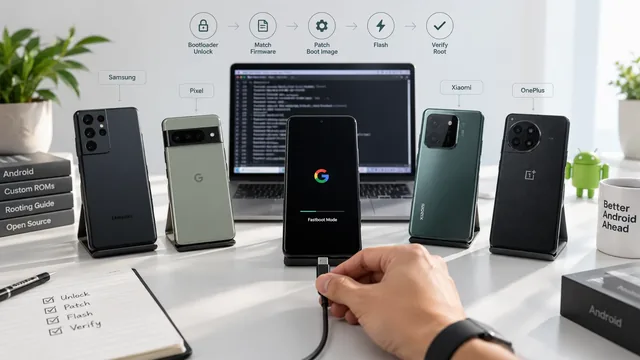
How to Root Any Android Device in 2026
Universal Android rooting guide 2026 — brand-by-brand decision tree, common workflow, Magisk-patched boot.img, plus when to use brand-specific guides.
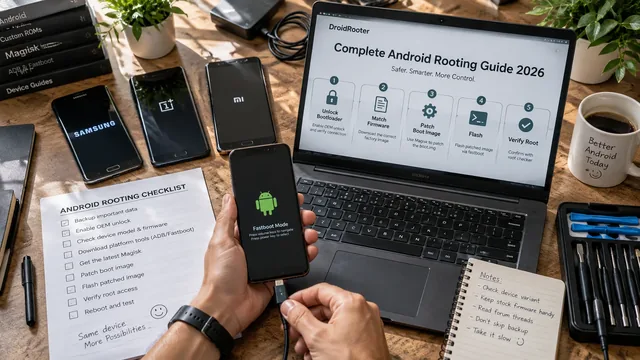
Complete Android Rooting Guide 2026
Complete Android rooting guide 2026 — what root is, why root, modern Magisk method, device notes, post-root setup, banking-app reality.
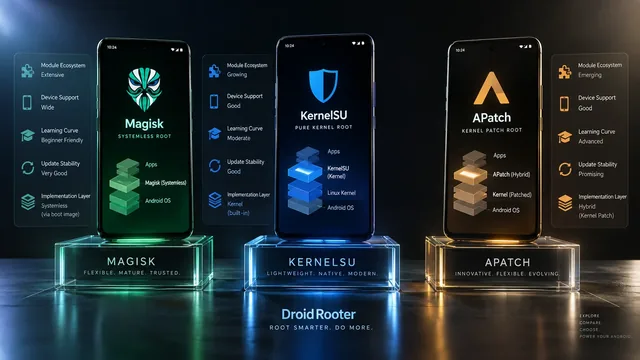
Magisk vs KernelSU vs APatch — Best Root in 2026?
Magisk vs KernelSU vs APatch in 2026 — full comparison plus expert advice on which root solution is right for your phone, your needs and your skill level.