Android Sideloading Changes in 2026: What September 30 Actually Means
Separate the global Play registration deadline from regional device checks, and distinguish developer identity from app safety and installation errors.
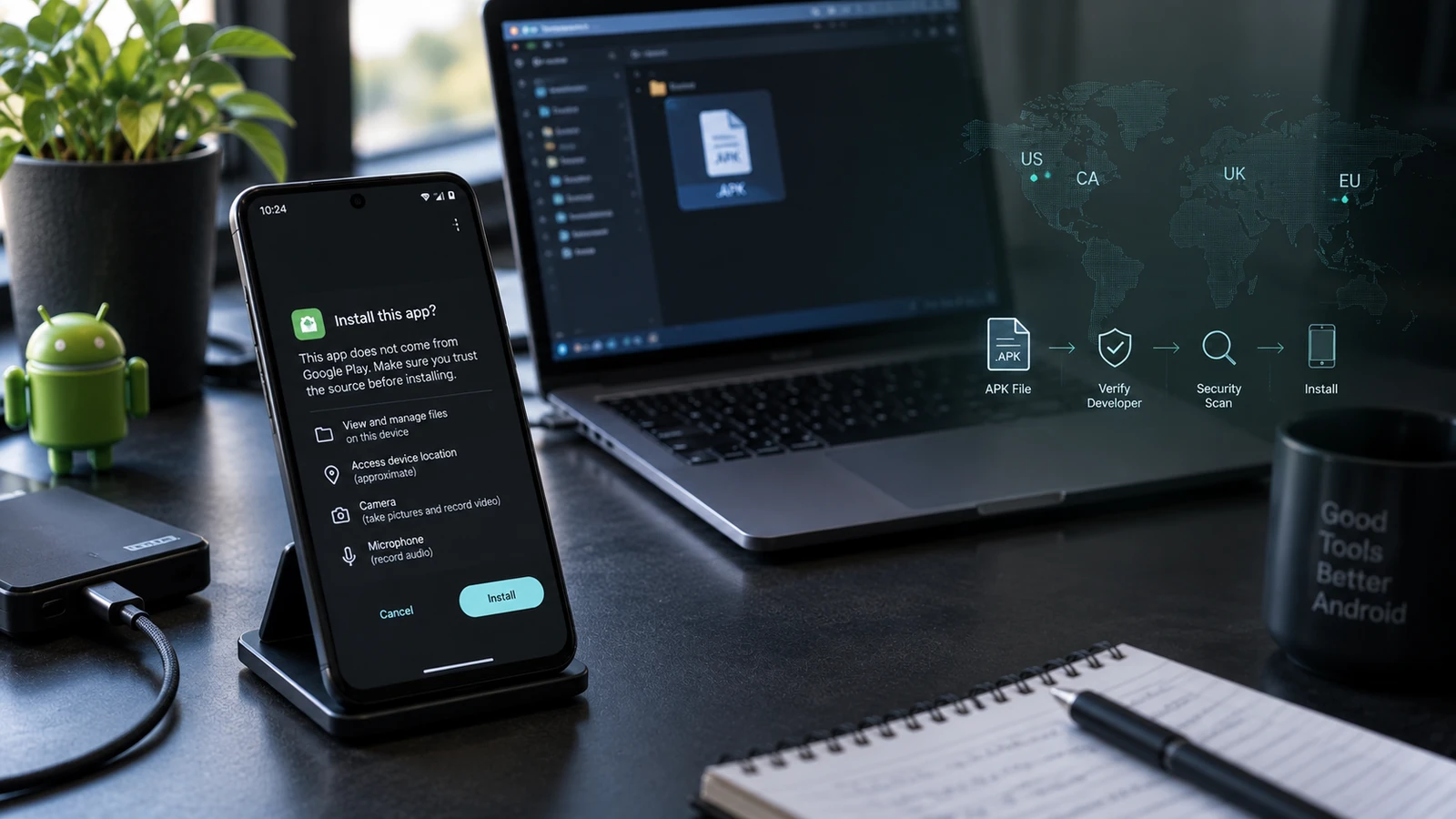
Table of Contents
- One date, two different requirements
- What is being verified?
- Ordinary phone owners are not being asked to register as developers
- Four checks that people often confuse
- What is Android Developer Verifier on my phone?
- The advanced flow and its 24-hour waiting period
- What to expect when using the documented flow
- No setting on your phone yet?
- ADB remains a documented installation path
- What this means for F-Droid and open-source apps
- F-Droid 2.0 is a client update, not an enforcement bypass
- Will already installed apps disappear?
- What to do before the rules affect an app you rely on
- A separate note for small developers
- An unresolved detail: Android 7 or Android 8?
- Frequently asked questions
- Is sideloading banned worldwide on September 30, 2026?
- Do direct APK downloads face the same September restriction?
- Must I wait 24 hours for every APK?
- Does an unverified developer mean an unsafe app?
- Can turning off Play Protect fix developer verification?
- Should I root my phone just to keep installing APKs?
- Read the warning before changing the phone
- Sources and scope
“Google is banning sideloading” is a simple headline. It is not a useful instruction for someone trying to install an open-source app, update a tool from GitHub or understand a new warning on their phone.
Several different changes now share the phrase developer verification. They do not all affect the same apps, stores, countries or installation methods at the same time.
September 30, 2026 is the registration deadline for Google Play packages worldwide. It is also the initial device-enforcement date for participating app stores in Brazil, Indonesia, Singapore and Thailand. Google's current FAQ says that this first regional phase does not apply to direct APK downloads or nonparticipating stores. Wider enforcement is planned for 2027. An advanced installation flow and ADB remain documented options for unregistered apps.source 3source 1source 2
This article reflects the official documentation available on September 28, 2026. It describes the announced rollout, not a completed hands-on test of enforcement after September 30.
One date, two different requirements
The easiest way to understand the rollout is to separate the developer's distribution obligation from the phone's installation behavior.
| Requirement | Initial scope | What the date means |
|---|---|---|
| Play package registration | Google Play distribution worldwide | Play packages must be registered by September 30, 2026; Google says unregistered apps will be removed from Play |
| Initial installation enforcement | Participating stores on certified devices in Brazil, Indonesia, Singapore and Thailand | The first regional phase begins September 30, 2026 |
| Wider Android enforcement | Additional regions and broader installation coverage | Expansion is planned for 2027; do not assume a specific worldwide launch day |
Google names seven participating stores for the initial phase: Google Play, HONOR App Market, OPPO App Market, Galaxy Store, Palm Store, V-Appstore and GetApps.source 1
This does not mean everyone outside those four countries can ignore a Play Console registration notice. Nor does it mean every APK installation in those countries becomes subject to the same new check on the first day.
For the September phase, the current FAQ explicitly distinguishes participating stores from direct downloads and nonparticipating stores.source 2 Recheck that scope when reading this article later, especially as the 2027 rollout develops.
What is being verified?
Developer verification connects an app's package identity and signing information to a registered developer. It is not the same as a security review of every line of code.source 2
That distinction matters in both directions. An unregistered personal project is not automatically malware. A registered developer is not a reason to stop checking where an APK came from or what permissions it requests.
For developers distributing through Play, Google says identity verification and package registration are the required tasks. It attempts automatic package registration, but developers must inspect the actual result in Play Console rather than assuming their app was covered.source 3
You do not need to publish an app on Google Play simply to use the Android developer-verification process. The official program includes a separate route for developers distributing outside Play.source 1
Ordinary phone owners are not being asked to register as developers
If you only install apps, a developer's registration obligation is not your personal signup requirement.
Be suspicious of messages claiming you must pay someone to “verify your phone for APKs,” provide identity documents to an unknown website or install a remote-support tool to keep existing apps working.
Use the exact warning on the device and the official documentation. A forwarded screenshot with no country, build or installation source is poor evidence of what applies to you.
Four checks that people often confuse
| Check | What it concerns | What it does not prove |
|---|---|---|
| Developer verification | The app's registered developer/package identity | That the app is harmless or appropriate for your needs |
| Google Play Protect | Detection of potentially harmful app behavior | That a package conflict is a developer-verification problem |
| Play Protect device certification | The device's compatibility/certification status | That disabling malware scanning will certify the device |
| Package installation checks | Signatures, compatibility, complete packages and other installation requirements | That every failure is caused by the 2026 rollout |
Google describes Play Protect as a system that can warn about, block, disable or remove harmful apps. Device certification is a separate check, and Google explicitly says turning off Play Protect does not fix certification.source 7source 8
An APK can therefore fail for an old, ordinary reason on a phone that also has the new verification service installed.
If the message mentions conflicting packages, an invalid package or incompatibility, start with our APK installation troubleshooting guide. Do not delete the existing app or disable multiple protections before identifying the error.
What is Android Developer Verifier on my phone?
Google documents Android Developer Verifier as a system service that checks developer registration. Its package identifier is com.google.android.verifier.source 6
Seeing that component in an app list does not establish that all announced enforcement is already active in your country. Component availability, account registration and staged enforcement are different events.
Treating the component's presence as proof of a worldwide APK ban skips the very information needed to understand the rollout: location, installation source and applicable phase.
Do not remove system packages from a daily-use phone merely to test a claim from a screenshot. Start by checking the actual installer message and official rollout scope.
The advanced flow and its 24-hour waiting period
Google's consumer instructions document a setting called Allow apps from unverified developers in Developer options. The flow includes safety prompts, device restart/reauthentication and a 24-hour waiting period before final authorization. Afterwards, the documented choices are access for seven days or indefinitely.source 4source 5
That is not a fresh 24-hour delay for every APK while the authorization remains active. Google also documents continued warnings when installing an unregistered app.source 4
What to expect when using the documented flow
Follow the on-device instructions on a supported build. Do not assume a menu shown in a Pixel screenshot appears under exactly the same path on every manufacturer's phone.
Before starting, verify that you independently chose the app and its source. The flow is not something a caller, seller or “support agent” should talk you through under pressure.
After the waiting period, review the final authorization and duration rather than tapping through from memory. A temporary permission window and indefinite authorization are different choices.
Google says the friction is intended to interrupt coercive scam installation.source 5 That describes the stated design goal, not independent evidence that it eliminates scams or that every legitimate user will find the burden acceptable.
No setting on your phone yet?
Record the phone model, Android build, region and system-component update state. Compare those details with the current consumer instructions.
Do not interpret a missing setting as proof that your device is broken. Do not install an unofficial “unlock verifier” utility to create it.
The published procedure and the availability of a particular interface on your device are separate things. This article has not reproduced the screens on every affected manufacturer or verified the post-deadline rollout on physical devices.
ADB remains a documented installation path
Google's verification FAQ says ADB installations do not require developer registration or the advanced flow's waiting period.source 2
That makes ADB relevant to developers and experienced users who already understand device authorization. It does not turn an APK into a trusted file or remove unrelated signature and compatibility checks.
For your own phone with its screen unlocked and your computer explicitly authorized, this ordinary command installs an APK:
adb install ./trusted-app.apkThis changes the device by installing the supplied app. It is not a read-only check. Replace the example filename with an APK obtained from the legitimate developer and deliberately authorize only your own computer. ADB's installation behavior is documented by Android.source 9
Do not connect to a stranger's debugging service or leave an unfamiliar computer authorized. For wireless access, use the modern pairing method and the cleanup steps in our Android wireless ADB guide.
Also distinguish two uses of the word “sideload.” adb install installs an application. adb sideload in recovery is commonly used for supported system-update packages. They are not interchangeable commands for the same file.
What this means for F-Droid and open-source apps
The real concern is broader than whether one technically capable user can still run an installation command.
F-Droid's February 2026 open letter criticized the proposed identity gate, including its effects on independent distribution and developers who cannot or do not want to register.source 10 That letter predates the March advanced-flow announcement, so it should not be read as a description of every option available in September.
The policy argument still matters. An installation path can remain technically available while becoming harder for less experienced users. Whether the additional friction is proportionate is different from the factual question of whether an alternative path exists.
F-Droid 2.0 is a client update, not an enforcement bypass
F-Droid announced version 2.0 on September 24, 2026, with changes to discovery, filtering and its installation/update experience.source 11
In the accompanying r/Android discussion, practical questions included where to obtain the new version and why people's installed clients or update channels did not yet match the announcement.source 12
That is a useful reminder: “a release was announced,” “my repository offers it,” and “Android accepts this package” are three different checks.
Use the legitimate project's distribution instructions and your chosen channel. Do not assume switching to a different repository client automatically changes Android's platform requirements or an app's signing identity.
Will already installed apps disappear?
The September developer-verification rules are not an announcement that all existing sideloaded apps will be remotely erased on that date.
Keep three events separate: an app being removed from a store, an update being refused by an installer, and an installed app being removed from a phone. The Play registration notice describes store removal, while the verification FAQ describes installation and update requirements.source 3source 2
Play Protect can separately act on apps it considers harmful.source 7 A removal warning from that system should not be relabeled as routine developer registration without evidence.
An installed app can also become unusable for reasons unrelated to registration, such as a discontinued online service. No general sideloading article can guarantee that every abandoned app will keep working indefinitely.
What to do before the rules affect an app you rely on
Make a small inventory instead of downloading every old APK you can find.
For each important app, record the legitimate project or developer, your current installation source, the version, its data-export option and how updates are normally delivered. Keep the information somewhere you can access without that app.
Prioritize apps whose local data would be difficult to recreate. A copy of the APK is not a backup of the app's private data, account credentials or server-side service.
If an update later fails, preserve the exact error. Do not uninstall the working copy as your first test. Changing from one distribution channel to another can introduce signing or package problems that have nothing to do with developer verification.
For an employer-managed device, follow the organization's policy. Developer options and alternate installers may be restricted for reasons outside this consumer rollout.
A separate note for small developers
Check registration in the console you actually use. Play developers should inspect package status and address any manual-registration cases; downloading a new Android Studio release does not complete that administrative step.source 3
For hobby projects shared with a small group, Google's program documents a limited-distribution option covering up to 20 devices without the normal government-ID requirement.source 1
Do not assume that option covers a public app with unlimited users. Match the distribution model to the current eligibility rules.
When communicating with users, publish the correct package identity, legitimate download location and update instructions. Clear migration/export guidance is more useful than telling everyone to uninstall and start again.
An unresolved detail: Android 7 or Android 8?
At the research check, Google's developer-facing overview and FAQ say Android 7 and later, while the consumer Android Developer Verifier help page says Android 8 and later.source 1source 2source 6
Those statements conflict. This article does not silently choose one and present it as settled.
For an Android 7 device specifically, verify the latest support information and actual behavior before treating it as included or exempt. For all devices, keep certification, region and installation channel in the scope check.
Frequently asked questions
Is sideloading banned worldwide on September 30, 2026?
No. The announced first enforcement phase has specific countries and participating stores. The separate Play registration requirement is global.source 1source 3
Do direct APK downloads face the same September restriction?
The current FAQ says direct APK downloads and nonparticipating stores are outside the initial September phase.source 2 That is a phase-specific statement, not a permanent exemption.
Must I wait 24 hours for every APK?
No. The documented advanced flow has an initial waiting period and a chosen authorization duration. Warnings remain; unrelated installation checks still apply.source 4
Does an unverified developer mean an unsafe app?
Not by itself. Identity registration and evaluating an app's behavior/source are different tasks. Neither “registered” nor “open source” is a reason to ignore a suspicious download or permission request.
Can turning off Play Protect fix developer verification?
Do not conflate them. Malware scanning, device certification and developer registration are separate checks.source 7source 8source 6
Should I root my phone just to keep installing APKs?
That is not required for the documented ADB installation path or the advanced flow.source 2source 4 Rooting would introduce separate device and app-compatibility considerations.
Read the warning before changing the phone
The right next step depends on the actual failure: developer registration, a harmful-app warning, a package conflict or a device-policy restriction.
Check the date, country, store and exact message. Preserve app data before changing channels. Use the documented installation route you understand, and keep your computer authorizations under control.
That approach remains useful as the rollout changes. A headline about a universal ban does not.
Sources and scope
Research checked September 28, 2026. This refresh keeps the original article's URL and separates announced policy from device-tested behavior. Official pages disagree on one minimum-version detail, which is preserved above. Community discussions provide reader context, not authoritative enforcement rules.
- Source 1: Android developer-verification overview and current rollout timeline. Open source
- Source 2: Android developer-verification FAQ. The phase-specific answer about September coverage and the latest dated answers take precedence over older general wording on the same page. Open source
- Source 3: Google Play Console Help, package registration and the September 30, 2026 requirement. Open source
- Source 4: Android Help, allowing apps from unverified developers and authorization duration. Open source
- Source 5: Android Developers Blog, March 19, 2026 advanced-flow announcement and Google's stated safety rationale. Open source
- Source 6: Android Help, Android Developer Verifier and consumer-facing compatibility wording. Open source
- Source 7: Google Play Help, Play Protect behavior and distinction from certification. Open source
- Source 8: Google Play Help, checking device certification and why disabling Play Protect does not resolve certification. Open source
- Source 9: Android Debug Bridge documentation, application installation and device authorization. Open source
- Source 10: F-Droid's February 24, 2026 open letter opposing developer verification. This is an advocacy source and predates the March advanced-flow announcement. Open source
- Source 11: F-Droid's own September 24, 2026 announcement of version 2.0. Client features are not a claim to bypass developer verification. Open source
- Source 12: r/Android discussion of F-Droid 2.0, including update-channel and download questions. Individual experiences, not official policy. Open source
More Android Guides
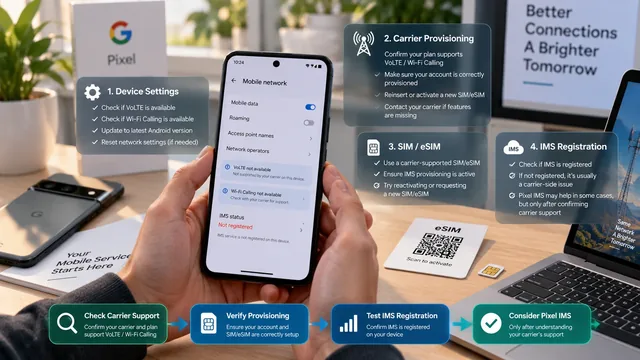
Pixel VoLTE or Wi-Fi Calling Missing? Check Carrier Support Before Using Pixel IMS
A missing toggle, an unprovisioned SIM and failed IMS registration are different problems. Find the layer that failed before changing telephony configuration.
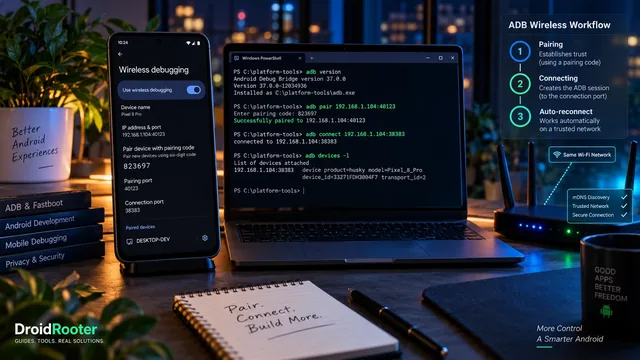
Wireless ADB on Android 17: Pairing, Auto-Reconnect and the Fixes That Still Apply
Pairing and connecting are different steps. This guide explains ADB Wi-Fi 2.0, the two ports, current Platform Tools and a safer troubleshooting sequence.
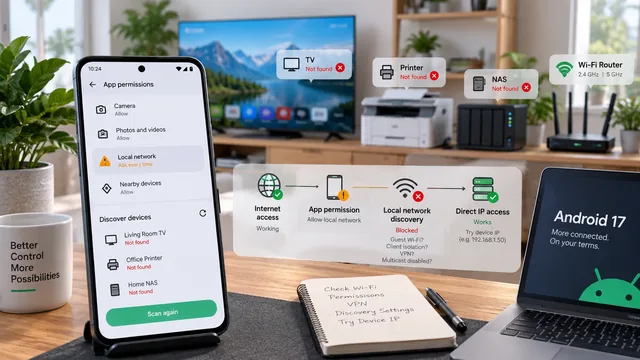
Android 17 Can't Find Your TV, Printer or NAS? Check These Settings
A missing device is not always a broken Wi-Fi connection. Separate Android app permissions from discovery, routing and router isolation problems.