
Hide that you're in an emulator
Stop apps that refuse to run, or quietly limit themselves, the moment they detect BlueStacks, NoxPlayer, LDPlayer or any other PC emulator.
EMULATOR HIDER / ANDROID ID SPOOFER
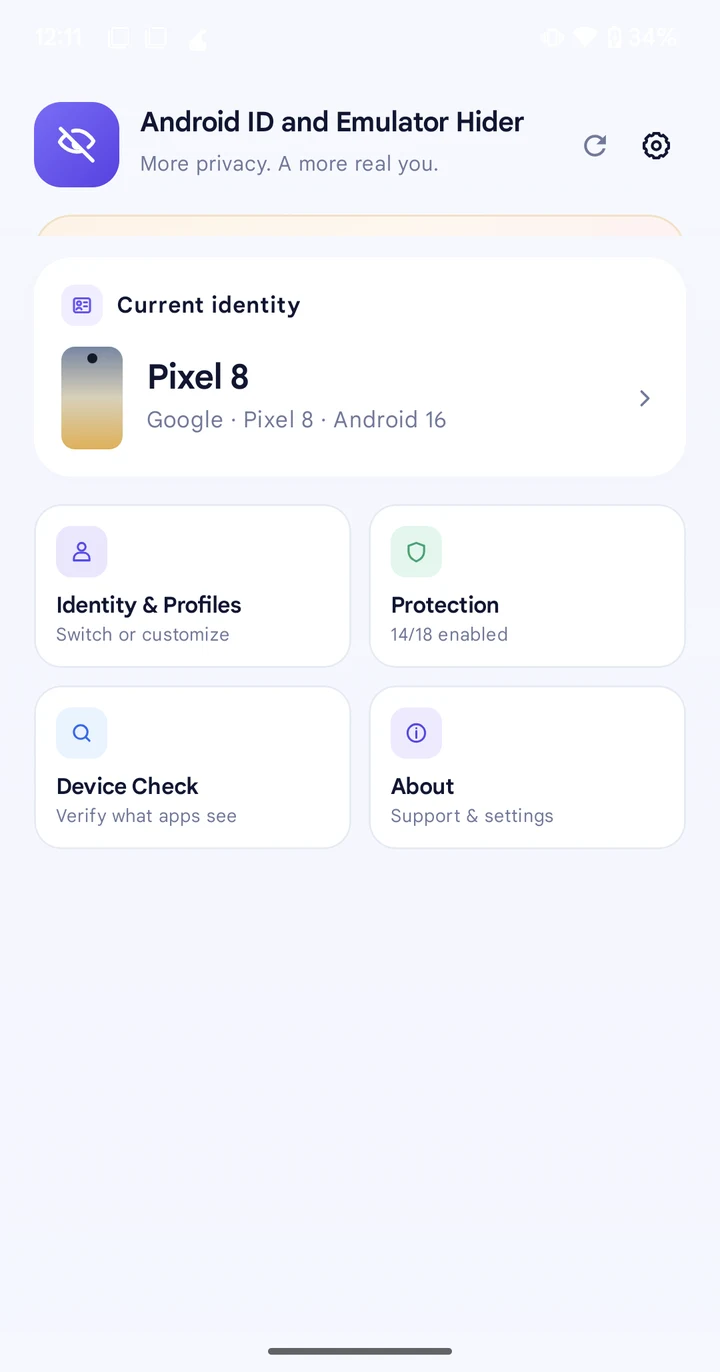
Android ID and Emulator Hider hides every common sign that you're running an emulator, and spoofs your Android ID and full device identity along with it — so BlueStacks, NoxPlayer, LDPlayer and every other major Android emulator look like a real, new phone to any app. Works the same on a real device, too.
// WHY PEOPLE USE IT
Apps build a picture of your device from dozens of small signals, and emulators leak several of their own on top. This module replaces that whole picture with a real device profile's, consistently, across every signal at once.
Stop apps that refuse to run, or quietly limit themselves, the moment they detect BlueStacks, NoxPlayer, LDPlayer or any other PC emulator.
Switch the active profile and the next app you open sees a different, real phone — new Android ID, new fingerprint, new everything.
Stop apps profiling and tracking the actual hardware, Android ID and advertising ID of your personal phone.
Developers can check how their app behaves against twelve real device fingerprints without owning twelve phones.
Pro lets you assign a different identity to a specific app than the one the rest of your device uses.
See, live, exactly what a scanning app would read from your device right now — no guessing.
// EMULATOR SUPPORT
The masking is identity-based, not environment-based: it changes what Java and native APIs report, so it works the same in any Android emulator on a PC once that emulator has root and a libxposed API 102 framework (LSPosed or Vector) running inside it.
Masks the processor too, so Build.SUPPORTED_ABIS, os.arch and the raw /proc/cpuinfo vendor string all switch to match the profile, not the x86 host underneath.
// HOW IT WORKS
Enable the module in LSPosed or Vector, and scope it to itself plus the apps you want protected.
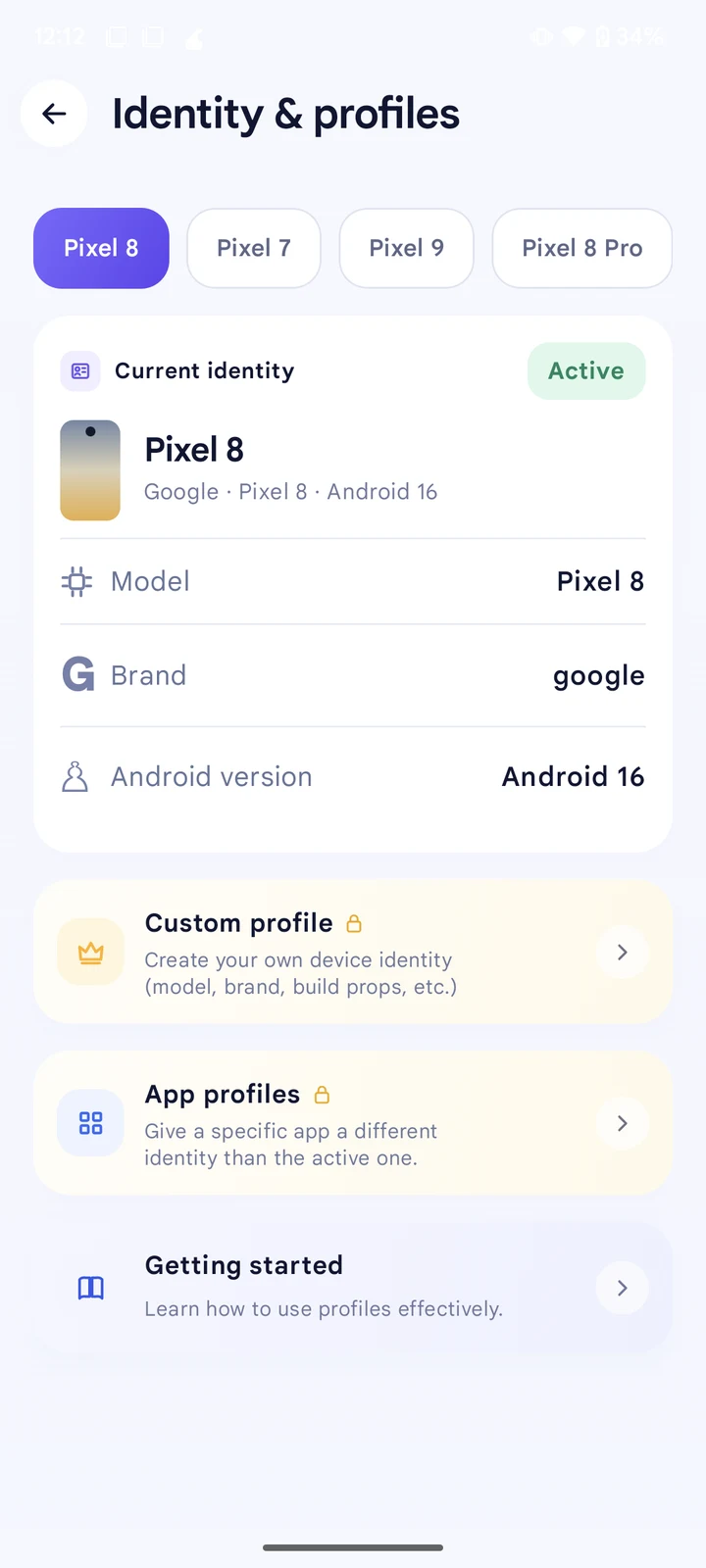
Choose one of 12 real device profiles — Pixel, Galaxy, POCO, OnePlus, Redmi or Nothing.
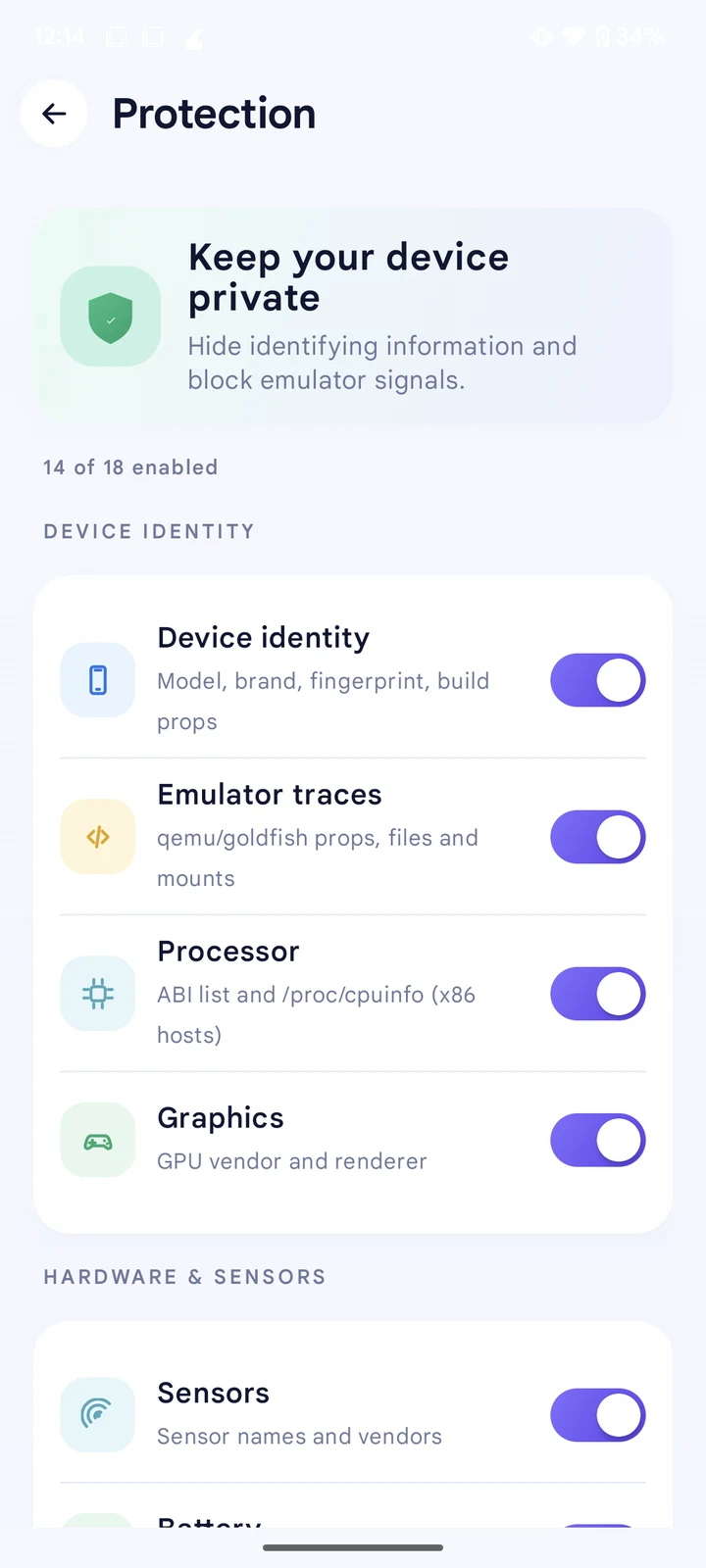
Turn any of the 18 protections on or off, globally or (with Pro) per app.
Open Device Check to confirm, then force-stop and reopen the apps you scoped.
// FEATURES
Pixel 8, Pixel 7, Pixel 9, Pixel 8 Pro, Galaxy S23, Galaxy S23 Ultra, Galaxy S24, POCO X3 Pro, OnePlus 12, OnePlus 12R, Redmi Note 13 Pro+ and Nothing Phone (2a) — each built from a verified IMEI allocation and a real factory build fingerprint, not invented values.
Model, brand, manufacturer, fingerprint, build properties, Android ID and serial.
qemu/goldfish properties, files, kernel driver names and /proc/mounts.
ABI list, os.arch, raw CPU vendor string, GPU vendor and renderer.
Sensor names, battery level/health/sysfs values, and input device names.
IMEI/IMSI and baseband, camera count and facing, and a last-location fallback.
su, Magisk, KernelSU and related paths; LSPosed/Vector traces in maps and logcat.
Advertising ID (GAID), App Set ID, WebView user agent, and (Pro) the Widevine DRM ID.
// GRANULAR CONTROL
All 18 protections are listed individually, grouped for scanability, so you can turn off a single one without losing the rest.
// REQUIREMENTS
If you already run a root manager and an Xposed framework — on a phone or inside an emulator — you're most of the way there.
$ getprop ro.build.version.release
  8+                 ✓ supported
$ su -v
  Magisk | KernelSU | APatch ✓
$ xposed --status
  LSPosed / Vector active ✓
$ id-hider --ready
  ready to protect ▌
// DOWNLOAD
One APK, signed by DroidRooter. Install it, enable it in your Xposed manager, add it to scope, and pick a profile.
Source is closed; this repository hosts signed releases only. Check the SHA-256 in the release notes against your download.
Need help? Telegram · WhatsApp · contact@droidrooter.com
// GET PRO
A one-time payment unlocks the donor-only features below, for life, on one device. No subscription, nothing to renew.
Already purchased? Open the app and tap Verify your email under Unlock Pro. Buying or restoring: Telegram · WhatsApp · contact@droidrooter.com
// GUIDES
Practical guides on installing the module, spoofing your Android ID for an emulator, and what to check before you rely on it.
// FAQ
Yes. Android ID is one of the values masked by Device identity. Combined with the other protections, a protected app sees a different, consistent device every time you switch profiles.
Yes. The masking works the same way on a real phone or any Android emulator: it replaces the model, brand, fingerprint, Android ID and the processor, graphics and emulator-trace signals apps use to detect a PC emulator, with a real device profile's values.
Any Android emulator that can grant root and run a libxposed API 102 framework (LSPosed or Vector), including BlueStacks 5, NoxPlayer, LDPlayer 9, MEmu Play, MuMu Player, GameLoop, Genymotion and the Android Studio emulator (AVD).
Yes. You need root (Magisk, KernelSU or APatch) and an active libxposed API 102 framework such as LSPosed or Vector. The app needs itself in scope as well as any app you want protected.
Yes, all 18 protections and all 12 built-in device profiles are free, for any number of apps, with no account. A one-time $20 purchase adds Pro: Safe mode, custom profiles, per-app profiles, and developer-mode and DRM identifier masking, for life.
No. Hardware attestation is backed by the device's TEE/StrongBox and is out of reach for a userspace Xposed hook.
Open Device Check in the app. It shows exactly what a scanning app would read from your device right now — build properties, fingerprint, CPU, sensors, battery — compared against your active profile, live.
Pay once ($20) through our support page, then verify your email in the app. Pro turns on for life on one device. No subscription, no renewal.

This module is meant for privacy, testing and compatibility with your own apps. You are solely responsible for how you use it, and DroidRooter is not responsible for any illegal use.