OEM Unlocking Greyed Out or Missing: Every Real Cause and Fix, by Brand
A greyed-out OEM unlocking switch is a status display, not a random bug. Read the small text under it, match it to one of five states, and learn which brands and carrier units can never be fixed from Settings.
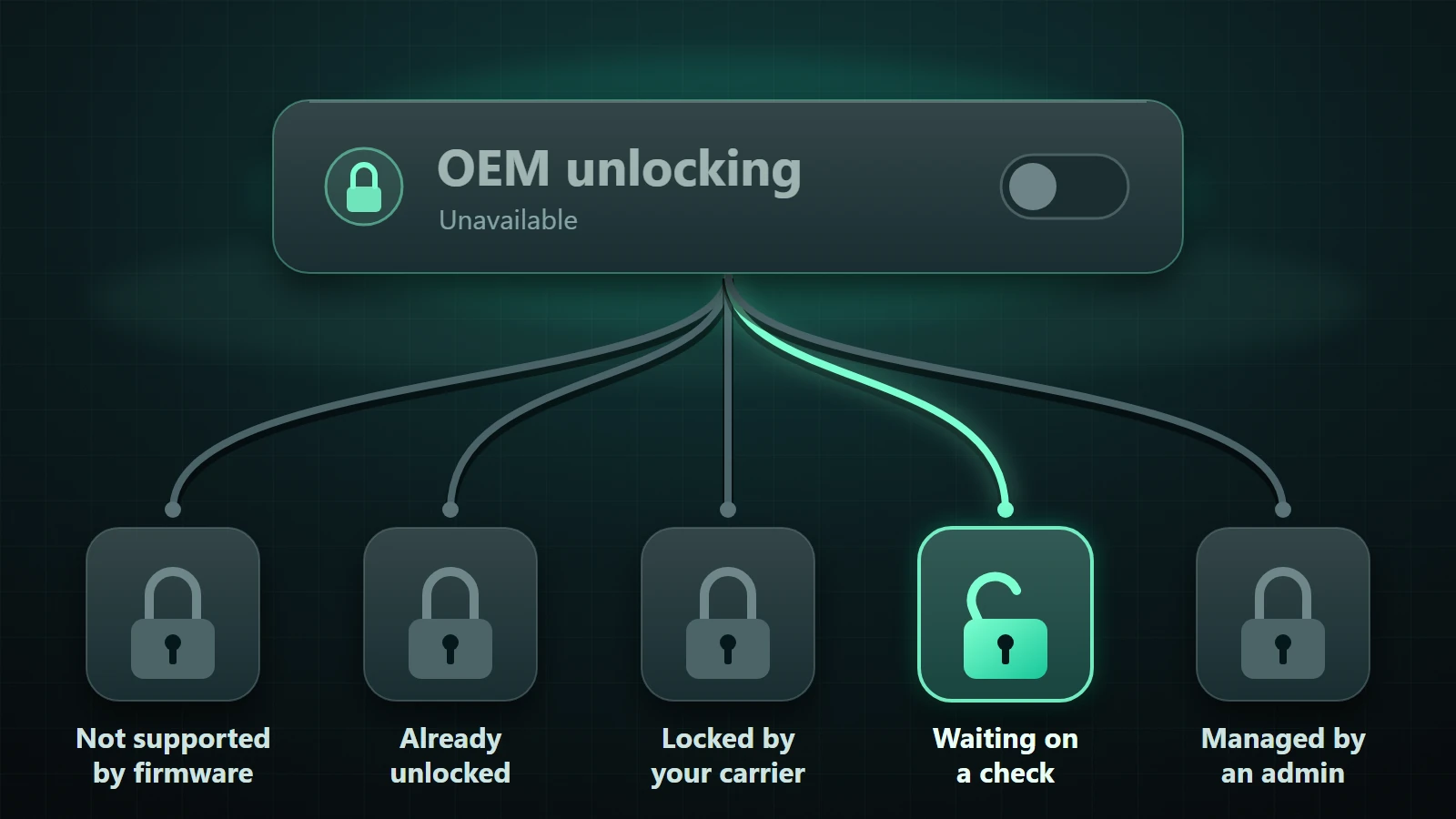
Table of Contents
- Read the message under the toggle: the 60-second diagnosis
- The five states
- A quick decision path
- Why the toggle exists at all
- First, rule out the false alarms
- Google Pixel: the most searched case
- A new or reset Pixel: get online and wait
- Pixel 6a: the dated exception
- Carrier-locked Pixels, including Verizon
- "I bought it unlocked" and it is still grey
- Samsung Galaxy: where the answer changed in 2025
- One UI 8 and later: the toggle is gone on affected firmware
- Phones still on One UI 7 or earlier
- Samsung Auto Blocker
- Motorola
- Xiaomi, Redmi and POCO: a different kind of "grey"
- Fairphone, OnePlus, Realme and others
- Android 14, 15, 16 and 17: what actually changed
- What we could not verify
- What not to try
- What unlocking really costs
- When it is impossible, and what to do instead
- Troubleshooting matrix
- Before you ask anyone for help
- Frequently asked questions
- How do I check whether OEM unlock is on or off on a Pixel?
- Should OEM unlocking be on or off?
- How do I disable OEM unlocking on Samsung?
- How do I enable OEM unlocking?
- Can fastboot unlock my phone if the toggle is greyed out?
- How do I unlock OEM from fastboot or ADB?
- What are hidden fastboot oem commands?
- Does a factory reset fix greyed OEM unlocking?
- Will unlocking void my warranty?
- The bottom line
- Sources and project documentation
You opened Developer options, found OEM unlocking, and the switch will not move. Or the row is not there at all. Before you factory reset anything or download a "fixer" app, know this: that switch is not a button that is randomly stuck. It is a status display, and the phone is usually telling you exactly why it is locked out.
The short answer: OEM unlocking is greyed out because the phone is (1) already unlocked, (2) waiting for an online check of its carrier-sale status, (3) carrier-locked or restricted by the seller, (4) managed by an administrator, or (5) running firmware where the manufacturer never shipped the option. Four of those five have a legitimate fix or a clear explanation. The fifth, and some versions of the third, do not.12
Sources checked November 5, 2026. This is a documentation-based guide: DroidRooter did not test every phone mentioned, and manufacturer policy changes. Where a claim comes from press reporting or a community post instead of the manufacturer, the text says so.
Jump to: The five states · False alarms · Pixel · Samsung · Motorola · Xiaomi · Fairphone, OnePlus, Realme · Android versions · What not to try · Cost of unlocking · When it is impossible · Troubleshooting matrix · FAQ
Read the message under the toggle: the 60-second diagnosis
Android's own Settings source decides what you see. In the AOSP OemUnlockPreferenceController, the toggle is tied to a system service that only exists if the device was built with ro.oem_unlock_supported set to 1. If it is not, Settings logs that OEM unlock is unsupported and the option has nothing to control.12 When the service does exist, the same controller disables the switch and writes a one-line summary beneath it for specific conditions.23
The five states
| State | What you see | What causes it (AOSP logic) | Can you change it yourself? |
|---|---|---|---|
| 1. Not supported / removed | No OEM unlocking row at all, or a switch that does nothing | Build flag ro.oem_unlock_supported is not 1, or the manufacturer removed the option from its skin |
No. It is decided when the firmware is built. |
| 2. Already unlocked | Greyed, often with "Bootloader is already unlocked" | The bootloader is unlocked, so there is nothing left to allow | Nothing to fix. This is the finished state. |
| 3. SIM-locked device | "Unavailable on carrier-locked devices" | Only checked on devices that carry the carrier-lock feature flag; the SIM lock is active | Only by getting the device released through the carrier |
| 4. Not allowed, or not yet checked | "Connect to the internet or contact your carrier" | Either the carrier disallows it, or the phone has not yet been able to confirm which restrictions apply, or a base factory-reset restriction is set | Sometimes: go online and wait. Not if a carrier restriction is real. |
| 5. Administrator restriction | Greyed by an enterprise policy, often with a "disabled by your admin" treatment | A device-management policy such as a factory-reset restriction | Only the administrator can change it |
Two details from the source matter in practice:
- State 4's text is shared. The same string, "Connect to the internet or contact your carrier", appears for a carrier disallow, for a device that simply has not been able to check in yet, and for a base
DISALLOW_FACTORY_RESETrestriction. You cannot tell a temporary wait from a permanent carrier lock by the words alone. AOSP's own code comment says as much: either another carrier restriction is in place, or the device has not yet been able to confirm which restrictions apply.2 - Skins can reword. These strings come from AOSP. Samsung, Xiaomi, Motorola and others can show different wording or no summary line at all.
A quick decision path
- Is there an OEM unlocking row? No: go to state 1 and read the Samsung and brand sections.
- Is the switch already on, or does the text say the bootloader is unlocked? Yes: you are already done, see false alarms.
- Does the text mention carriers or the internet? Go online, update, wait, and follow the Pixel steps even if you do not own a Pixel; the logic is the same.
- Is this a work, school or finance-managed phone? Then the administrator or lender controls it.
- None of the above? Read the brand section and use the troubleshooting matrix.
Why the toggle exists at all
The toggle exists because Android is built to ship locked. AOSP says retail devices should ship with the bootloader locked, and that a device should refuse fastboot flashing unlock unless its unlock-ability value (get_unlock_ability) is 1. If it is 0, you have to boot to the home screen and enable Settings > System > Developer options > OEM unlocking. That setting then persists across reboots and factory data resets.1 So the toggle is the manufacturer's consent step. If the manufacturer, carrier or administrator withholds consent, the unlock command is refused, and that is by design.
First, rule out the false alarms
These apply to every brand and fix a surprising share of "it's greyed out" reports.
Developer options must be on. On many phones: Settings > About phone, then tap Build number seven times. Fairphone's official guide says seven taps, and the LineageOS Motorola rhode page says at least seven. The number can vary by brand, so use what your phone's screen counts down.1814
Look at which way the grey switch is set. A switch that is on and greyed alongside a "bootloader is already unlocked" line is the finished state. A switch that is off and greyed, with a carrier, internet or admin line, is the blocked case.
"Bootloader already unlocked" is the success state. Owners asking why the switch is grey after they successfully unlocked are a recurring theme in forum threads that show up in search results. The AOSP string is literally "Bootloader is already unlocked".3 Samsung's Magisk documentation describes the same pattern: after the unlock, OEM unlocking exists but is greyed out.13
SIM unlock is not bootloader unlock. A carrier network unlock lets another carrier's SIM work. A bootloader unlock permits your own boot images. They are unrelated, which is why people report "my phone is network-unlocked but OEM unlocking is still grey". DroidRooter's bootloader unlock service page says the same: a carrier lock, a bootloader lock and an account lock are different problems.19
Work or school profiles. If a device is managed, a factory-reset restriction disables the toggle, and the OemLock service clears the allowed bit when an administrator sets that restriction.4 Check Settings > Accounts or your security settings for a management profile.
Check the actual lock state. Many phones show the lock state on their bootloader screen. AOSP defines the unlock-ability value but does not document one universal command to query it, so we do not give a fastboot command for it here.1
Google Pixel: the most searched case
Pixels are where the "Connect to the internet or contact your carrier" text is most common, and where the cause is often temporary.
A new or reset Pixel: get online and wait
GrapheneOS's install guide states that on Pixel variants that can be sold carrier-locked, enabling OEM unlocking requires internet access so that the stock OS can check the sale state.5 One person who tested this on a Pixel 7 Pro bought from the Google Store in Canada found the switch stayed grey until the phone was online, and it freed up at about the time the phone contacted a Google provisioning host, after which Settings had to be closed and reopened. He is clear he does not know which network hosts are actually required, and it was a single device.7
What to try, in order:
- Connect to Wi-Fi and stay connected.
- Install any pending system update (look under Settings > System; the exact "System update" label varies by Android version).
- Wait a few minutes, then close and reopen Settings and look again.
- Restart once, and recheck.
- If it is a very new phone, leave it online for a while before concluding anything.
Back up first if you are heading toward an unlock. AOSP says a device should factory reset when it is unlocked; the toggle itself does not wipe anything.1
Pixel 6a: the dated exception
GrapheneOS notes that the Pixel 6a's original factory OS will not enable OEM unlocking. You need the June 2022 update or later, installed through a normal OTA update, followed by a factory reset. This is a model-specific, dated note, not a general rule.5
Carrier-locked Pixels, including Verizon
This is the case where Settings cannot help. GrapheneOS says carrier variants have a non-zero carrier ID stored in the persist partition that disables carrier and bootloader unlocking. It adds that the carrier may be able to remotely lift this, but its support staff may not know the option exists. GrapheneOS's FAQ says carrier locks are primarily an issue with US carriers and that the hardware is the same either way, so their advice is to prefer a carrier-agnostic purchase.56
On Verizon specifically, forum users say the toggle never frees up. That is community consensus, not a Verizon statement, so check with the carrier rather than treating it as official policy.8
A Pixel Community reply on a Pixel 6 thread said such a phone was "most likely sold as a carrier specific phone" and that in theory the carrier can unlock it, but that the poster had never seen a report of it happening. It is one community reply, and that Pixel 6 was a demo unit, which is an unusual case.9
"I bought it unlocked" and it is still grey
This shows up with renewed or third-party-sold units. In a GrapheneOS forum thread about a Pixel 10 Pro, the owner tried three times with two factory resets, still got "Connect to the internet or contact your carrier", wondered if he had received a permanently locked unit, and said he planned to return it. Replies in the thread say carrier-locked units have no workaround, and suggested a few things users reportedly tried: leaving an Android beta programme, or using a VPN or a different Wi-Fi network.8 Those are user tips, not documented fixes.
If you are buying a used Pixel to unlock, ask the seller for the original carrier or store, and test the toggle as soon as it arrives, while the return window is still open. "Unlocked for any SIM" and "bootloader can be unlocked" are not the same promise.
Samsung Galaxy: where the answer changed in 2025
One UI 8 and later: the toggle is gone on affected firmware
In July 2025, SamMobile reported that One UI 8 removes the bootloader unlock option. Its evidence was the S25 One UI 8 beta code plus the stable Galaxy Z Fold7 and Z Flip7 builds, and it said this holds regardless of region. It also noted the US models had long lacked the option. Samsung did not issue an explanation in that reporting.10 A follow-up said the change is "likely due to" the EU Radio Equipment Directive 2014/53/EU, whose cybersecurity requirements it said were set to be enforced from August 1. That is the publication's inference, not a Samsung statement.11
Treat this as reported, not confirmed by Samsung, and based on one outlet. The practical meaning: if you are on One UI 8 or later and the OEM unlocking row is absent, that is state 1. There is nothing to toggle, no setting to flip back, and no safe fix we can offer. Be wary of anyone who sells one.
One counter-example: SamMobile also relayed a user report that the Galaxy XR headset still shows the toggle and that a user completed the unlock, "at least for now". That is one user, relayed by one outlet, about a headset.12
Phones still on One UI 7 or earlier
On those versions, "missing" was often about the market or a remote lock, and the Magisk documentation gives a way to check. Magisk says to enable Maintenance Mode first (under Device Care), then boot into Download mode.13
| Download mode shows | Magisk's reading |
|---|---|
| OEM Lock: ON (L) | Fully locked |
| OEM Lock: ON (U) | Bootloader locked, OEM unlocking enabled |
| OEM Lock: OFF (U) | Fully unlocked |
| No OEM Lock value | Probably not unlockable because of market limitations (Magisk names USA/Canada devices) |
| KnoxGuard (KG) / RMM: Active or Locked | Remotely locked by an operator or an insurer |
| KG/RMM: Prenormal | Temporarily locked; Magisk says about 168 hours of uptime should trigger the unlock |
| KG/RMM: Checking, Completed or Broken | Unlocked as far as KnoxGuard is concerned |
Two cautions. First, "Prenormal and 168 hours" is Magisk's wording of what should happen, not a published Samsung policy. Second, the widely repeated "wait 7 days" advice is community lore; we could not find a documented Samsung source tying a 7-day figure to the toggle. Magisk says Samsung unlock wipes data, that it is done by long-pressing Volume Up in Download mode, and that after the unlock the OEM unlocking row should exist and be greyed out. A greyed row after unlocking, combined with a non-locked KG state, is the expected outcome.13
KG Active or Locked is not a bug. It usually means the device is financed, insured or reported lost or stolen. If that is your own paid-off phone, contact the carrier, retailer or insurer that placed the lock. If it is not yours, stop. Do not attempt to remove a lock from a phone you do not own.
For the warranty side of a Samsung unlock, see our Samsung Knox and warranty guide. For model specifics, see the Galaxy rooting guide and note that guides written before One UI 8 may describe a toggle your phone no longer has.
Samsung Auto Blocker
The top results for this problem repeat that Samsung's Auto Blocker can grey out developer settings. We could only find that claim in videos and not in any Samsung documentation, so we are not asserting it. If you run into it, test it on your own phone rather than assuming.
Motorola
For newer Motorola phones, the LineageOS install page for the Motorola rhode device says that some newer Motorola devices must be connected to the internet for up to seven days before the OEM unlock toggle can be switched.14 That is one device page from one project, so do not assume it holds for every Motorola, but it is the one documented figure we found.
Motorola's own unlock page says that once you get the unlock code, the warranty no longer covers the device, that unlocking does not change a subsidy lock, and that a carrier may prohibit the use of unlocked devices.15 Its device list is stale, so use it for the policy text and check Motorola's live portal for whether your exact model is supported. We could not verify carrier-by-carrier eligibility; carrier-sold Motorolas may be treated differently.
What to do: stay on Wi-Fi, leave the phone online for several days if it is new, update it, and look again. See the Motorola rooting guide for what comes after.
Xiaomi, Redmi and POCO: a different kind of "grey"
On Xiaomi phones the switch is often available, and the real obstacle is the Mi Unlock tool. The official Mi Unlock page describes downloading the tool on a PC, signing in with a Mi Account, powering the phone off, entering Fastboot with Volume Down and Power, and clicking unlock. It also warns that unlocking disables Find device and some high-security services. That page carries a 2019 footer, so treat it as an outline, not current policy. It does not state wait times.16
Forum posts mention waiting periods of 72, 168 or 360 hours. Those come from forums and are account and region specific, not Xiaomi policy. Trust the number the Mi Unlock tool shows you, and do not sign out of the Mi Account during the wait.
For China, XimiTime reported in February 2025 that Xiaomi added a rule for China only under which users with an infraction in the past 180 days can no longer unlock. XimiTime states the change applies to China only, so do not assume it applies to global ROMs.17 Do not install "bypass" tools: they are not an official route, and an unofficial tool on a locked phone can create a recovery problem. See our Xiaomi rooting guide and POCO X6 Pro guide.
Fairphone, OnePlus, Realme and others
Fairphone has the clearest official path. Its support article covers all models except the FP2: enable Settings > System > Developer options > OEM unlocking, wait for verification, and if the toggle fails check your internet connection and update the software. Then fastboot flashing unlock followed by fastboot flashing unlock_critical, each of which wipes the data. Re-locking with a non-Fairphone OS or an older patch level can leave the phone unable to boot, so do not re-lock unless you are back on official software.18
OnePlus. Our OnePlus 12/13 guide says T-Mobile US variants have OEM unlock disabled, and the LineageOS wiki lists the 8T (T-Mobile) as a separate device. We could not retrieve OnePlus's official unlock documentation, so we state only that carrier variants differ from the global models: verify with your exact model.
Realme and Oppo. Our Realme GT 6 guide mentions an approval step called In-Depth Test. We did not re-verify its current process or timing for this article, so check the vendor's current instructions for your exact model.
We have no sourced statements for Honor, Vivo or Sony, so we make no claims for them.
Android 14, 15, 16 and 17: what actually changed
Search results are full of "Android 16 fix" advice. The honest summary is short.
| Version | What the toggle logic does | Verified change |
|---|---|---|
| Android 14 to 16 | Same five-state controller in AOSP | We found no AOSP-documented change in toggle behavior between these releases |
| Android 16 on Samsung (One UI 8) | Option removed on affected firmware | Reported by SamMobile; not a Samsung statement10 |
| Pixel 6a | Needed June 2022 update or later, plus reset | GrapheneOS install guide5 |
| Android 17 | Not verified | No Pixel or AOSP statement found; status is unresolved |
What differs between phones is mostly manufacturer and carrier policy, not the Android version number. Be skeptical of any guide that gives a different fix for each version without citing a source.
What we could not verify
- Whether Samsung Auto Blocker affects the toggle.
- The status of One UI 8.5 and later, and of Android 17 on Pixel.
- Verizon's own stated policy on unlocking Pixels.
- Official OnePlus unlock steps, Realme and Oppo process details, Honor, Vivo and Sony specifics.
- Xiaomi's official wait times by region.
- Motorola carrier-model eligibility.
- Warranty effects for Pixel beyond what each manufacturer states.
What not to try
Most "fixes" advertised for this problem either cannot work or put your data and device at risk.
- Universal unlocker APKs and "OEM unlock enabler" tools. The setting is a policy decision made in the firmware and by carriers. An app on the phone cannot override it, and an unvetted APK is a risk in its own right.
- Paid services that promise to flip the toggle remotely. If a carrier, finance company or administrator controls it, only they can release it. Never pay to remove a lock from a phone you do not own.
- Editing
build.prop. AOSP saysro.oem_unlock_supportedis set at build time, so editing files on a running phone does not change what the firmware supports.1 - Guessing
fastboot oemcommands. AOSP says a device should refusefastboot flashing unlockunless unlock-ability is1.1 Vendor-specific commands are undocumented, often disabled and can leave a phone unbootable. - Flashing random firmware. Especially on Samsung with KG or RMM active, this can turn a locked phone into a bricked one.
- Changing the system date to skip a wait. We found no documentation that supports it, so we do not recommend it.
- Signing out of the Mi Account on Xiaomi during a wait.
What unlocking really costs
- Data. The toggle itself does not erase anything. The unlock does. AOSP says the device should reset to factory state on unlock, Magisk says Samsung unlock wipes the phone, and Fairphone says each unlock step wipes it.11318 Back up first.
- Warranty. Motorola says its warranty no longer covers the device once you obtain the unlock code.15 We have not verified the position for Pixel, and Samsung's Knox flag is covered in our Knox guide. Do not assume your warranty survives.
- Re-locking. Fairphone warns that re-locking with a non-Fairphone OS or an older patch level can stop the phone booting.18
- Security. An unlocked bootloader removes protections the device normally enforces, and some banking or payment apps may refuse to run. See our rooting risks guide before you decide.
When it is impossible, and what to do instead
Stop trying if any of these applies. None of them is fixable from Settings:
- A carrier-locked Pixel where the carrier will not release it (reported for Verizon units).
- A Galaxy on One UI 8 or later with no toggle (as reported).
- A Galaxy that shows no OEM Lock value in Download mode (Magisk calls this probably not unlockable).
- A Galaxy with KG or RMM Active or Locked, which is a remote lock by an operator or insurer.
- A work, school or finance-managed phone.
- A counterfeit or misdescribed unit.
- A China-market Xiaomi where the official policy is restrictive.
Realistic options:
- Return it while the return window is open, and buy a variant sold unlocked by the manufacturer.
- Ask the owner of the lock. That is the carrier, lender, insurer or employer.
- Stay on stock and use what does not need an unlock. See Should I root my Android? for the honest trade-offs.
- Check the Rootability Checker for your exact variant. Some phones have other routes, and the rooting guide explains the options.
Troubleshooting matrix
| Symptom | Likely state | First check | Documented fix | When to stop |
|---|---|---|---|---|
| New Pixel, grey, "Connect to the internet or contact your carrier" | 4, waiting on check | Wi-Fi on, update installed | Stay online, update, reopen Settings, restart | Still grey after repeated waits on a carrier unit |
| Pixel from a carrier, still grey online | 4, carrier restriction | Where was it bought | Ask the carrier, who may be able to lift it | Carrier cannot or will not release it |
| Pixel 6a, grey | 4 | Update level | Update to June 2022 or later, then factory reset | Still grey after that |
| Switch on but greyed | 2 | Text says "Bootloader is already unlocked" | None needed | Never needed |
| Galaxy on One UI 8+, no row | 1, removed | Software version | None; reported as removed | Always |
| Galaxy on One UI 7 or earlier, no row | 1 or market limitation | Download mode OEM Lock value | Per Magisk, no value probably means not unlockable | No value shown |
| Download mode shows KG Active or Locked | Remote lock | KG/RMM value | Contact the lock owner | You do not own the lock |
| KG Prenormal | Temporary lock | Uptime | Per Magisk, about 168 hours of uptime should unlock | Does not clear |
| Moto, grey after setup | 4 | Days online | Stay online, up to seven days on some models | Longer than a week |
| Xiaomi wait timer | Mi Unlock side | The number in the tool | Wait the shown time, stay signed in | Never use bypass tools |
| Fairphone toggle fails | 4 | Internet and software | Connect, update, retry | Persistent failure |
| Work phone, grey | 5 | Management profile | Ask the administrator | You are not the admin |
Not sure which state you are in? Use the Rootability Checker or send the exact model, region, carrier and the text under the toggle through our bootloader unlock review.
Before you ask anyone for help
Have these ready:
- The exact model number from Settings > About phone.
- Country, carrier or store where you bought it.
- The software version and security patch.
- The exact grey text under the toggle, or a note that the row is missing.
- Whether the toggle ever worked.
- Proof you own the phone or are authorized to administer it.
Never send passwords, one-time codes or recovery phrases.
The bottom line
A greyed-out OEM unlocking switch is almost always a message, not a malfunction. Read the line under it. If the phone is unlocked already, you are done. If it is waiting on an online check, give it a network and time. If a carrier, a lender, an administrator or the manufacturer's firmware has taken the choice away, no setting, app or paid trick will return it, and the right move is to ask the owner of that lock or choose a different phone.
If you cannot tell which case you are in, DroidRooter can review your exact variant before you plan an unlock. We need the model, region, carrier and the grey text, plus confirmation that you own or administer the device, and never any passwords or codes. We only discuss official paths: we cannot unlock carrier-locked, remotely locked or administrator-managed phones, and we do not promise results. Start with the Rootability Checker, then the bootloader unlock review. If an unlock is legitimately possible and you want the next step, see our Android rooting service and Magisk installation pages.
Sources and project documentation
-
AOSP: Locking and unlocking the bootloader. Default locked state,
get_unlock_ability, the Developer options path, persistence across factory reset, and the build-timero.oem_unlock_supportedproperty. ↩↩↩↩↩↩↩↩↩↩↩↩ -
AOSP Settings: OemUnlockPreferenceController.java. Read from the main branch; shows when the toggle is disabled and the explanatory code comment. ↩↩↩↩
-
AOSP Settings: strings.xml. The summary strings quoted in this article. OEM skins may differ. ↩↩
-
AOSP: OemLockService.java. Carrier and administrator handling. ↩
-
GrapheneOS: CLI install guide. Internet requirement on carrier-sellable Pixels, the Pixel 6a note, and the carrier ID in
persist. ↩↩↩↩↩ -
GrapheneOS FAQ. Carrier locks as a mainly US issue. ↩
-
fitzsim.org: a Pixel 7 Pro OEM unlocking experiment. A single-device account; the author states what he does not know. ↩
-
GrapheneOS forum: OEM unlocking greyed out. A user thread; replies are community opinion and tips, not documentation. ↩↩↩
-
Pixel Community: OEM unlock option is disabled/grayed out. A Pixel 6 demo unit and one community reply. ↩
-
SamMobile: One UI 8 kills bootloader unlock. Published July 27, 2025. Trade press, not a Samsung statement. ↩↩↩
-
SamMobile: the reason behind the One UI 8 bootloader unlock ban. Published August 2, 2025. The EU-law cause is the outlet's inference. ↩
-
SamMobile: Galaxy XR bootloader unlock is possible. Published October 26, 2025. One user report. ↩
-
Magisk installation documentation. Samsung OEM Lock and KnoxGuard values, Maintenance Mode, Download mode and the wipe on unlock. Describes pre-One UI 8 behavior. ↩↩↩↩
-
LineageOS wiki: Motorola rhode install. One device page. ↩↩
-
Motorola: unlock your device bootloader. Warranty, subsidy lock and carrier statements. The device list on the page is outdated. ↩↩↩
-
Xiaomi: Mi Unlock. Steps and the loss of Find device. Page footer dated 2019; no wait times stated. ↩
-
XimiTime: Xiaomi's 180-day rule. February 6, 2025; scope stated as China only. ↩
-
Fairphone support: how to unlock or lock your Fairphone's bootloader. Path, internet requirement, unlock commands, wipe and the re-lock warning. ↩↩↩↩
-
DroidRooter: bootloader unlock service. Ownership requirement, carrier versus bootloader versus account locks, and the official-path-first approach. ↩
Frequently asked questions
How do I check whether OEM unlock is on or off on a Pixel?
Open Settings > System > Developer options and look at OEM unlocking. On means the setting is enabled; that is separate from whether the bootloader itself is locked, which many phones show on their bootloader screen. AOSP defines an unlock-ability value of 0 or 1 behind the toggle.1
Should OEM unlocking be on or off?
Off unless you intend to flash something. AOSP says the setting persists across reboots and factory resets, so a turned-on toggle stays on until you change it.1
How do I disable OEM unlocking on Samsung?
How do I enable OEM unlocking?
Enable Developer options, then find OEM unlocking and switch it on. If it is grey, the text under it tells you why; see the five states. There is no universal answer.
Can fastboot unlock my phone if the toggle is greyed out?
No. AOSP says a device should deny fastboot flashing unlock unless its unlock-ability value is 1.1
How do I unlock OEM from fastboot or ADB?
You cannot enable the toggle from ADB. The unlock command comes after the toggle is on, and the exact steps differ by brand. Our bootloader unlock guide and brand-by-brand guide cover them.
Does a factory reset fix greyed OEM unlocking?
Will unlocking void my warranty?
It depends on the brand. Motorola says its warranty ends when you obtain the code.15 For Samsung see our Knox guide. Do not generalize.
Related guides
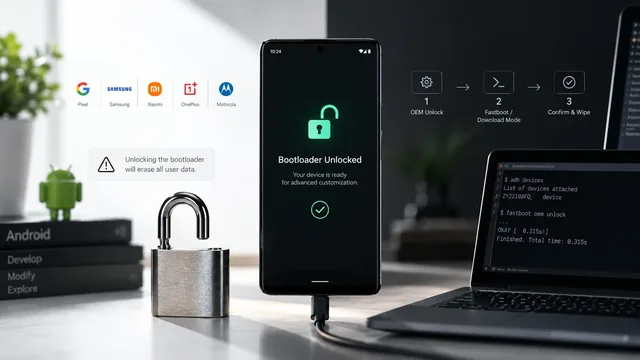
How to Unlock Bootloader on Android Devices 2026
Bootloader unlock guide 2026 — what bootloader is, brand procedures (Samsung, OnePlus, Xiaomi, Pixel, Motorola, Sony, Realme), OEM-greyed-out fixes.
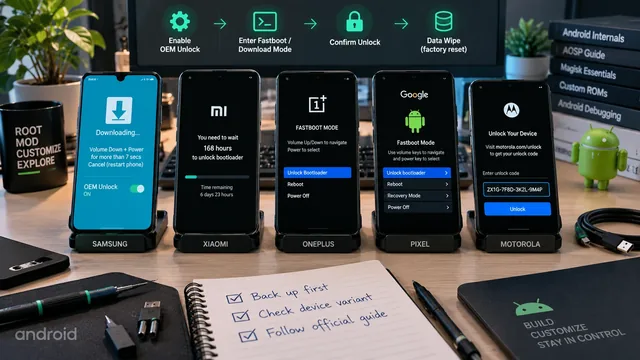
Unlock Bootloader on Android — Brand-by-Brand Guide (2026)
Unlock the bootloader on Samsung, Xiaomi, OnePlus, Pixel and Motorola — exact steps per brand, OEM unlock waiting period, and what gets wiped in each case.
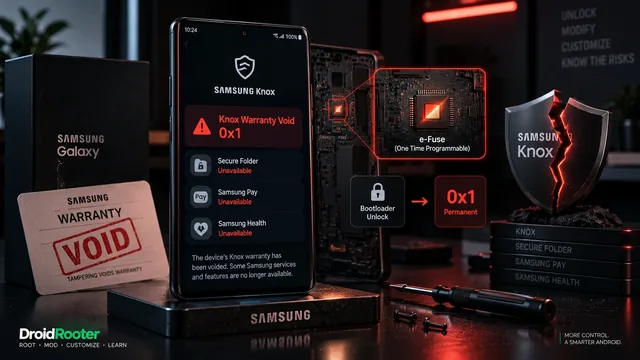
Samsung Knox Warranty Void — Is It Permanent? 2026 Update
Samsung Knox warranty void in 2026 — what triggers Knox 0x1, the e-fuse explained, can you still get Samsung service after, and regional policy differences.