How to Temporarily Root Android Without Unlocking the Bootloader
Temporary root is real on some locked Android phones. Here is how to check your exact build, choose the right loader, verify access and understand what rebooting actually removes.

Table of Contents
- What does temporary root actually mean?
- Four things people often confuse
- What changed in 2026: GhostLock and DirtyFrag
- Step 1: Check your exact phone—not just its Android version
- What a real compatibility match looks like
- Step 2: Choose the correct project and download source
- A fresh APK is not automatically the right APK
- Step 3: Prepare one controlled session
- Route A: DFRoot or DirtyFrag, without Shizuku
- Route B: Root My Galaxy, using its exact payload match
- Route C: Root My Pixel, with Shizuku
- Step 4: Verify root without changing anything important
- What can you do with temporary root?
- What it does not give you
- How to end temporary root properly
- Troubleshooting: the errors that actually matter
- What not to mistake for a universal root method
- Is temporary root worth it?
- Frequently asked questions
- Can I temporarily root any Android phone without unlocking?
- Can I get temporary root without a PC?
- Do I need the OEM unlocking toggle?
- Does temporary root wipe the phone?
- Does a full reboot remove root?
- Can I install Magisk modules or LSPosed?
- Will Samsung Knox and banking apps stay untouched?
- What happens after a security update?
- The bottom line
- Sources and project documentation
You want one root-only feature—not a factory reset, a new ROM and a weekend spent rescuing your phone. Can Android give you root for a session while the bootloader stays locked?
Yes, on some supported, vulnerable builds. Tools such as DFRoot, DirtyFrag, Root My Galaxy and Root My Pixel can obtain temporary root without the conventional bootloader-unlock-and-flash process. They do not work on every Android device. Your firmware, kernel, device profile and matching root manager decide whether the method is usable.1235
And there is one catch worth knowing immediately: temporary root means temporary access, not automatically temporary consequences. Deleting a file or disabling an app does not become harmless just because root disappears later.
Sources checked October 30, 2026. This is a documentation-based guide, not a claim that DroidRooter tested every listed phone or APK.
Jump to: Compatibility check · Tool choices · Setup steps · Verify root · End the session · Troubleshooting
What does temporary root actually mean?
Root is the Linux superuser identity, normally shown as UID 0. A temporary-root loader establishes privileged access after Android has booted, without relying on a permanently patched boot image. Some current loaders then late-load a compatible KernelSU component so a manager can grant root to approved apps.51
Think of it as borrowing administrator access for the running session—not installing a different operating system.
A full device restart normally ends this runtime session. A soft reboot, which restarts Android's userspace without restarting the kernel, is different. It may preserve the loaded kernel component. Some tools can also run again automatically after a full restart, creating a new root session.2
Four things people often confuse
| Method | What it actually gives you | Locked-bootloader reality |
|---|---|---|
| Exploit-based temporary root | Root access on a supported vulnerable runtime | Possible on specific builds; not universal |
| Shizuku started through ADB | Access to supported operations using Android's shell privileges | Useful without unlocking, but not itself UID 0 |
| Temporarily booting a modified image | A different boot environment for that boot, where supported | Not a general way to bypass a locked bootloader |
| Conventional Magisk/KernelSU/APatch installation | A root installation integrated into a supported boot/kernel path | Usually requires an unlockable or otherwise explicitly supported installation path |
Shizuku can also start on an already rooted device. The distinction above concerns its non-root, ADB-started mode.578
What changed in 2026: GhostLock and DirtyFrag
This is not another list of old “root any phone” APKs.
GhostLock, associated with CVE-2026-43499, concerns a Linux kernel locking flaw. Android projects including Root My Pixel and Root My Galaxy adapt a device-specific exploitation chain to establish temporary access.654
DirtyFrag, used by DFRoot and the DirtyFrag Android app discussed here, refers to CVE-2026-43284. Those projects use a kernel page-cache vulnerability as part of a chain that can start a compatible root environment without the usual boot-image installation.12
These are security vulnerabilities, not hidden manufacturer features. A security update or vendor backport can close the route. Do not downgrade a daily-use phone, disable its protections or stop installing security fixes just to keep an exploit usable.
“My bootloader cannot be officially unlocked” and “my current firmware has no temporary-root method” are different statements. Neither one proves the other.
Step 1: Check your exact phone—not just its Android version
“Samsung S24” is not enough. Neither is “Android 16” or “kernel 6.1.”
Record the complete model, codename, firmware build, kernel string, architecture and page size. Root My Pixel explicitly profiles those details; Root My Galaxy's payload selection uses supported model identifiers and kernel-version matching.53
You can find some information in Settings → About phone → Software information. With authorized ADB access, these read-only commands provide a fuller record:
adb devices
adb shell getprop ro.product.model
adb shell getprop ro.product.device
adb shell getprop ro.build.display.id
adb shell getprop ro.build.fingerprint
adb shell getprop ro.build.version.security_patch
adb shell uname -r
adb shell getprop ro.product.cpu.abi
adb shell getconf PAGESIZE
Use Google's Platform Tools, not an old repackaged “ADB installer.” If the executable is not on your PATH, run it from the extracted folder; Windows PowerShell commonly needs .\adb.exe. If an individual query is unavailable, record that rather than guessing its output.9
Optional read-only boot-state queries are:
adb shell getprop ro.boot.flash.locked
adb shell getprop ro.boot.verifiedbootstate
On devices exposing the standard property, ro.boot.flash.locked=1 indicates a locked state. A missing value is not permission to assume anything. These properties describe boot state; they do not certify that a root tool is compatible or that the running system is safe.8
What a real compatibility match looks like
These are examples listed by project maintainers, checked for this article—not a DroidRooter-tested device list:
| Project-listed target | Build/profile | Why the detail matters |
|---|---|---|
Pixel 8, codename shiba |
CP2A.260705.006, KMI android14-6.1 |
A Pixel 8 on another update is not automatically covered |
Galaxy S24 Ultra, SM-S928U1 |
Payload e3q-S928USQS6DZF2, kernel 6.1.145 |
Region/model and payload matching matter, not just “S24 Ultra” |
Galaxy S23 Ultra, SM-S918B |
S918BXXSAFZF5, kernel 5.15.189 |
Upstream documents the complete app chain specifically through Shizuku mode |
Galaxy S23+, SM-S916B |
S916BXXSAFZG1, kernel 5.15.189 |
Upstream marks it experimental, ADB-shell-only and absent from the normal app feed |
Sources: Root My Pixel build table and Root My Galaxy payload table.
That final row is a good reason not to turn every repository mention into a green “supported” badge.
Go/no-go rule: continue only when the tool's current release and documentation cover your actual environment. A vulnerability existing somewhere in the same kernel family is not enough. A profile in the development branch may also be newer than the APK you downloaded.
An October 26 Root My Pixel issue illustrates the problem: a user reported failure on a newer Pixel 11 Pro build while the README listed an older build. It is a user report, not proof that every similar phone fails—but it is exactly why “same phone name” is not a compatibility test.
Step 2: Choose the correct project and download source
There is no universal winner. Start with the project whose current support information matches your phone and your tolerance for troubleshooting.
| Project | Appropriate starting point | Shizuku requirement | Official source |
|---|---|---|---|
| DFRoot | Devices satisfying its vulnerability and kernel-module requirements | Not required by its documented workflow | Repository · Releases |
| DirtyFrag by mitschud | A DFRoot-derived app with additional controls; check its Samsung and other-device requirements | Not required | Repository · Releases |
| Root My Galaxy | Samsung models and kernels explicitly covered by its payload feed | Depends on the target; some require Shizuku mode | App · Payloads |
| Root My Pixel | Exact supported Pixel build profiles | Required by its current README | Repository · Releases |
Release snapshot: GitHub's latest-release endpoints returned DFRoot v4.7 dated October 22, DirtyFrag v1.16 dated October 15, and Root My Pixel v1.5 dated September 7 when checked on October 30, 2026. Recheck the release notes before installing; these are observations, not version pins or APK safety certifications.10
For other devices, Awesome Temporary Root is a useful community discovery index. Follow its links back to the actual developer's support records. Inclusion in a collection, a Telegram repost or a same-chipset success story does not validate your build.
A fresh APK is not automatically the right APK
Use the original repository's release assets. Check the publisher, release notes and any available digest/signature information. A hash can detect a mismatch with the referenced file; it does not prove the program is harmless.
Do not disable device-wide protection simply because a mirror tells you to. If Android blocks an installation, investigate the exact file and warning. Stop when you cannot establish provenance.
Step 3: Prepare one controlled session
Use only a phone you own or have explicit permission to modify. This is not an account-recovery, FRP-removal, workplace-management or lock-screen bypass guide.
Before starting, make a usable backup, record the stock build, check that you know the device's official recovery options, and save the loader's instructions somewhere besides that phone. Avoid experimenting on your only payment or emergency-contact device.
For a first attempt, keep start-at-boot/autorun off, leave optional modules disabled and retain the loader's read-only partition protections where provided. Start with one loader and its documented manager combination—not several APKs trying to control the same session.
Avoiding a bootloader unlock avoids that particular unlock-reset step. It does not guarantee no crash, no data loss or effortless recovery.812
Route A: DFRoot or DirtyFrag, without Shizuku
- Confirm compatibility first. Review the selected project's current requirements, release notes and relevant device reports. If it reports that the vulnerability is patched or unsupported, do not force it.
- Install one loader from its official Releases page. DFRoot and the mitschud DirtyFrag app are related projects, not two compulsory stages to install together.
- Install the manager that this loader documents for your device. Both READMEs currently direct Samsung users to diabl0w's KernelSU. Other supported environments have different listed choices.
- Keep automatic rerooting and optional modules off for the initial test. In the DirtyFrag fork, select the intended manager in its SU Manager card, then use its documented run action.
- Let the single attempt finish and read the result. Do not repeatedly tap because the progress display looks slow. A success message alone is not the final verification—check the manager and an approved root request next.
The mitschud fork's README says it obtains ksud from the selected manager's libksud.so. Installing a random manager APK that lacks that component can leave you without usable app root even if an earlier exploit stage succeeded. Its documentation also says old advice requiring a CI/Actions manager build no longer universally applies.2
Security trade-off: these projects document changes to security enforcement during their chain, including SELinux behavior. Android's mandatory access controls restrict even root processes; weakening them matters. “Bootloader still locked” is not the same as “stock runtime security preserved.”112
Route B: Root My Galaxy, using its exact payload match
Install the app from the developer's Releases page, then compare what it detects with the current payload feed and target notes. Use the manager and execution mode documented for that target.
Do not select the nearest-looking model or override a mismatch in Advanced mode. In particular, an experimental shell-only target is not an invitation to use an unrelated app payload.
Where the target specifically needs Shizuku, follow that route. The documented S23 Ultra SM-S918B example is a concrete case where “this app never needs Shizuku” would be wrong.34
Route C: Root My Pixel, with Shizuku
First match the exact build in the supported-profile table, not merely the Pixel generation.
Then follow this sequence:
- Install the loader from its official release and the manager build required by that release.
- Start Shizuku through its non-root setup. On supported Android 11+ environments, wireless debugging can do this without a PC: enable the required developer settings, pair using the code, then start Shizuku. The official Shizuku manual covers pairing and the computer-assisted alternative.
- Authorize Root My Pixel to use Shizuku when requested.
- Check the detected model, build, kernel and page-size information. Stop if the correct profile is not available.
- Start the documented root action, inspect the result, and verify the manager separately.
October manager-name trap: Root My Pixel's README still specifies ReSukiSU and describes manager-signature validation. The manager project now identifies itself as BakaSU, formerly ReSukiSU. A rename does not establish that every new APK is accepted by every older loader. Use the manager version that your loader release actually supports; do not bypass signature checks to make a mismatch disappear.511
Root My Pixel's maintainer explicitly warns that attempts can fail and reboot the phone. A recovery plan matters more than a supposed “100% success” trick. Repeated panics are a reason to stop and inspect logs, not to turn the process into an endless retry loop.5
Step 4: Verify root without changing anything important
Open the documented root manager and confirm that the kernel/backend is active. Then use a trusted terminal app and approve that app's root request in the manager:
su -c id
A successful result should include uid=0(root). This verifies the identity of that particular command, not unlimited access to every protected resource.
On a setup that supports and authorizes root requests from ADB shell, you can instead check:
adb shell su -c id
A denial here can mean that ADB shell lacks permission or that this route is unsupported. It does not automatically prove app-granted root failed. Conversely, running plain adb shell id and seeing UID 2000 only shows the ordinary shell context—it is not a root-success test.512
You can also record the current SELinux mode without changing it:
adb shell getenforce
Do not run commands to turn enforcement off just to make a checker green. If the loader changed it, understand that trade-off before using the phone normally.
For the first session, stop at verification. Prove that root starts, that the phone remains stable, and that you can end the session before adding modules or making changes.
What can you do with temporary root?
It can support approved root apps, diagnostics and some runtime-only modifications. What works depends on the manager, the granted permissions, the kernel and the tool's late-load implementation—not just whether su exists.
KernelSU's current late-load documentation describes a distinct late-load.sh stage and says initrc injection is unavailable there. Some later scripts and supported mounts can still work. Therefore neither “all Magisk modules work” nor “no modules work” is a reliable rule.
Choose modules explicitly compatible with your actual runtime, one at a time. The Magisk/KernelSU/APatch comparison explains the broader manager choices; conventional installation guidance is not automatically a temporary-root procedure.
What it does not give you
Temporary root does not, by itself, unlock the bootloader or authorize arbitrary custom ROMs, recovery images or permanent boot/kernel flashing. Do not write verified partitions such as boot, vbmeta, system or vendor just because a root file manager now shows them.8
Never use partition edits as your first proof that root works. A successful id check is much less exciting—and much less expensive.
How to end temporary root properly
Before restarting, reverse any changes you intentionally made that should not remain: for example, restore an app setting or re-enable a package you disabled. Then disable loader autorun/start-at-boot and any configured automatic reactivation. Use documented module-disable controls where needed.12
Perform a full device restart through the normal power menu—not a tool's Soft Reboot button. After booting, do not launch the loader's rooting action again. Check the manager's backend status and repeat the same authorized root test you used earlier.
| Action or state | What to expect |
|---|---|
| Full restart, no automatic reactivation | The temporary runtime session should end |
| Soft/userspace reboot | May leave the relevant kernel state active |
| Loader configured to start on boot | May create a fresh root session after a full restart |
| An app installed or setting changed during root | May remain until separately reversed |
| A file deleted during root | Reboot is not a backup restore |
| Banking or Wallet previously flagged the device | Behavior may not immediately return to normal |
The first three behaviors are documented by the loaders. The last three are the practical distinction between losing a privilege and undoing actions performed with it. Root My Pixel specifically warns about Google Wallet and RCS disruption; this guide does not promise a recovery deadline.25
Do not recursively delete /data/adb or unrelated directories as a generic “unroot” recipe. Follow the selected project's precise cleanup instructions, keep backups, and remember that removing files is itself a persistent action.
Troubleshooting: the errors that actually matter
| Symptom | What it may mean | Better next step |
|---|---|---|
| Unsupported device / no profile | The exact build or execution path is missing | Stop; compare the release's actual profile and upstream support notes |
| Not vulnerable / patching failed | Patched kernel, vendor backport or another incompatibility | Do not force a different target or downgrade blindly |
| Success, but manager has no root | Loader and manager disagree, daemon is missing, or late-load failed | Check the selected manager, logs and documented auto-soft-reboot troubleshooting |
| UID 2000 instead of UID 0 | You tested a normal shell, or did not receive a root grant | Use an approved su request; don't assume Shizuku alone grants root |
| Crash or spontaneous restart | Failed exploit attempt, mismatched target or unstable module | Disable autorun, remove optional variables and stop repeated experiments |
| Root disappears after restart | Expected temporary-session behavior | Reassess compatibility before deliberately starting another session |
| Root returns after restart | An autorun feature may be reapplying it | Disable reactivation before the next full restart |
| An OTA stops the method working | Build/profile mismatch or a patched vulnerability | Treat the new build as a new compatibility check |
For DFRoot and the mitschud fork, the maintainers document module-disable settings and auto-soft-reboot troubleshooting. Use those project-specific controls rather than deleting random system files.12
Android Safe Mode and a manager's own module-rescue mechanism are not interchangeable. KernelSU documents differences in late-load rescue behavior. Never assume a volume-key trick or reboot can repair a damaged verified partition.13
What not to mistake for a universal root method
Shizuku by itself: valuable for supported privileged operations, but its ADB mode is not root. It may already solve your actual task without an exploit.75
adb root: ordinary retail user builds generally do not enable it. AOSP's debug-build workflows explain why a development device behaves differently; it is not a hidden universal switch.14
“Temporary” Fastboot image booting: where available, it is a separate bootloader-dependent workflow, not proof that a locked phone will accept an unsigned image. See the conventional Android rooting guide for that different route.8
An old one-click APK or a root-enabled virtual environment: neither is evidence of host-device root on your present firmware. Judge the actual developer, target and runtime—not the word “root” on the icon.
Is temporary root worth it?
It makes the most sense for a supported spare/test device, a defined root-only task and someone prepared to stop when the profile does not match. It makes less sense when the phone is your only payment/work device or the goal can be met with ordinary settings, ADB or Shizuku.
A locked bootloader still matters, but it is not a blanket warranty, Knox, integrity or payment-app guarantee. This article makes none of those promises.
Need a second opinion? Send the complete model, firmware build, kernel string, chosen tool and exact error through DroidRooter's rooting consultation. Share no passwords, OTPs or private keys. The useful first question is “Does this exact setup have a supported path?”—not “Which APK roots everything?”
The bottom line
Temporary Android root without unlocking the bootloader is real in 2026. Universal temporary root is not.
Match the actual build, use the maintainer's files and manager combination, verify access without writing anything important, and learn how to end the session before experimenting further. That is a much better starting point than a “root any phone” button.
Sources and project documentation
-
DFRoot — official README and usage. Includes manager selection, Shizuku independence, module controls, autorun and security-enforcement details. ↩↩↩↩↩↩↩↩↩
-
DirtyFrag by mitschud — official README. A DFRoot fork; manager-library dependency, controls, runtime behavior and troubleshooting. ↩↩↩↩↩↩↩↩↩
-
Root My Galaxy — official application repository. Model/kernel matching and execution modes. ↩↩↩
-
Root My Galaxy Payloads — official target records. Distinguishes confirmed, experimental and shell-only targets. ↩↩
-
Root My Pixel — official README. Exact profiles, Shizuku, manager signature validation, reliability and Wallet/RCS warnings. ↩↩↩↩↩↩↩↩↩↩↩
-
NVD: CVE-2026-43499 and Red Hat's GhostLock advisory. Kernel vulnerability context; vendor-specific product lists are not Android device-support tables. ↩
-
Shizuku official setup manual. Wireless and computer-assisted startup. ↩↩↩
-
AOSP: locking and unlocking the bootloader. Signed-image restrictions, lock-state reporting and the conventional unlock reset. ↩↩↩↩↩
-
Android Developers: ADB. Authorized device communication and shell access. ↩
-
Inspected release records: DFRoot v4.7, DirtyFrag v1.16, Root My Pixel v1.5. ↩
-
BakaSU official repository. Identifies the project as formerly ReSukiSU; a rename is not a loader-compatibility guarantee. ↩
-
AOSP: Security-Enhanced Linux in Android. Mandatory access controls also apply to root processes. ↩↩
-
KernelSU module guide: late-load mode. Runtime initialization, script differences and limitations. ↩↩
-
AOSP: VTS testing with a debug ramdisk. Explains why
adb rootis not available on an ordinary user build. ↩
Frequently asked questions
Can I temporarily root any Android phone without unlocking?
No. Public tools cover particular vulnerable environments. Matching a phone family or Android version is not enough; firmware, kernel, manager and the loader's support rules matter.
Can I get temporary root without a PC?
Do I need the OEM unlocking toggle?
The locked-bootloader exploit workflows here do not use the conventional OEM-unlock process. A missing toggle does not prove eligibility or ineligibility for these exploits; the exact running build still decides.
Does temporary root wipe the phone?
It does not inherently perform the standard bootloader-unlock reset. That is not a no-data-loss guarantee: exploit failures, bad modules, destructive actions or required recovery can still cost data.
Does a full reboot remove root?
It should end the temporary runtime session, but autorun may create a new session. Disable reactivation first. A soft reboot may not restart the kernel, and neither kind of restart automatically restores changed files or settings.
Can I install Magisk modules or LSPosed?
Only where the particular module, framework, manager and late-load environment are compatible. Early-boot dependencies and mounting requirements differ. Do not treat the normal Magisk module catalog as a tested temporary-root list.13
Will Samsung Knox and banking apps stay untouched?
What happens after a security update?
The exploit can stop working, a profile may no longer match, or the manager combination may need revalidation. Do not assume an older successful run carries over to the new build—and don't leave an everyday phone vulnerable just to keep root.
Related guides
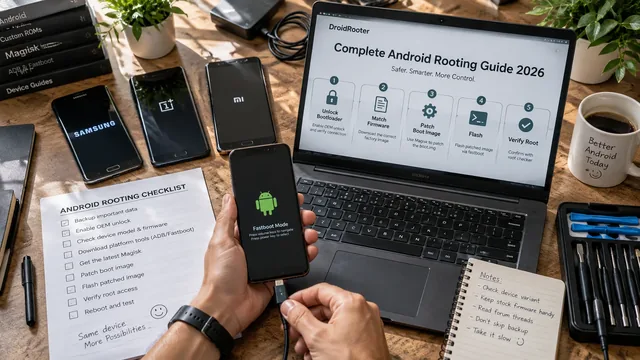
Complete Android Rooting Guide 2026
Complete Android rooting guide 2026 — what root is, why root, modern Magisk method, device notes, post-root setup, banking-app reality.
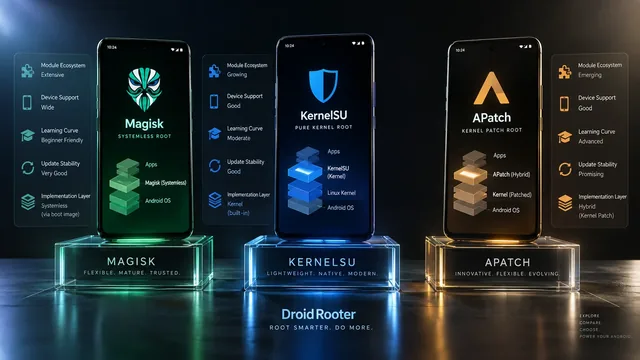
Magisk vs KernelSU vs APatch — Best Root in 2026?
Magisk vs KernelSU vs APatch in 2026 — full comparison plus expert advice on which root solution is right for your phone, your needs and your skill level.
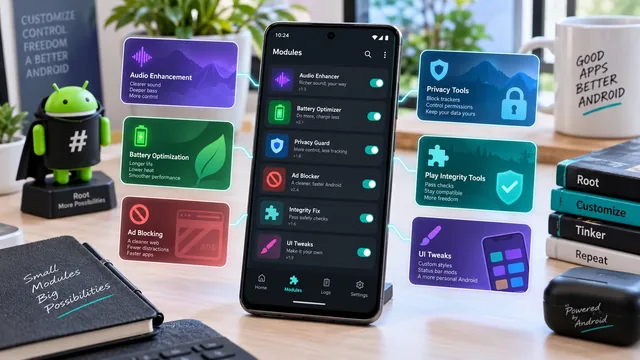
Best Magisk Modules in 2026: Verified Sources, and What's Been Discontinued
Rewritten from scratch and verified project by project. Six widely recommended modules no longer exist, several popular picks are not modules at all, and every link here points at the maintainer's own repository.