Best Magisk Modules in 2026: Verified Sources, and What's Been Discontinued
Rewritten from scratch and verified project by project. Six widely recommended modules no longer exist, several popular picks are not modules at all, and every link here points at the maintainer's own repository.
Table of Contents
- Start here: the short version
- What changed, and what to remove
- Several popular "modules" are not modules
- What changed in Magisk 31.0 and 31.1
- Which root manager are you on?
- What works on what
- Before you install anything
- Step 1: pick one Zygisk implementation
- Step 2: integrity and hiding, as a decision tree
- Three things other guides do not tell you
- If you need to ask for help
- Step 3: the Xposed layer
- Step 4: the verified list
- Ad and tracker blocking
- Battery and power
- Gaming and scheduling
- Interface and theming
- Utility
- Developer and security testing
- Alternative integrity toolkits
- Kernel-level hiding, KernelSU family only
- Risk tiers
- Where to get modules now
- How to vet a module
- Recovering from a bootloop
- The boot image caveat
Several modules that still appear on current lists no longer exist. Play Integrity Fix was deleted from GitHub by its author. Universal SafetyNet Fix last shipped in January 2023. And the "install from the Magisk app's online repository" step in most guides describes a feature removed from Magisk years ago. Every project below was checked against its own repository before it went on the list, and every one has a link.
Last technically verified: 30 October 2026
Magisk baseline: v31.1 (released 25 October 2026)
Also covers: KernelSU, KernelSU Next, SukiSU Ultra and APatch
Android coverage: 12 to 17, with newer versions noted only where a project explicitly supports them
Updated 30 October 2026: Magisk 31.0 and 31.1 (new app, no more root pop-ups, app hiding removed), current versions of every root manager and Zygisk implementation, open-source Tricky Store alternatives, and several modules now archived or stale
Sourcing rule: official maintainer links only. We do not mirror module ZIPs
Start here: the short version
Most people want one of four things. You do not need the whole list.
| If you want to | Install | Worth knowing |
|---|---|---|
| Get a banking app working | The DenyList first, then add layers only as needed | Test after each step. Do not install the whole stack at once |
| Block ads system-wide | One hosts module, such as bindhosts | Try Android's Private DNS first. It needs no root at all |
| Run Xposed modules | The maintained LSPosed fork | Needs a working Zygisk implementation |
| Limit charging to protect the battery | ACC | Depends on what your kernel exposes, not your Android version |
Everything below is detail on those four, plus what to avoid.
What changed, and what to remove
If you are following an older guide, you may be about to install something that no longer exists.
| Module | Status | What to use instead |
|---|---|---|
| Play Integrity Fix (chiteroman) | Discontinued by the author, repository removed from GitHub | PlayIntegrityFork by osm0sis |
| Universal SafetyNet Fix (kdrag0n) | Last release v2.4.0, January 2023, documented only to Android 13 | Current Play Integrity tooling |
| Riru | Repository archived January 2024, incompatible with Zygisk | Zygisk, built-in or standalone |
| MagiskHide Props Config | The project labels itself dead and is archived | Nothing directly |
| LSPosed (original) | Archived. Its releases targeted Android 8.1 to 14 | The maintained JingMatrix fork |
| Substratum | Official project archived February 2024 | Iconify |
| Greenify (root) | Legacy app, not a module | Nothing. Android's own doze is better now |
| Magisk online module repository | Removed from the Magisk app | GitHub releases, MMRL, or Alt Repo |
| PixelXpert | Repository archived by its owner, June 2026. Last release v5.1.1, December 2025 | Iconify |
| PlayIntegrityFix-NEXT | Repository archived October 2025, last release v3.0 | PlayIntegrityFork or the KOWX712 fork |
| Magisk app hiding (repackaging) | Removed in Magisk 31.1 | Uninstall the Magisk app after configuring it, see the Magisk 31 section |
That last row causes the most confusion. People open Magisk looking for the Modules download tab an old guide describes, cannot find it, and assume their install is broken. It is not. Discovery and installation are now separate steps: find the module on GitHub, download the ZIP, install it from storage.
Several popular "modules" are not modules
This matters because it changes where you get the thing and how you fix it when it misbehaves.
| Commonly listed as a module | What it actually is |
|---|---|
| AdAway | An app, with a root hosts mode and a non-root VPN mode |
| FK Kernel Manager | A kernel management app, and it needs a compatible custom kernel |
| TrackerControl | A local-VPN privacy app that does not need root |
| NewPipe, Aurora Store, Greenify | Standalone apps |
| Magisk DenyList | A built-in Magisk feature, in settings |
| Systemless hosts | A Magisk capability that hosts tools use |
All of these are worth using. None of them is something you flash. A guide listing AdAway between two Zygisk modules is teaching a category error, and readers who then go hunting for an "AdAway ZIP" end up on exactly the kind of mirror site this article is steering them away from.
What changed in Magisk 31.0 and 31.1
Magisk 31.1 is the current stable release (25 October 2026), and it changes how Magisk behaves day to day. Most older guides, including earlier versions of this one, describe the old flow. Based on the official release notes:
| Version | What changed | What it means for you |
|---|---|---|
| 31.0 (4 September 2026, pre-release) | Magisk app rewritten in Jetpack Compose and Material 3. Built-in terminal emulator for module flashing and action scripts. Boot images can be extracted straight from remote OTA URLs. Zygisk support for Android 17. DenyList unmounts webview_zygote | Different-looking app, same core. A legacy View-based build was kept for a couple of releases if the new UI misbehaves on your phone |
| 31.1 (25 October 2026, stable) | Support for Headless System User Mode (HSUM) devices, including Googlebooks. Android 7.0 is the new minimum, Android 6.0 dropped. Interactive root request pop-ups removed. App hiding and the stub app removed. Image patching unified for raw images, OTA zips, factory images and Samsung Odin tars | Root is granted ahead of time, not on demand. Read the next two paragraphs before you update |
Root requests no longer pop up. Superuser access is now granted to apps in advance, from the Superuser tab in the Magisk app. If a terminal app, a backup tool or a module says it needs root and nothing appears on screen, open Superuser and grant it there first. The same applies to adb shell, which has no foreground app to show a prompt in. The Magisk team says the old reactive prompt cannot work on HSUM devices.
Magisk app hiding is gone. The repackaging feature (renaming the manager to a random package) was removed, and Magisk no longer reinstalls its app if it is missing. The developer's own advice is blunt: truly hiding an installed package is close to impossible on Android, so after you have set your Superuser policies and modules, the most effective way to hide the Magisk app is to uninstall it. Apps that look for the manager are one more reason to lean on the DenyList and the hiding steps below rather than on the app name.
Before updating a working phone, note your current version, screenshot the Superuser list, and keep the stock boot image for your build. Android 6.0 phones stay on 30.7.
Which root manager are you on?
Magisk is no longer the only option, and which one you run decides what you can install. Modules are broadly portable, but not entirely.
| Manager | How it works | Best for |
|---|---|---|
| Magisk v31.1 | Patches the boot ramdisk in userspace. Zygisk built in | Most people. Widest module support, largest community, easiest to get help with |
| KernelSU | Root lives in the kernel. Needs kernel source or a GKI device | Supported devices, where you want kernel-level control and per-app root profiles |
| KernelSU Next | The most active KernelSU fork, v3.4.2 as of October 2026 | Wider device support, including many older non-GKI kernels. Its LKM mode on supported GKI devices makes installs and OTAs easier |
| SukiSU Ultra | KernelSU fork that adds KPM support and leans hard on SUSFS, v4.3.0 as of October 2026 | Maximum stealth on a supported kernel |
| APatch | Patches the kernel directly, working from just your stock boot image with no kernel source needed. ARM64 only. Build 11282 as of October 2026 | Devices where the OEM never released kernel source. Supports APModule and KPModule |
Two things people get wrong here.
You cannot run two at once. Fully remove one, restore the matching stock image, then install the other. Both active at the same time conflicts.
KernelSU forks are not interchangeable. KernelSU, KernelSU Next and SukiSU Ultra share ideas but their managers and kernel changes differ. Use the build made for the fork you actually installed.
A note on Magisk Alpha: it is an unofficial build distributed mainly through Telegram. It has a following, but its public source and release trail are weaker than official Magisk, which matters for something running as root. Official stable is easier to verify. ReZygisk, for one, removed Magisk Alpha support in v1.0.0.
What works on what
| Module type | Magisk | KernelSU family | APatch |
|---|---|---|---|
| Ordinary modules | Yes | Yes | Yes, as APModules |
| Zygisk modules (Shamiko, PIF, LSPosed) | Yes, built-in Zygisk | Yes, with a standalone Zygisk module | Yes, with a standalone Zygisk module |
| KPM (kernel patch modules) | No | SukiSU Ultra only | Yes |
| SUSFS kernel-level hiding | No | Yes, with a SUSFS-patched kernel | No |
The row that decides the most is SUSFS. It hides inside the kernel rather than in userspace, which userspace modules structurally cannot match, and it does not work with Magisk because Magisk never touches the kernel. That is the main technical argument for moving off Magisk in 2026, and it needs a device with a compatible kernel, which not every device has. Our Magisk vs KernelSU vs APatch comparison covers the trade properly.
Everything in this article works on Magisk. Where something is restricted to one family, it says so.
Before you install anything
Screenshot your current modules. Open your root manager, go to the Modules tab, screenshot the list. That is your record of what changed if something breaks. Five seconds, no terminal needed.
Note your Magisk version and Android build while you are there. Magisk shows its version on the home screen. Android version and security patch are in Settings, under About phone.
One module at a time, then reboot, then check it worked. Install five and reboot once and you have no idea which one broke it.
Know how to recover before you need it. It is at the end of this article. Read it first.
Step 1: pick one Zygisk implementation
Zygisk is the injection layer that hiding modules and the Xposed framework depend on. Magisk has one built in. KernelSU and APatch do not, so those users need a standalone one. Magisk users can also choose a standalone implementation instead of the built-in.
| Option | Source | Open source? | Notes |
|---|---|---|---|
| Magisk built-in Zygisk | In Magisk v31.1 | Yes | The default. Toggle on in settings. Magisk only |
| Zygisk Next | Dr-TSNG/ZygiskNext | No, not since v4-0.9.2 | Very actively maintained, v1.5.2 October 2026. Licence reserves all rights |
| ReZygisk | PerformanC/ReZygisk | Yes | v1.0.0 May 2026. C rewrite with custom linkers to defeat linker-based detection. That release dropped Magisk Alpha and Kitsune support |
| NeoZygisk | JingMatrix/NeoZygisk | Yes | ptrace-based. Removes its injection traces when modules unload. v2.4 (August 2026) adds Android 17 support |
Three rules that between them prevent most of the failures people post about:
Run exactly one. If you install a standalone implementation on Magisk, turn built-in Zygisk off first. Running both is a common and avoidable failure.
Shamiko does not work with ReZygisk. Shamiko targets built-in Zygisk and Zygisk Next. Choose ReZygisk and you need a different hiding module. Mixing them is the classic cause of "my hiding worked yesterday and stopped today." Same goes for Zygisk Assistant.
Uninstall the old one before switching. Migrating without removing the previous module first has caused bootloops, especially across module ID changes.
The Zygisk Next licence change is worth a deliberate decision rather than a default. It is a root-privileged module whose recent releases cannot be independently audited, and that is the stated reason ReZygisk exists. Whether it matters to you is a judgement call, not a technical fault.
Step 2: integrity and hiding, as a decision tree
The most important correction to the previous version of this guide:
Passing Play Integrity and hiding root from an app are two different problems.
Users routinely get every integrity verdict and still have Google Wallet or a specific bank refuse the device, because individual apps look at signals beyond the Play Integrity API. Installing the full stack because a guide called it essential is how people end up with six modules where two would have done.
Work it as a tree. Test after each step.
Start with the DenyList. Built into Magisk, no download. Add the apps you want root hidden from. Plenty of apps stop complaining here and you are finished. Magisk 31.0 also added webview_zygote as a DenyList unmount target.
Still detected? Add a hiding module. Shamiko, from the LSPosed release distribution, v1.2.5 as of June 2025 with Android 16 and 16K-page fixes, and no newer release as of 30 October 2026. Note the counterintuitive requirement: Shamiko needs DenyList enforcement turned off while the list itself stays populated. Leaving enforcement on disables Shamiko. This is the single most common misconfiguration in this whole article. On KernelSU with a SUSFS kernel you often do not need Shamiko at all, because the kernel is already doing that job.
Failing an integrity verdict specifically? Add a Play Integrity module. osm0sis/PlayIntegrityFork, v18 as of August 2026, is the direct continuation of the discontinued original and the successor its own author pointed to. KOWX712/PlayIntegrityFix is another maintained fork of the same lineage, v4.9 as of October 2026. Do not install two PIF forks at once.
Only with a concrete key attestation requirement, consider Tricky Store. 5ec1cff/TrickyStore, Android 10+. Forks by beakthoven and qwq233 are also in circulation and are what several tooling projects now target.
To manage which apps it applies to: KOWX712/Tricky-Addon-Update-Target-List gives Tricky Store a proper interface for its target list, keybox and security patch handling. It is a separate project and its author asks that issues not be filed upstream.
Open-source alternatives to Tricky Store now exist. beakthoven/TrickyStoreOSS is a GPL-3.0 rewrite (v3.1.0, August 2026). JingMatrix/TEESimulator is a GPL-3.0 software KeyMint that runs inside the keystore daemon (v4.0, August 2026, Android 10+, 64-bit devices only). qwq233/OhMyKeymint is a full keystore reimplementation that aims to look closer to stock AOSP (Android 12+, preview builds). Run exactly one. None of them ship a working keybox, and we still do not point to one.
Three things other guides do not tell you
Tricky Store has been closed-source since v1.1.0. The maintainer closed it over abuse concerns. Together with the Zygisk Next licence change, the two most powerful tools in this category are now both unauditable binaries running as root. Its last release was 1.4.1 in November 2025. Worth knowing before you install them, not after. Open-source rewrites now exist, listed just below, though they are newer and less proven.
Tricky Store does not ship a working keybox. It ships an AOSP keybox that is not valid for attestation. Guides saying "install Tricky Store, get strong integrity" skip that entirely. Keyboxes also get revoked, at which point your setup quietly stops working. We do not distribute keyboxes and we would be cautious about anyone who does.
Software-backed device integrity got much harder in 2026. A large wave of device fingerprints was blocked early in the year, and the main community repository maintaining that collection was archived by its owner, who said no working fingerprints remained for the most common architecture combinations. Fingerprint approaches have not stopped working, but the supply is not what it was.
The honest read: basic verdicts are broadly achievable, device integrity takes more work than it used to, and strong integrity on an unlocked bootloader is genuinely difficult. Some apps refuse regardless. We do not publish a pass rate, because it would be wrong within weeks.
Want this set up once, correctly, instead of testing combinations for a week? Send us your device, Android version, root method and the apps you need working. We configure it remotely and tell you up front which of your apps are realistically achievable. Free diagnosis on the rooting service.
If you need to ask for help
Integrity behaviour changes constantly, so "does this stack work with my bank" is unanswerable without detail. If you are asking anyone, including us, send this:
Device and exact model:
Android version and build:
Security patch level:
Root manager and version:
Zygisk implementation:
Modules installed, with versions:
Play Integrity verdict:
App and version that is failing:
What exactly it says:
That turns a question nobody can answer into one someone can. We removed the anonymous app-compatibility anecdotes from the previous version of this guide for the same reason: they had none of this detail, so they were not reproducible.
Step 3: the Xposed layer
The original LSPosed project was archived, and its releases targeted Android 8.1 to 14. Wrong starting point on a modern device.
JingMatrix/LSPosed is the maintained fork most people run, and it now lives in the JingMatrix/Vector repository (the old URL redirects there). Vector keeps API consistency with the original Xposed while rewriting the internals, with support out to Android 16 and 17 and 16K-page devices. Its releases are currently published as canary pre-release builds (canary-3114 on 26 October 2026), not tagged stable versions, so read the release notes before updating.
JingMatrix/LSPatch is the rootless route (canary builds, like Vector). It embeds the framework into one app by patching that app's APK. No root, no Zygisk. Worth knowing if you want one Xposed module's behaviour and nothing else.
ReLSPosed, another fork that circulated, was archived by its owner in February 2026. Check dates before trusting a fork.
Hide My Applist (Dr-TSNG/Hide-My-Applist) intercepts app-list scanning, which some apps use to spot root managers. Development was suspended for a while, but it shipped v3.8.3 in August 2026. Treat it as occasionally maintained and check the release date before relying on it.
Xposed modules themselves have the same problem. One untouched for two years is unlikely to work on Android 15 or 16 whatever its thread claims.
Step 4: the verified list
Grouped by what you would actually want. Every link goes to the maintainer's own repository. All work on Magisk unless noted.
Ad and tracker blocking
| Module | Source | Notes |
|---|---|---|
| bindhosts | bindhosts/bindhosts | Systemless hosts. Explicitly supports Magisk, KernelSU and APatch |
| Re-Malwack | ZG089/Re-Malwack | Hosts blocking with profile and whitelist controls |
| MagicalProtection | programminghoch10/MagicalProtection | Fully systemless hosts blocking, latest release mv19-hv99, April 2026 |
Run exactly one hosts blocker. Two, or one plus AdAway's root mode, means two things fighting over the same file. Aggressive lists also break legitimate app features, so start with a standard profile and add more only when you hit something specific.
Setting expectations: hosts blocking stops domain lookups. It does nothing about ads served from the same domain as the content. Android's Private DNS setting gets you much of the same with no root at all.
Battery and power
| Module | Source | Notes |
|---|---|---|
| ACC (Advanced Charging Controller) | VR-25/acc | Charge limits, current and temperature control. Depends on kernel-exposed charging switches more than on Android version. Latest dev release May 2025, nothing newer as of October 2026 |
| Universal GMS Doze | gloeyisk/universal-gms-doze | Lets Play Services be doze-managed. Works on Magisk, KernelSU and APatch. Expect delayed notifications. Last release 1.9.2, November 2024 |
ACC is the honest replacement for the vague "battery management" entries that appear on most lists with no repository attached. Use its own detection tooling rather than copying another phone's charging switch.
Gaming and scheduling
| Module | Source | Notes |
|---|---|---|
| FAS-RS | shadow3aaa/fas-rs | Frame-aware scheduling. v4.9.1 October 2025 added Android 16 support. Android 12+ |
Configure per game rather than globally. Gains are device, kernel and game dependent, and the demo videos overstate them. Do not stack it with another scheduler module.
Interface and theming
| Module | Source | Notes |
|---|---|---|
| Iconify | Mahmud0808/Iconify | Android 12+ UI theming, v8.0.0 as of May 2026. Install the app, grant root, and it generates a module for your ROM |
| PixelXpert | siavash79/PixelXpert | Archived by its owner in June 2026, last release v5.1.1 in December 2025. Pixel stock firmware only. Do not build a new setup on it |
Apply one group of changes at a time. SystemUI crashes and bootloops after unsupported ROM and update combinations are a known pattern with theming modules. Revert overlays before a major system update.
Utility
| Module | Source | Notes |
|---|---|---|
| BusyBox for Android NDK | Magisk-Modules-Repo/busybox-ndk | Unix utilities other scripts assume exist. Install when something needs it, not as a placebo |
| BCR (Basic Call Recorder) | chenxiaolong/BCR | Call recording via a module install route. Behaviour varies by ROM. Check your local law first |
| Open WebView | Magisk-Modules-Alt-Repo/open_webview | Replaces the system WebView. Heavily ROM-dependent |
Developer and security testing
| Module | Source | Notes |
|---|---|---|
| AlwaysTrustUserCerts | NVISOsecurity/AlwaysTrustUserCerts | Promotes user CAs into system trust. Magisk and KernelSU. Android 10+ |
| Custom Certificate Authorities | Magisk-Modules-Alt-Repo/custom-certificate-authorities | Modern system trust store CA module |
These widen your device's trust boundary. They exist for traffic debugging and security research and are a poor idea on a daily driver. Remove test CAs when you are done. Neither defeats certificate pinning.
Alternative integrity toolkits
Integrity-Box (MeowDump/Integrity-Box) bundles integrity and environment management behind its own interface. PlayIntegrityFix-NEXT (EricInacio01/PlayIntegrityFix-NEXT) was an experimental fork covering Android 10 to 16. Its owner archived it in October 2025 after the v3.0 release, so do not start a new setup on it. Integrity-Box ships very frequently (v46 on 29 October 2026), which cuts both ways: fast fixes, and a moving target.
Both overlap with PlayIntegrityFork. Treat them as alternative stacks, not additions. Overlapping integrity tools create conflicts that are miserable to diagnose.
Kernel-level hiding, KernelSU family only
SUSFS lives at gitlab.com/simonpunk/susfs4ksu with a companion module at sidex15/susfs4ksu-module. It needs a kernel with SUSFS patched in, so it is a KernelSU, KernelSU Next or SukiSU Ultra option. Not available on Magisk or APatch.
Risk tiers
Not every module carries the same exposure.
| Tier | Examples | Rule |
|---|---|---|
| Low to moderate | BusyBox, one hosts blocker, BCR | Still one at a time, still verify |
| Moderate | Iconify, PixelXpert, FAS-RS, Universal GMS Doze, ACC | Can affect SystemUI, scheduling, notifications or device-specific behaviour |
| High | Shamiko, Tricky Store, standalone Zygisk, integrity stacks | Security-sensitive, version-dependent, and app-side detection changes without warning |
| Legacy | Riru, MagiskHide Props Config, Substratum, PixelXpert, Universal SafetyNet Fix | Listed only because people still search for them. Do not build on them |
Where to get modules now
Since the built-in repository is gone:
- The project's own GitHub releases page. The correct source for everything above, and where every link here points. Download the
.zipasset, not the source archive. - Magisk-Modules-Alt-Repo, the community repository that accepts new submissions.
- MMRL, a module manager app that handles Magisk, KernelSU and APatch modules if you would rather browse than download by hand.
To install: open your root manager, go to Modules, tap Install from storage, pick the ZIP, reboot.
We do not host module binaries and we would be wary of anyone who does. Download from the project, not from a mirror, a shortened link, or a Telegram file.
How to vet a module
Root modules run with full privileges. Apply the scrutiny that deserves:
- Is the source visible? No repository, no install. That alone rules out a lot.
- When was the last release? Untouched for two years on a fast-moving target is a liability.
- Does the maintainer answer issues? Months of silence is a signal.
- Does its documentation state compatibility? Android version, root manager, known conflicts.
- Is anyone running it on your Android version and your root manager? Not on the device it was written for in 2023.
- Does it ask you to weaken something? Anything requiring SELinux to be disabled deserves a hard look.
Recovering from a bootloop
Have this ready before you need it. In order of preference:
1. Safe mode. Magisk disables all modules when it detects a safe mode boot. Boot to safe mode, then reboot normally, and you get a running system with everything off so you can remove the offender from the app. KernelSU does the same. The key combination varies by device, so practise it once while everything works.
2. The removal command. If a computer can see the device while it tries to boot, Magisk documents this:
adb wait-for-device shell magisk --remove-modulesIt removes all modules and reboots.
3. Disable one module from a shell. Creating a disable file inside a module's folder under /data/adb/modules/ turns just that one off.
4. Restore the stock boot image. The fallback, and the reason to keep one. Read the caution below first.
The boot image caveat
Magisk's own documentation warns that partition restoration is device-specific, and cautions Samsung users in particular against casually restoring boot, init_boot, recovery or vbmeta. Generic fastboot advice does not transfer across manufacturers. APatch users should also note that it patches boot, not init_boot.
Follow the procedure for your exact device. If a flash has already gone wrong, diagnose before flashing again, and if the device will not boot at all, work out which state it is in first.
Whatever you do, do not start wiping. The order of operations matters, and a factory reset destroys your encryption keys along with your data.
Related reading: Magisk vs KernelSU vs APatch · SafetyNet and Play Integrity with root · Magisk in 2026: what changed · Magisk flash failed · OTA update failed on a rooted Android · Android debloating guide
Sources: Each project's own GitHub or GitLab repository, linked inline. Magisk official documentation, FAQ and release notes. APatch and KernelSU official documentation. Module status verified against repository activity and maintainer statements on the date shown above.
Last verified: 30 October 2026. This ecosystem moves quickly. Projects listed here were active at the time of verification and any may be discontinued, forked, or superseded without notice. Check the linked repository before installing, and treat compatibility as device-specific.
Frequently Asked Questions
Why can't I find the module download section in the Magisk app?
Because it was removed. Not a bug, your install is fine. Modules now come from the project's GitHub releases and install from storage.
Do Magisk modules work on KernelSU and APatch?
Ordinary modules, generally yes. Zygisk modules need a standalone Zygisk implementation, since only Magisk has one built in. KPM modules are APatch and SukiSU Ultra only. SUSFS is KernelSU family only. The compatibility table above covers it.
Is Play Integrity Fix still available?
Not the original. Its author discontinued it and removed the repository, pointing users to PlayIntegrityFork (v18, August 2026). Any link to the original is dead.
Can I use Shamiko with ReZygisk?
No. Shamiko targets built-in Zygisk and Zygisk Next. Pairing it with ReZygisk is a common cause of hiding silently breaking.
I pass every integrity check but my bank still refuses. Why?
Because they are separate problems. Play Integrity is one signal and apps use others. Passing all three verdicts does not oblige any app to accept your device. This is a documented outcome, not a misconfiguration on your part.
Can I run Magisk and KernelSU at the same time?
No. Remove one fully and restore the matching stock image before installing the other.
How many modules is too many?
No fixed number, but each adds boot time, conflict surface, and troubleshooting difficulty that rises faster than linearly. Most setups need three or four. Past eight, ask what each is doing for you.
Will these survive an OTA update?
Modules live in the data partition and generally survive, but the root itself needs handling before an update or the update gets rejected. That has its own procedure and it differs by device and by root manager.
How long will this list stay accurate?
Less time than you would like. Several modules in the previous version of this guide were discontinued between publication and this rewrite. Check each repository before installing, and treat the verification date at the top as meaningful rather than decorative.
Why does Magisk no longer ask me to allow root?
Because Magisk 31.1 removed the interactive root prompt. Grant access ahead of time in the app's Superuser tab. App hiding was removed in the same release, so if you want the manager out of sight, uninstall it once your policies are set.
Do I need root at all for what I want?
Often not, and it is worth asking before unlocking a bootloader and wiping the device. Ad blocking works through Private DNS. Debloating works through ADB. Our rooting risks guide covers the trade honestly.
More Android Guides
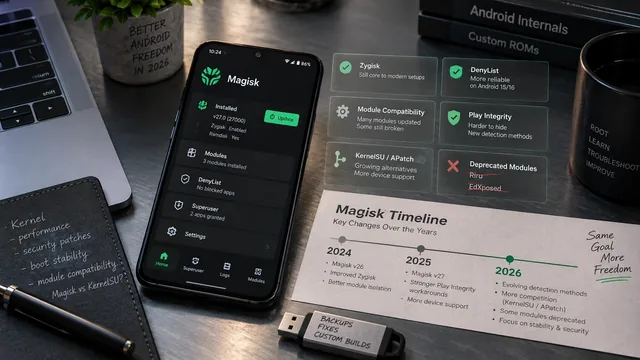
Magisk in 2026 — What's New, Changed, and Broken
Magisk 2026 status — current version, recent changes, modules that broke, MagiskHide replacement, KernelSU competition, and our 2026 recommendations.
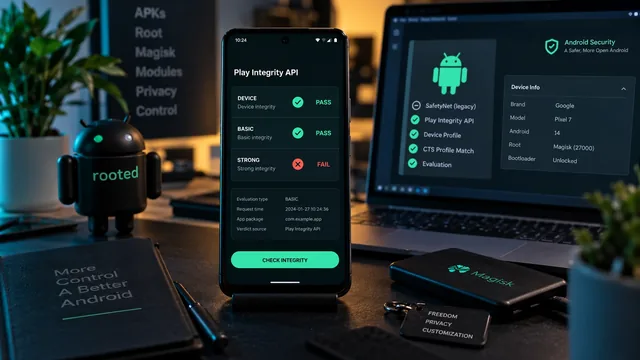
SafetyNet vs Play Integrity API — Pass It With Root (2026)
SafetyNet retired in 2024 — Play Integrity API replaced it. Here's how to pass MEETS_DEVICE_INTEGRITY and basic banking apps with Magisk + Shamiko in 2026.
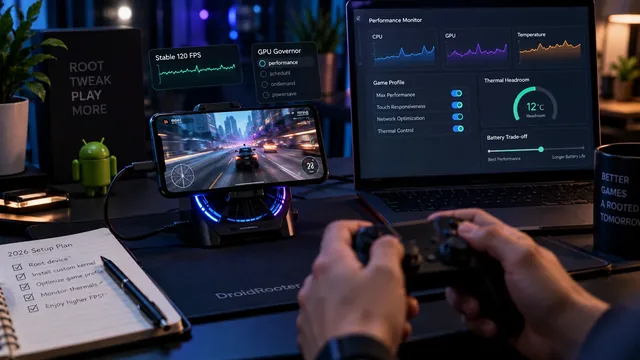
Android Gaming Optimization With Root — 2026 Setup Guide
Full 2026 root-based gaming optimization guide — Magisk modules, GPU governors, custom-kernel tuning, gaming profiles and overclock vs underclock trade-offs.