Google Messages RCS Stuck on Setting Up or Error 3100 After Switching Phones
Get your messages moving again with a clear guide to number verification, old-phone registration, dual SIM and the elusive error 3100.
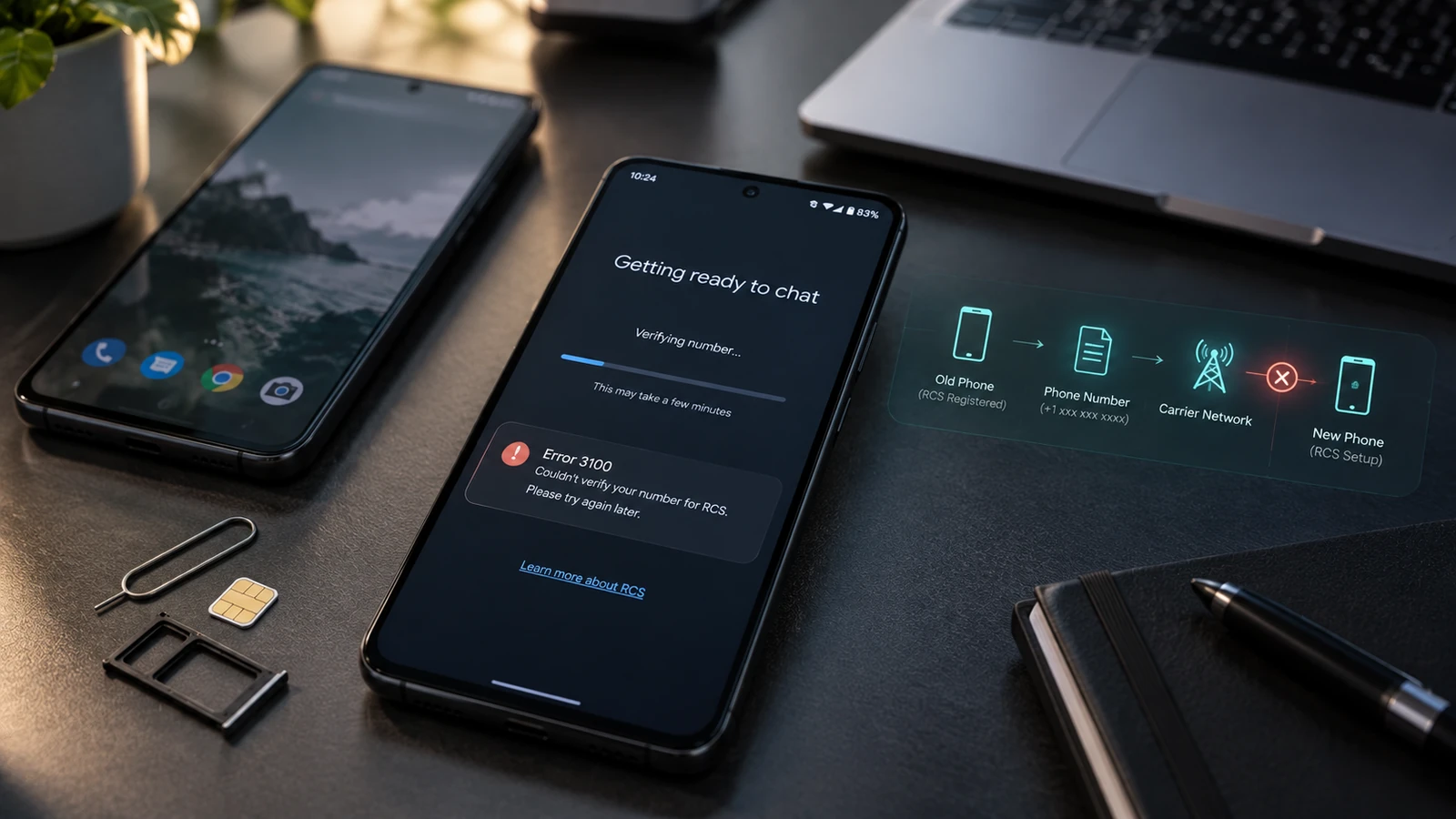
Table of Contents
- Start with the message on your screen
- 1. Test the phone line before the app
- 2. Give Google Messages a clean starting point
- 3. Check the number and dual-SIM setup
- 4. Handle the old phone deliberately
- 5. If the error followed Samsung Smart Switch
- Keep texting while RCS is being fixed
- Frequently asked questions
- Should I factory-reset my phone for error 3100?
- Can rooting or changing ROMs fix RCS registration?
- Why does RCS work with one person but not another?
- Who should I contact next?
- Sources and review notes
Your photos made it across. Your contacts made it across. Somehow, the app responsible for saying “I'm here” is the one still moving in. If Google Messages is stuck setting up RCS after a phone swap, start by separating a working phone line from a working RCS registration. They are two different checks.
Quick answer: Confirm that your new phone can receive ordinary SMS, update Google Messages and Google Play services, and check the number shown under RCS settings. If SMS fails too, resolve the SIM or number transfer first. If SMS works but RCS does not, follow the registration checks below before resetting anything.
Start with the message on your screen
Open Google Messages → profile picture → Messages settings → RCS chats. Older versions may call it Chat features. Write down the exact status before changing settings. Google's activation troubleshooting separates connection, app-version and carrier problems; that distinction saves a lot of random tapping.
| What you see | What to check next | What success looks like |
|---|---|---|
| Setting up or Connecting | Number verification, internet access and incoming SMS | RCS status changes to Connected |
| Trouble connecting or Awaiting retry | Verification prompt and Google feedback option | Verification completes or support receives the error |
| Disabled by your carrier | Your mobile operator's support team | Operator resolves the restriction, then Retry works |
| Connected, but one conversation uses SMS | The other person's RCS availability | A test chat with a known RCS contact works |
| Error 3100 | Record the error and isolate the migration circumstances | A reproducible report, rather than repeated resets |
Error 3100 is not a diagnosis by itself. The official Google help pages reviewed for this guide do not give it a definitive public meaning or a universal fix. If it appeared after Smart Switch, include that in your report, but do not assume Smart Switch damaged your phone or that copying everything again will cure it.
1. Test the phone line before the app
Ask someone to send a plain SMS to your number. Check that a normal call arrives as well. A Wi-Fi message in another app does not prove your mobile number is active on the new SIM.
If calls or SMS fail, note whether the old phone still receives them. If you have changed networks, the number transfer may still need attention. Contact the receiving carrier with the transfer reference and the behavior of both phones. In Canada, for example, Rogers documents a separate number-transfer approval process; moving your photos does not complete it.
If the new eSIM itself is missing or inactive, use our Android eSIM transfer guide first. RCS troubleshooting makes more sense once your line is usable.
2. Give Google Messages a clean starting point
Make Google Messages the default SMS app, install its available Play Store update, and check for a Google Play services update. Then restart the phone once. Test the same conversation again, rather than switching between several messaging apps.
Use a normal internet connection that loads websites reliably. If public Wi-Fi is sitting behind a hotel sign-in screen, complete that sign-in or try your own mobile data. A Wi-Fi symbol alone is not proof that the phone can reach the internet.
This is a useful little experiment: if registration fails on hotel Wi-Fi but works on your mobile connection, you have narrowed the problem to that network path. It does not establish that the phone needs a factory reset.
3. Check the number and dual-SIM setup
When Google offers Verify your number, check the country code and number carefully. An old temporary number is worth flagging to your carrier if you recently ported your real number.
For dual-SIM phones, Google's RCS FAQ recommends aligning the calling and data SIM during troubleshooting. Check this in your phone's SIM settings; labels differ between Galaxy and Pixel. Note your original choices so you can restore them afterward.
This matters when you travel between North America and Europe. Your travel eSIM may provide data while your everyday number remains attached to another SIM. Keep track of which line owns the number you want to register. Do not delete either profile merely to simplify the menu.
For a persistent Awaiting retry status, Google says to use Details and submit feedback if verification has taken more than 30 minutes. That is a reporting threshold, not a promise that every registration completes within half an hour.
4. Handle the old phone deliberately
If messages are stranded on a previous device or you are leaving RCS, Google provides an RCS deactivation portal. Use the official process for your own number when the old phone is unavailable. If you still have the old device, review its RCS settings there first.
Avoid the on-off-on-off loop. Google's RCS status and settings guide warns that disabling RCS can remove you from group chats. Deactivation is a targeted migration step, not a harmless refresh button to press after every failed test.
Before changing anything, take a screenshot of the current status. After making one relevant change, wait for the new result and record it. “It failed after this one step” is far more useful than “I tried everything.”
5. If the error followed Samsung Smart Switch
Treat the migration as a clue. Keep the old phone available if you can, and record whether the new Galaxy can receive SMS, whether Google Messages is the default, and whether the same number appears on both devices.
Do not repeat a full Smart Switch transfer just to test RCS. That mixes message-history migration with network registration and makes the before-and-after comparison harder. Likewise, a copied conversation history does not tell you whether today's outgoing message is using RCS.
If error 3100 persists after the earlier checks, send this compact report through Google Messages feedback:
- New and old phone models, plus Android/One UI versions.
- Google Messages version and the exact error wording.
- Carrier, country, and whether the number was recently ported.
- Physical SIM or eSIM, and whether two lines are enabled.
- Whether Smart Switch was used and when the error first appeared.
- Whether ordinary incoming SMS works and whether the old phone still receives messages.
Keep phone numbers, verification codes and screenshots containing private chats out of public forum posts. Give account information only through the carrier's authenticated support channel.
Keep texting while RCS is being fixed
For a time-sensitive message, check the send indicator and use ordinary SMS/MMS when appropriate. Google's RCS settings guide explains the fallback controls. Carrier charges and media limits can apply, especially while roaming.
RCS being Connected does not mean every recipient has RCS, and a message falling back to SMS does not necessarily mean registration failed again. Test with someone who can confirm that RCS is enabled at their end. Judge the connection by its status and delivery behavior, not by bubble color alone.
Frequently asked questions
Should I factory-reset my phone for error 3100?
Not as an early troubleshooting step. A reset costs time and can erase local data without resolving a carrier or registration issue. Gather the diagnostic details above and follow a specific support recommendation only after backing up.
Can rooting or changing ROMs fix RCS registration?
Neither is a sensible first step. Changing the operating system adds variables to a problem that may concern only your phone number or carrier. If the phone is already modified, include that fact in your report rather than hiding it.
Why does RCS work with one person but not another?
RCS depends on both ends of the conversation. Your contact may have RCS disabled, lack support, or be temporarily unreachable through data. A successful RCS test with another contact helps separate that case from a problem with your own registration.
Who should I contact next?
Contact your carrier when incoming SMS fails, a number transfer is incomplete, or the status explicitly names a carrier restriction. Use Google Messages feedback for persistent registration errors with an otherwise working line. If you need help interpreting phone settings, contact Droid Rooter with the checklist above; account provisioning still belongs to your carrier.
Sources and review notes
Technical guidance reviewed September 12, 2026. This article distinguishes Google's documented registration steps from an error code without an official published diagnosis. Menu names and support options can change.
More Android Guides
Recover Android Data With a Broken Screen and No USB Debugging
A broken screen does not always mean lost files. Find the recovery route your phone actually supports, even when USB debugging was never enabled.
Android Auto Keeps Disconnecting After an Update: Samsung and Pixel Fixes
Map gone, music stopped, phone still charging? Separate cable, wireless, app and update problems with a simple test sequence.
Android eSIM Transfer Failed: Pixel, Samsung and Carrier Troubleshooting
Your apps moved, but your phone number did not. Work out whether setup, activation or number porting needs attention before deleting a working eSIM.