EDL Mode on Android: What It Is, When It Matters, and the Risks
EDL is real and it has revived devices nothing else could reach. It is also gated, model-dependent and frequently destructive. Here is the honest version.
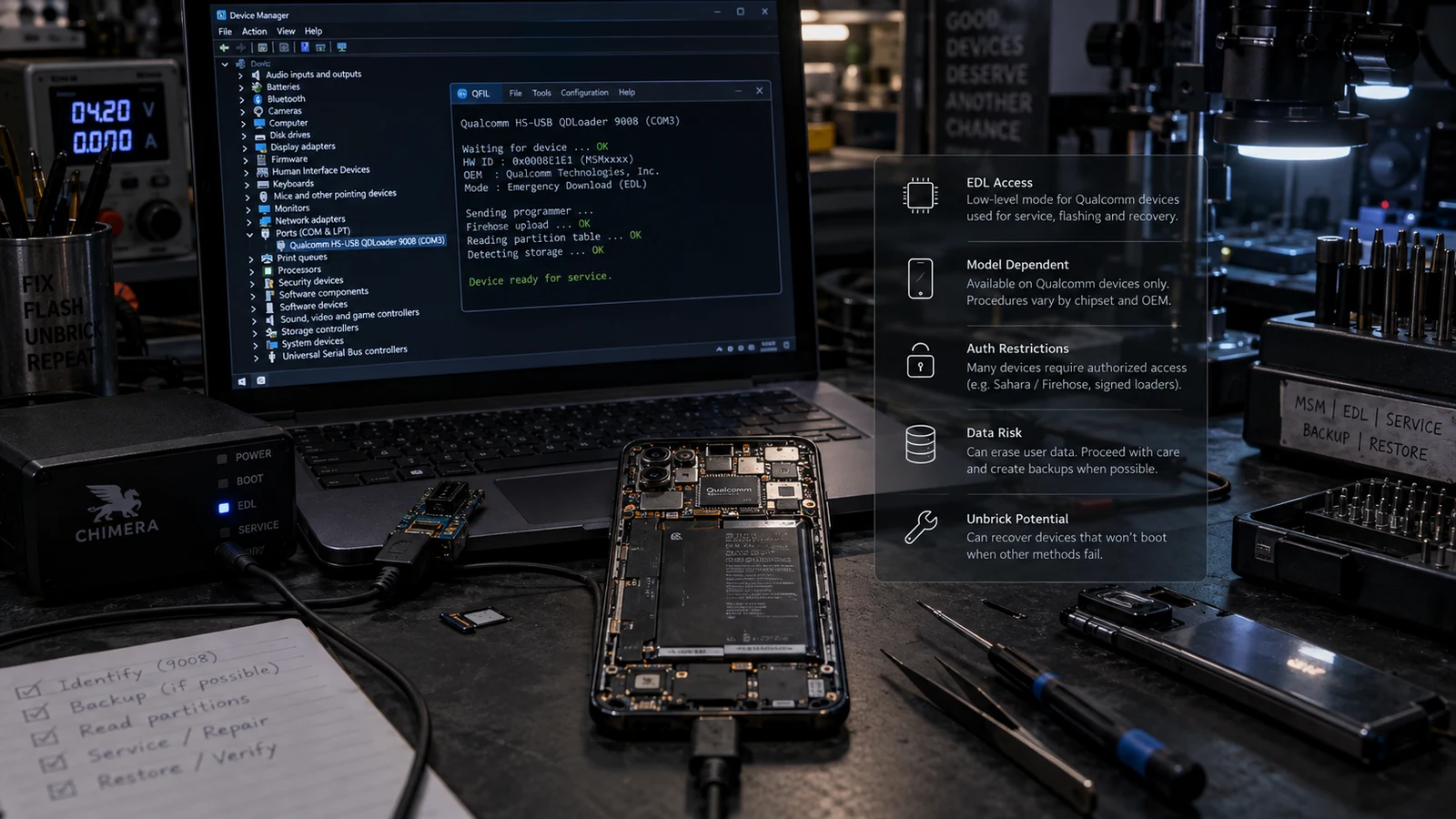
Table of Contents
EDL is a low-level recovery interface built into Qualcomm chips, sitting below the bootloader, which is why it can sometimes reach a device that fastboot and recovery cannot. It is also gated behind signed vendor files that differ by model, and it is frequently destructive to data. Whether it helps your device is a per-model question, not a general one.
What EDL actually is
Emergency Download mode is a feature of the boot ROM on Qualcomm systems on a chip. That placement is the whole point: the boot ROM runs before the bootloader, before recovery, before anything that a bad flash could have damaged. If the code above it is broken, EDL is still there.
When a device enters it, it presents itself over USB as a Qualcomm QDLoader interface, commonly identified by the number 9008. From there it speaks two protocols, Sahara and Firehose, which let a connected computer send a loader program to the device and then issue commands to read or write storage partitions.
The critical detail, and the one that most articles skip: the loader has to be signed by the manufacturer. EDL does not accept arbitrary code. It expects a programmer file, typically an ELF, that carries a valid vendor signature for that device family. Without one, the interface answers the phone call and then refuses to do anything useful.
That single requirement explains almost everything else in this article.
Why availability differs so much between devices
People read that EDL is a Qualcomm feature and reasonably conclude that any Snapdragon phone can be rescued this way. The chip-level capability is broadly there. The usable path is not.
Four things vary independently by manufacturer and by model:
Whether the device can be put into EDL at all, and how. Some devices accept a software command from a running system. Some respond to a specific cable configuration. Some require opening the device and bridging test points on the board. Some expose it automatically when the bootloader is sufficiently damaged. There is no universal method and a procedure from one model does not transfer to another.
Whether a signed programmer for that model is obtainable. Some manufacturers make these available. Some restrict them to authorized service channels. Some do not distribute them at all. This is not a technical skill question. If the file does not exist outside a vendor's service network, no amount of expertise conjures it.
Whether additional authentication sits in front of it. Several manufacturers added an authentication step where the device or the tooling checks against a vendor server before permitting low-level operations. Where that exists, access is tied to an authorized account rather than to possession of the device.
Whether the necessary firmware images for that exact model and region are available. Reaching EDL and having nothing valid to write is not a rescue.
All four have to line up. That is why "my phone supports EDL" and "my phone can be recovered through EDL" are different statements, and why an honest answer to "can you fix it" starts with the model number rather than with a yes.
Why the security hardening happened
This part is worth understanding, because it explains why the situation keeps getting tighter rather than looser.
EDL provides direct, low-level access to storage while bypassing the operating system entirely. That is exactly what a device rescue needs. It is also exactly what forensic extraction needs, and mobile forensics vendors document EDL as an acquisition method precisely because on some devices it allows reading storage without going through the lock screen.
A capability that can read a locked phone's storage is a capability manufacturers have strong reasons to restrict. So they did. Signed programmers, vendor authentication, removed entry methods, and hardened boot chains are all responses to the same underlying property.
The practical consequence for someone with a broken phone is uncomfortable but real: the same hardening that protects your data if your phone is stolen is what makes your phone harder to rescue when it will not boot. Those are the same mechanism viewed from two directions.
This article does not cover authentication bypass, lock-screen circumvention, or security-defeat methods, and we do not provide them as a service. If a device requires vendor authorization, the correct route is the manufacturer or an authorized service provider.
What EDL does to your data
This is where consumer expectations and reality separate most sharply.
An EDL recovery normally means writing a full firmware package to the device. That process typically rewrites the partition layout and the data partition along with everything else. It restores the phone. It does not preserve what was on it.
Destructive action warning: a standard EDL firmware restore should be assumed to erase all user data. It is irreversible.
There are read operations in the protocol, and forensic and repair labs do use EDL to image storage. Two things limit that as a consumer data-recovery route. It requires the same signed access described above, and on a modern device the image you extract is encrypted with keys held in hardware-backed storage. A raw dump of encrypted blocks without the keys is not your photos.
If the data is what matters to you, do not treat EDL as the answer. Read whether data can be recovered from a bricked phone first, because the sequence of what you attempt determines what remains possible.
When EDL genuinely matters
It is the right tool in a narrow set of situations:
- The bootloader itself is damaged, so fastboot is unreachable.
- The device shows no display output but enumerates on USB as a QDLoader interface.
- A firmware flash was interrupted partway through writing a low-level partition.
- The device is a supported model with obtainable signed files and firmware.
Note that every item on that list is about the device having no higher-level path left. If fastboot works, use fastboot. If recovery works, use recovery. EDL is the floor, not the first step, and reaching for it early adds risk without adding capability.
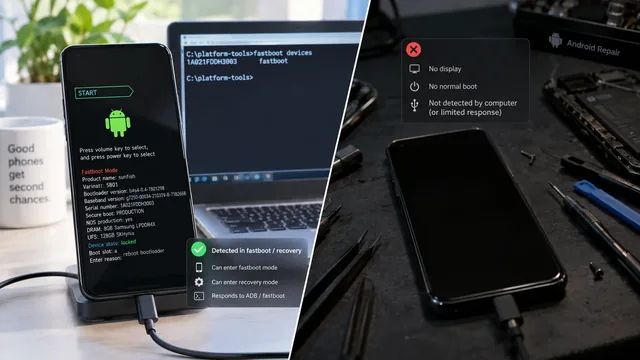
Before concluding that you are in EDL territory, run the detection test in soft brick vs hard brick. A device that people describe as hard-bricked frequently turns out to still reach fastboot, and that changes everything about the approach.
What EDL does not do
Being direct about the limits:
- It does not repair hardware. Failed storage, a damaged power path, or board-level faults are physical problems. EDL writes firmware. It cannot write a working component.
- It does not guarantee recovery. A device can enter EDL and still fail partway through every flash attempt, which commonly points at the storage itself.
- It does not bypass account or lock security, and we will not use it to. Ownership verification comes first on any device where that is a factor.
- It does not undo a rollback restriction. Where a device enforces anti-rollback, writing older firmware can fail regardless of the interface used.
- It is not risk-free. Writing an incorrect image at this level can take a device from recoverable to considerably worse.
We do not publish a recovery rate for EDL work, because the number would be meaningless. The outcome is determined by model, by whether signed files exist, and by whether the fault is software at all. Any figure that averages across those is marketing.
Test points and physical entry
Some devices only reach EDL by opening the case and bridging two contacts on the mainboard. It is worth being clear about what that involves rather than glossing it.
It means disassembling the device, which on a modern phone usually means heating and separating a glued back panel, disconnecting the battery, and removing shields. It voids any remaining warranty. It risks the display cable, the battery, and the water resistance. On a device that has already been dropped or exposed to liquid, it risks turning a partial fault into a complete one.
There is also a diagnostic point people miss: if a device only enters EDL through test points, it is telling you something. Software entry methods being unavailable usually means the software above the boot ROM is not running at all, which raises the probability that the underlying problem is not purely software.
This is a reasonable procedure in a workshop with the right model documentation, the right tools, and a technician who has done it before. It is a poor first attempt at home on a phone you need working.
Tools and where they come from
The tooling in this space is a mix of vendor-internal utilities that were never publicly released, manufacturer service tools, commercial repair boxes sold to shops, and open source implementations of the underlying protocols.
Two rules we apply, and recommend:
Use official sources for firmware. Manufacturer distribution, verified against published checksums where available. A firmware package from a file host is an unknown quantity, and at this level an unknown quantity can end the device.
Do not host or redistribute vendor binaries. We do not, and we will not send you to a mirror. Where a file is only available through an authorized channel, that is the answer, even when it is not the answer anyone wants.
Our firmware and brick recovery service works within those constraints, which means there are devices we tell people we cannot help with. That is the trade for not guessing with someone's phone.
Frequently asked questions
How do I know if my phone is in EDL mode? The screen is normally black with no indication at all. The signal is on the computer: a Qualcomm QDLoader entry appears in the operating system's device list when you connect it. A black screen alone tells you nothing, which is why checking the host device list matters more than looking at the phone.
My phone is MediaTek, not Qualcomm. Is there an equivalent? MediaTek platforms have their own low-level BootROM interface serving a comparable purpose. The concepts transfer, the tooling and the specifics do not. Same for other chipset vendors. Do not apply a Qualcomm procedure to a non-Qualcomm device.
Will EDL get my data back? A standard EDL firmware restore erases user data. Reading data out is a different operation with the access and encryption limits described above. Treat EDL as a device rescue, not a data rescue.
Can this be done remotely? Software-triggered EDL entry on a supported model with obtainable files can often be worked remotely, since the operations run from the connected computer. Test-point entry cannot be, because someone has to open the device. We say which applies before quoting.
Is EDL dangerous to use? It writes at a level below the protections that normally stop a bad flash from being fatal. Used with the correct signed files and the correct firmware for the exact model, it is a controlled procedure. Used with approximately-correct files, it is how recoverable devices become unrecoverable ones.
My repair shop says they can fix any phone with EDL. Is that true? No single method covers every device and every fault. Ask which model-specific files they have and whether the fault has been confirmed as software. A shop that will diagnose before quoting is giving you more information than one that promises an outcome up front.
Related reading: Soft brick vs hard brick · Can data be recovered from a bricked Android? · Android phone will not turn on: software vs hardware · Fastboot device not detected · Fix a bootloop without losing data
Sources: Qualcomm public documentation on emergency download mode. Android Open Source Project bootloader documentation.
Last verified: 17 August 2026. EDL availability, entry methods, authentication requirements and file availability vary by chipset, manufacturer and model, and change between firmware releases. Confirm against official documentation for your exact device.
More Android Guides
Soft Brick vs Hard Brick on Android: How to Tell
The word hard brick gets applied to at least four different states with very different outcomes. Two commands tell you which one you actually have.
Fastboot Device Not Detected: Cable, Driver, USB and Mode Checks
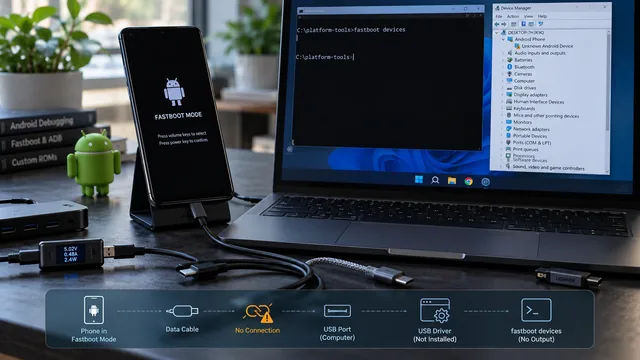
An empty fastboot devices output has six possible causes and only one of them is the driver. Here is how to isolate each layer in order.
Can Data Be Recovered From a Bricked Android? It Depends on the State
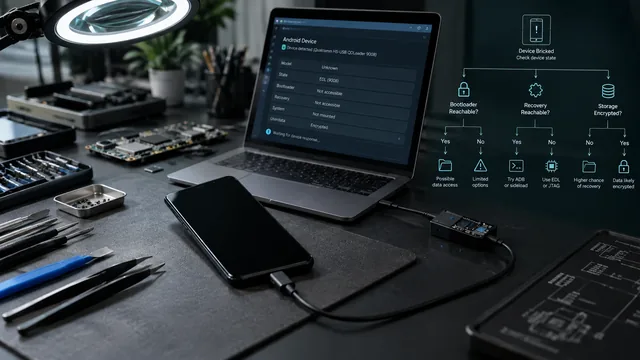
Three separate conditions decide this, and all three must hold. Most guides only discuss one. Here is the state-by-state table.