What Is Rooting? What Android Root Access Actually Means
Rooting gives you, or an app you approve, superuser access that Android normally denies. Here is how that works, what it costs and who it suits.
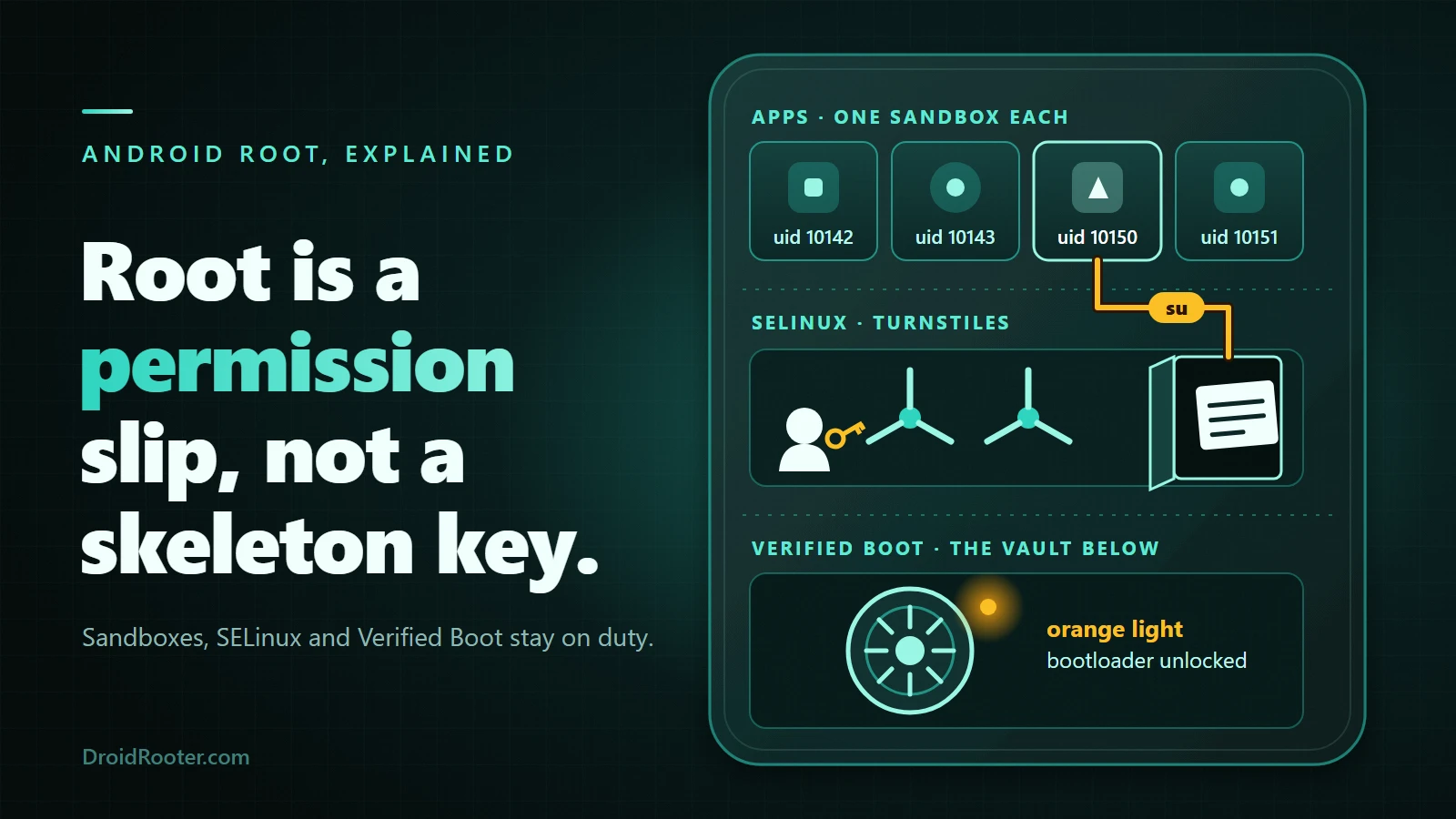
Table of Contents
- What does "rooting" mean on Android?
- What su is and how apps ask for root
- Why Android does not give you root by default
- Layer 1: the app sandbox
- Layer 2: SELinux
- Layer 3: Verified Boot and the locked bootloader
- Why USB debugging alone never gives root
- How root is actually achieved
- Route 1: unlock the bootloader and patch the boot image
- Route 2: the three root frameworks
- Route 3: exploit-based, session-only root
- What you can do with root, and what you still cannot
- What root does not do
- Rooting vs jailbreaking vs bootloader unlocking vs custom ROM vs SIM unlock
- The real costs: what rooting can break
- Play Integrity, stated carefully
- Updates and anti-rollback
- Bootloops and security
- Is rooting legal?
- Who should root, and who should not
- How to tell if a phone is rooted, and whether yours can be
- Troubleshooting matrix: when the idea meets the real phone
- Frequently asked questions
- What is root access on Android?
- What is rooting?
- Can I unroot my rooted device?
- Is rooting an Android illegal?
- Is rooting an Android device a good idea?
- What are the disadvantages of rooting an Android phone?
- What is the easiest Android phone to root, and which is best for rooting in 2026?
- How do I root my Android for free?
- The bottom line
- Sources and project documentation
Rooting an Android phone means gaining superuser access, the account Linux calls root, identified by user ID 0 (UID 0). Android normally refuses that access to every app and to you. Once a phone is rooted, you, or an app you approve, can do things the normal app sandbox forbids: read other apps' data, change system files, run privileged tools.
Here is the part most short answers skip: root is not one switch. It is the result of opening a chain of protections Android closes on purpose, and how you open them decides what you lose. Rooting is also different from iOS jailbreaking, bootloader unlocking and SIM unlocking; the comparison table separates them.
If you are deciding: root gives you control and costs you some of Android's safety checks. It suits a spare phone, a hobbyist or a root-only task far better than the only phone that holds your banking, work and payment apps. For the full verdict, read should you root your Android.
Sources checked November 5, 2026 (tool versions deliberately omitted): AOSP documentation, the Magisk, KernelSU and APatch project docs, Google's Play Integrity documentation and US federal regulation text. This is a documentation-based explainer. DroidRooter did not root or test any phone for it, and it is not legal advice.
Jump to: What rooting means · Why Android locks root out · How root is obtained · What root can and cannot do · Root vs jailbreak vs unlock · The costs · Is it legal? · Who should root · Check your phone · Troubleshooting · FAQ
What does "rooting" mean on Android?
Android is built on the Linux kernel, and Linux has one all-powerful account: root, UID 0. On a normal phone, nothing you install runs as root. Each app gets its own unprivileged user ID, and the system keeps apps apart from each other and from the operating system.1
If you have used a desktop, think of Windows "Administrator" or Linux sudo. The analogy is useful but incomplete: on a desktop, administrator access ships as a feature, while on Android the manufacturer removed that door on purpose and rooting means rebuilding it. Wikipedia, a secondary source, describes the same idea: privileged control over Android's subsystems, comparable to administrator permissions on Unix-like systems.17
What su is and how apps ask for root
A rooted phone adds an su program plus a root manager app that stands between su and every app asking for it. Magisk, KernelSU and APatch are the three managers in current use. When an app asks for root, the manager prompts you and remembers the answer.
Newer managers go further than yes or no. KernelSU's App Profile lets you restrict what an approved app's root shell can do: its uid, gid, groups, capabilities and SELinux rules. The documentation frames this as the principle of least privilege.11 So "this app has root" is not one fixed level of power on every rooted phone.
Why Android does not give you root by default
Three independent layers keep root out of reach. A root method has to get through all of them, which is why it is rarely one click.
| Layer | What it enforces | What it means for rooting |
|---|---|---|
| App sandbox (UID per app) | Each app runs under its own user ID; the kernel enforces isolation | An app cannot read another app's files or become root on its own |
| SELinux (mandatory access control) | Rules that bind every process, root included, in default-deny mode | Even UID 0 is fenced in unless the policy is patched |
| Verified Boot (locked bootloader) | Each boot stage verifies the next, back to a hardware root of trust | You cannot simply swap in a modified boot image |
If you want a text version of the picture: apps sit at the top in sealed rooms, SELinux is the corridor every process must walk through, and Verified Boot is the vault door at the bottom. Root is a permission slip that lets one approved app through one door, not a skeleton key.
Layer 1: the app sandbox
Android gives each app a unique user ID and uses the Linux kernel to enforce the separation, so one app cannot read another's data or use protected resources without permission.1 AOSP documents how this hardened: SELinux separation of system and app processes in Android 5.0, seccomp-bpf system-call filtering in 8.0, per-app SELinux sandboxes for non-privileged apps targeting API 28 or higher in Android 9, and a limited raw filesystem view in Android 10.1 On a properly configured device, AOSP says, breaking out requires compromising the Linux kernel, and it adds that the protections are not invulnerable.1 That caveat matters later: exploit-based root methods exist exactly where a kernel flaw does.
Layer 2: SELinux
Security-Enhanced Linux enforces mandatory access control over all processes, "even processes running with root/superuser privileges," and works on a principle of default denial. Android ships with it in enforcing mode.2
The fact readers most often miss: root on Android is not the all-powerful root of an old desktop Linux install. A root process still has to satisfy the SELinux policy, so root tools carry their own policy patches; Magisk documents magiskpolicy as its tool for that.3
Layer 3: Verified Boot and the locked bootloader
Verified Boot builds a chain of trust from a hardware-protected root of trust through the bootloader to the boot partition and the other verified partitions, including system and vendor. Each stage checks the next, and rollback protection stops an attacker installing an older, vulnerable version. Android Verified Boot (AVB) is part of Android 8.0 and higher.4
AVB reports the result as a boot state. Per the AVB documentation, green means the bootloader is locked and the verification key was not set by the end user, and yellow means locked with a key the user set. Orange means the bootloader is unlocked.5
Most Android devices ship with a locked bootloader, so that nobody can load a different system or boot image onto them.6 A root install means loading a modified boot image, so the lock is the first wall you meet.
Why USB debugging alone never gives root
AOSP's test documentation states that adb root is not available on a user (production) build; it can be enabled on a user-build device only with a debug ramdisk and an unlocked bootloader.7 That is a narrow statement from a compliance-testing page, so read it narrowly: on retail firmware, adb root is not a hidden universal switch.
How root is actually achieved
There are three broad routes. The first is by far the most common.
Route 1: unlock the bootloader and patch the boot image
This is the standard route, the one the Magisk documentation describes. What follows is a map, not a tutorial; commands and per-brand notes live in the full Android rooting guide.
Before step 1: the unlock erases your data. Android's reference behaviour is to warn you and then factory-reset the phone when you unlock the bootloader, and manufacturers follow it in practice.6 Back up everything first. Unlocking also changes the boot state to orange and, on some brands, trips a permanent flag.
- Check that your phone can be unlocked. AOSP's baseline path is Settings → System → Developer options → OEM unlocking. Fastboot refuses to unlock unless that toggle is on, and it can be missing or greyed out on carrier-locked or vendor-blocked phones. Menu names vary by brand.6
- Unlock the bootloader. The generic command is
fastboot flashing unlock; the device should then warn you and reset itself.6 Brand tools and waiting periods exist; see the bootloader unlock guide. - Get the stock image for your exact build. Magisk patches
boot.img,init_boot.imgorvendor_boot.imgdepending on the device, orrecovery.imgif the device has no boot ramdisk.8 - Patch it on your own phone with the Magisk app's Install option. Magisk is blunt: never flash a patched image shared by others, and never patch an image on a different device.8 A patched boot image runs before everything else, so a stranger's is unreviewed code with the highest privileges.
- Flash it from fastboot mode. Magisk documents an optional vbmeta flag (
--disable-verity --disable-verification) and warns it may wipe your data.8 - Reboot and open the Magisk app. Accept the prompt to finish setup (one more reboot). The app then prompts per app.8
Samsung is different. Magisk's documentation says installing it trips the Knox warranty bit irreversibly, that the first install needs a full data wipe, and that you can no longer take OTA updates; you patch each new firmware yourself.8 Unlock availability is also in flux: Wikipedia reports Samsung restricted bootloader unlocking worldwide starting with One UI 8, while Magisk still publishes Samsung steps and says a missing OEM Lock value in Download mode on US and Canada units probably means the phone is not unlockable.178 Reports conflict, so treat it as model, region and One UI specific. The rootable device list and Samsung root guide carry the model detail.
Route 2: the three root frameworks
Once the bootloader is unlocked, you choose a root framework. Each handles the problem differently.
| Magisk | KernelSU | APatch | |
|---|---|---|---|
| How it works | Patches the boot-chain image and runs a user-space daemon | Kernel-mode root for Android GKI devices | Patches the kernel itself using KernelPatch |
| Modules | Supported | Supported; a metamodule is needed only for modules that modify /system |
Supports APM and KPM modules |
| Hardware requirement | Unlocked bootloader and a patchable image | A supported kernel; Unsupported devices need you to build the kernel | ARM64 only; kernels 3.18 to 6.12; full support needs CONFIG_KALLSYMS=y with CONFIG_KALLSYMS_ALL=y |
| Known catch | Samsung and Knox, Play Integrity (see costs) | KernelSU says it will never provide a boot.img for Unsupported devices; older security-patch boot images can bootloop on newer devices with anti-rollback |
The SuperKey has higher privileges than root; Samsung with security protection is listed as planned |
Two nuances: KernelSU's "Unsupported" is not final, since its page links an unofficial supported-device list,10 and on APatch CONFIG_KALLSYMS_ALL=n is listed as "initial support", not unsupported.12 For the real head-to-head, read Magisk vs KernelSU vs APatch. Releases move fast, so check each project's releases page, not a version number in an article.
Route 3: exploit-based, session-only root
A small class of methods uses a vulnerability on specific firmware builds to get root without unlocking the bootloader. They are tied to exact models and builds, usually last only until restart, and a security update can close them. They are an exception, not a general way around a locked bootloader.
Be wary of any "one-click root" APK that promises every phone. A root method has to get through all three layers above, and no single file honestly covers every model and build. A tool that asks you to flash someone else's patched image breaks Magisk's own rule.
What you can do with root, and what you still cannot
| Capability | Typical examples | Needs an unlocked bootloader? |
|---|---|---|
| Systemless changes via modules | Tweaks and patches applied without touching the system partition | Yes, for a standard install |
| Root-requiring apps | Firewalls, full-device backup, automation tools | Yes, for a standard install |
| Removing bundled apps | Deleting or freezing apps ADB cannot remove | Yes, for a standard install |
| Custom ROMs and kernels | Different OS or kernel builds | Yes |
| One root-only task, one time | A single privileged operation | No, on supported builds, via exploit-based routes |
For modules specifically, see the Magisk modules guide.
What root does not do
- Make the phone faster by itself. It removes a restriction; speed depends on what you change.
- Disable SELinux. SELinux constrains root too, which is why root tools patch policy.2
- Unlock your SIM from a carrier. That is a carrier-side lock.
- Guarantee banking apps will run. Play Integrity checks can fail on a rooted phone (see below).
- Undo a tripped Knox bit. On Samsung that flag is permanent.8
- Replace sideloading. Installing APKs does not need root; see Android's 2026 sideloading changes.
- Bypass locks on a phone you do not own. Root must not be used to defeat Factory Reset Protection, a carrier lock or an account lock on a device that is not yours.
Rooting vs jailbreaking vs bootloader unlocking vs custom ROM vs SIM unlock
Root changes who can act. Bootloader unlock changes what the phone will boot. A custom ROM changes what the phone runs. The rest of the table follows from that.
| What it changes | Platform | Wipes data? | Reversible? | Needs the others? | |
|---|---|---|---|---|---|
| Rooting | Gives superuser access to you or approved apps | Android | Often, as a side effect of the unlock; patching alone does not | Usually, with caveats such as a tripped Knox bit | Usually needs an unlocked bootloader |
| Bootloader unlock | Lets the phone boot images the maker did not sign | Android | Yes, by design on AOSP-style devices6 | Often relockable, but brand- and device-specific | No; it is a prerequisite for others |
| Custom ROM | Replaces the operating system | Android | Typically yes when changing OS | By flashing stock firmware, device-dependent | Needs an unlocked bootloader |
| iOS jailbreak | Removes Apple's software restrictions | iOS | Varies | Varies | Different platform, no Android equivalent |
| SIM unlock | Lets the phone accept other carriers | Android and iOS | No | N/A | No; it is a carrier-side change |
| Sideloading | Installs apps from outside the Play Store | Android | No | Yes, uninstall the app | No; no root needed |
The jailbreak row rests on secondary sources only, so treat it as a definition, not a mechanism.
The real costs: what rooting can break
This table should shape your decision. The longer treatment is in Android rooting risks.
| Cost | What happens | What the sources say |
|---|---|---|
| Play Integrity | Apps that check integrity may refuse to run | MEETS_DEVICE_INTEGRITY needs hardware-backed proof of a locked bootloader and a certified image on Android 13+; an empty verdict can signal compromise "such as being rooted"13 |
| Samsung Knox warranty bit | Permanently tripped | Magisk's docs: installing "WILL" trip it, irreversibly8 |
| OTA updates | Over-the-air updates fail or must be redone by hand | The patched boot image replaces the stock one; on Samsung, no OTA at all8 |
| Data | The unlock erases the phone | By design on reference behaviour6 |
Play Integrity, stated carefully
Two corrections to the usual folklore. First, MEETS_BASIC_INTEGRITY and MEETS_STRONG_INTEGRITY are opt-in labels, and on Android 13 and higher they are returned only to apps licensed by Google Play, so not every app sees every tier or asks for it.13 Second, on Android 13 and higher MEETS_STRONG_INTEGRITY means device integrity plus security updates within the last year for all partitions (OS and vendor), so even a locked, unmodified phone left unpatched for a year can fail it. On Android 12 and lower it only needs hardware-backed proof of boot integrity.13
The empty verdict is documented as a sign of "attack (such as API hooking) or system compromise (such as being rooted)," or of a device that is not physical, such as an emulator. The wording is "such as"; it does not say rooting always empties it.13 In practice, apps that require device integrity may refuse a rooted phone, and nobody can honestly promise a pass. The Play Integrity and root guide has the detail, and key attestation exposes the same two facts: whether the device is locked and its verified-boot state.14
Updates and anti-rollback
A patched boot image replaces the stock one, so a normal OTA can fail verification; see failed OTA after rooting. KernelSU warns that newer devices may have anti-rollback tied to security patch level, so a boot image with an older patch level can bootloop.10 Magisk publishes OTA upgrade procedures for keeping root across updates (see its OTA guide), but they are manual and device-specific. Keep a copy of the stock images for your exact build before you change anything.
The Samsung Knox claims come from Magisk's documentation, not a Samsung document. For other brands, warranty treatment varies by brand and country, and no universal answer is claimed.
Bootloops and security
Magisk has bootloop protection: if boot fails to complete twice in a row, it enters Safe Mode and disables modules, and magisk --remove-modules works from adb shell.9 Many bootloops are recoverable; "many" is not "all", which is why the stock-image backup is not optional.
Root also widens the blast radius of anything that goes wrong. SELinux still constrains root, but the approvals you grant in the root manager become the trust boundary. APatch's README states its SuperKey has higher privileges than root, so the secret guarding it deserves care.12
Is rooting legal?
It depends on where you live. This section is information, not legal advice, and it does not claim rooting is or is not an offence where you are. The legal questions tend to be anti-circumvention rules and what you do with root; piracy, bypassing app licensing and fraud are separate matters.
United States (as of November 2026, under the 2024 rule). Section 1201 of the DMCA bans circumventing access controls, but the Librarian of Congress grants temporary exemptions for three-year periods; the Copyright Office's 2024 proceeding was the ninth triennial cycle.15 The current text of 37 CFR 201.40(b)(9) covers computer programs on smartphones and portable all-purpose mobile computing devices, where circumvention is to run lawfully obtained software applications for interoperability, or to remove software from the device.16 The text does not use the word "root." The exemption is generally read to cover rooting and jailbreaking, but that reading is an interpretation. Three limits follow:
- It is narrow and tied to purpose, not a general right to do anything with root.
- It is temporary. The next triennial cycle, expected in 2027, could change it.
- It addresses the DMCA anti-circumvention rule only. The same section says exemptions are not a safe harbor from, or defense to, liability under other applicable laws.16
Elsewhere. The EU, UK, Australia and Canada take varying approaches. Wikipedia's summary mentions differing national implementations of the EU's 2001 Copyright Directive and a Free Software Foundation Europe argument that replacing an operating system does not by itself void a statutory warranty.17 That is a position, not law, and none of it was checked against primary legislation.
There is no honest "rooting is legal everywhere" headline. If it matters for your situation, ask a qualified person in your country.
Who should root, and who should not
| Your situation | Verdict | Why |
|---|---|---|
| Spare or test phone with a root-only task | Reasonable | Little to lose if it breaks |
| Only phone, used for banking, work or payments | Think twice | Play Integrity checks and MDM policy can lock you out |
| Samsung phone with no unlock path in your region or One UI version | May not be possible | The unlock may not be offered |
| You only want to remove a few apps or block ads | Try non-root options first | ADB debloating, DNS-level blocking and Shizuku (not root) may be enough |
| Work or school phone under MDM policy | Check the policy first | Mobile-device-management rules may forbid rooted devices, whatever the law says (an editorial caution, not a claim about any product) |
| Phone you do not own, or that is account-locked | No | Root is not a way around locks you are not entitled to remove |
For the full verdict, use should you root your Android.
Check your exact model first. The rootability checker is a lookup of documented root paths, not a guarantee for your build, and the rootable device list helps if you are choosing hardware.
How to tell if a phone is rooted, and whether yours can be
- Is it rooted? Open the root manager if one is installed. Or, with USB debugging on and ADB authorized, run
adb shell su -c id; a phone that grants the shell root returnsuid=0(root). Ifsuis not found or the request is denied, the shell does not have root. - Bootloader state. Turn on Developer options (Settings → About phone, tap Build number seven times), then open Settings → System → Developer options → OEM unlocking. Greyed out generally means a carrier or vendor lock, or that unlocking is not permitted. Menu names vary by brand; AOSP's path is the baseline.6
- Verified-boot colour. Green and yellow mean a locked bootloader, orange means unlocked.5 Many phones show a boot warning when unlocked; how it looks varies by brand.
- Samsung. Magisk's documentation points to Maintenance Mode (Settings → Device Care → Maintenance Mode), then the OEM Lock line in Download mode: ON (L), ON (U) or OFF (U). The key combination depends on the model.8
- Play Integrity. Checker apps exist; none is recommended here because none was verified.
Troubleshooting matrix: when the idea meets the real phone
| Symptom | Likely cause | What the source says | Next step |
|---|---|---|---|
| OEM unlocking is greyed out | Carrier lock, vendor policy or, on Samsung, KnoxGuard | Fastboot unlock requires the toggle; Magisk's Samsung section separates a toggle that is unavailable from one locked by KnoxGuard68 | Check the carrier and brand policy; do not look for workarounds |
| Banking app says the device is not secure | Play Integrity verdict failed | Empty or lower verdicts can reflect root, an unlocked bootloader or an uncertified device13 | Weigh whether you need that app on this phone |
| Bootloop after installing a module | A module broke boot | Safe Mode after repeated failed boots; magisk --remove-modules over ADB9 |
Remove the module; do not keep reflashing |
| OTA fails after rooting | Patched boot image no longer matches | A patched image replaces stock; Samsung has no OTA8 | Follow the project's update procedure |
| Magisk shows no ramdisk | The device has no boot ramdisk | Patch recovery.img instead8 |
Re-read the install doc for your device |
| KernelSU shows Unsupported | Kernel is not GKI-supported | You compile the kernel yourself; KernelSU will not provide a boot.img10 |
Check the unofficial device list or choose another route |
The bottom line
Rooting means gaining superuser (UID 0) access on Android, which the system blocks with an app sandbox, SELinux and Verified Boot. On most phones the chain is: unlock the bootloader (which erases the phone), patch a boot image or kernel, install a root manager, and approve apps one at a time. The costs are Play Integrity and banking apps, updates, the Samsung Knox bit, a wider security exposure and legal and policy questions that depend on where you live.
Still weighing it? Start with should you root your Android. Decided? Move on to the full rooting guide and check your exact model first. If a flash fails or the phone loops, stop repeating the flash and look for a rescue path before changing anything else.
Want a hand with rooting your phone? Our Android rooting service is a remote, device-checked review of your own phone: we check the exact model, region, firmware, bootloader state and data risk before recommending anything. Some phones cannot be rooted, and we will say so rather than try a generic file. No promise is made about banking apps, Play Integrity, updates or warranty, and we do not bypass ownership checks, account locks or carrier locks.
Sources and project documentation
-
AOSP: Application Sandbox. Unique UID per app, kernel-level isolation, and the hardening timeline from Android 5.0 to 10. ↩↩↩↩
-
AOSP: Security-Enhanced Linux in Android. Mandatory access control over all processes including root, default denial and enforcing mode. ↩↩
-
Magisk tools documentation. Documents
magiskpolicyfor patching SELinux policy. ↩ -
AOSP: Verified Boot. Chain of trust, rollback protection and AVB from Android 8.0. ↩
-
Android Verified Boot README. Green, yellow and orange boot states tied to lock state and key ownership. ↩↩
-
AOSP: Locking and unlocking the bootloader. Locked by default, OEM unlocking toggle, fastboot unlock and the factory reset. ↩↩↩↩↩↩↩↩
-
AOSP: VTS testing with a debug ramdisk.
adb rootis not available on a user build device. A compliance-testing page; the claim is kept narrow. ↩ -
Magisk installation guide. Unlocked bootloader requirement, image choice, the warning against patched images from others, and the Samsung Knox, KnoxGuard and OTA notes. ↩↩↩↩↩↩↩↩↩↩↩↩↩
-
Magisk FAQ. Bootloop protection and
magisk --remove-modules. ↩↩ -
KernelSU installation guide. GKI and LKM modes, metamodule, Unsupported devices and anti-rollback notes. See also What is KernelSU. ↩↩↩
-
KernelSU App Profile. Restricting a root shell's uid, gid, groups, capabilities and SELinux rules. ↩
-
APatch README. ARM64, kernel range, KALLSYMS requirements, APM and KPM, SuperKey and Samsung status. ↩↩
-
Google: Play Integrity API verdicts. Verdict meanings, opt-in labels, the Android 13 licensing note and the strong-integrity update requirement. ↩↩↩↩↩
-
AOSP: Key and ID attestation. The RootOfTrust record, including
deviceLockedandverifiedBootState. ↩ -
U.S. Copyright Office: Section 1201 rulemaking, 2024. Used for the three-year triennial cycle only; it does not itself discuss smartphones. ↩
-
37 CFR 201.40, exemptions to prohibition against circumvention. Paragraph (b)(9) on smartphones and portable all-purpose mobile computing devices, and the statement that exemptions are not a defense to other laws. Hosted by Cornell Law School's Legal Information Institute; the Federal Register final rule was not opened. ↩↩
-
Wikipedia: Rooting (Android). A secondary source, used only for the general definition, the reported Samsung One UI 8 restriction and the non-US legal summaries, all labelled as such. ↩↩↩
Frequently asked questions
What is root access on Android?
It is superuser access (UID 0), the Linux account that can read and change anything the system allows. Android denies it to every app and to you by default. On a rooted phone, a root manager such as Magisk, KernelSU or APatch decides which apps get it. SELinux still applies, so root is powerful but not unlimited.
What is rooting?
Gaining that superuser access on a phone that did not ship with it. On most phones that means unlocking the bootloader, patching a boot image or kernel and installing a root manager. It is separate from jailbreaking, bootloader unlocking and SIM unlocking.
Can I unroot my rooted device?
Usually, but device specifics matter. Magisk documents uninstalling through its app, and a stock-image restore is the fallback. On Samsung, Magisk warns against restoring boot, init_boot, recovery and vbmeta to stock individually, because it can brick the phone, and a tripped Knox bit stays tripped. Relocking the bootloader may wipe or brick some devices, so check your own model before relocking.
Is rooting an Android illegal?
It depends on where you live. In the US, a narrow, temporary DMCA exemption is generally read to cover rooting, but it is not a defense to other laws. See the legal section.
Is rooting an Android device a good idea?
Only if the trade-offs fit you. It suits a spare phone or a root-only task more than a phone you depend on. The decision guide walks through who it suits.
What are the disadvantages of rooting an Android phone?
Lost Play Integrity and banking-app compatibility, a data wipe at unlock, harder updates, a permanent Knox flag on Samsung, a larger security blast radius and a risk of bootloops. See the costs table and Android rooting risks.
What is the easiest Android phone to root, and which is best for rooting in 2026?
Phones whose makers offer an official unlock are generally easiest, but no "best" is named here without data. The rootable device list and rootability checker hold that comparison.
How do I root my Android for free?
The main frameworks are free and open source, so no paid "one-click" tool is needed. The cost is your time and the risk. The steps are in the Android rooting guide.
Related guides
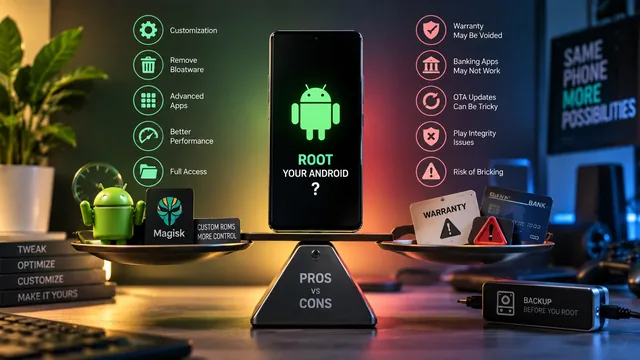
Should I Root My Android? 5 Reasons For, 5 Reasons Against
Should you root your Android in 2026? Honest balanced breakdown — 5 strong reasons not to root, 5 reasons you should, and who fits each path.
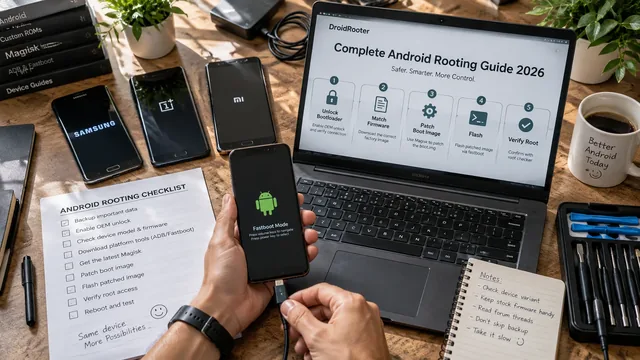
Complete Android Rooting Guide 2026
Complete Android rooting guide 2026 — what root is, why root, modern Magisk method, device notes, post-root setup, banking-app reality.
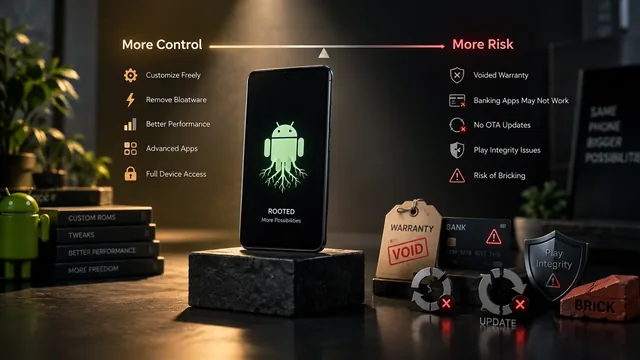
Android Rooting Risks: What Nobody Tells You (Honest Guide)
Honest guide to Android rooting risks — warranty, Knox e-fuse, banking apps, Play Integrity, OTA updates, bricking — and when root is worth it.